IIT-2000/2010/5000/5010 Instruction Manual/English
26 05/08/2015 Version No. 001
Installing the Optional GPIB Card
The optional GPIB is a user-installable option. Follow the
instructions below to install the GPIB card.
Before installing the optional GPIB card ensure the IIT-
2000/2010/5000/5010 is turned off and disconnected from
power.
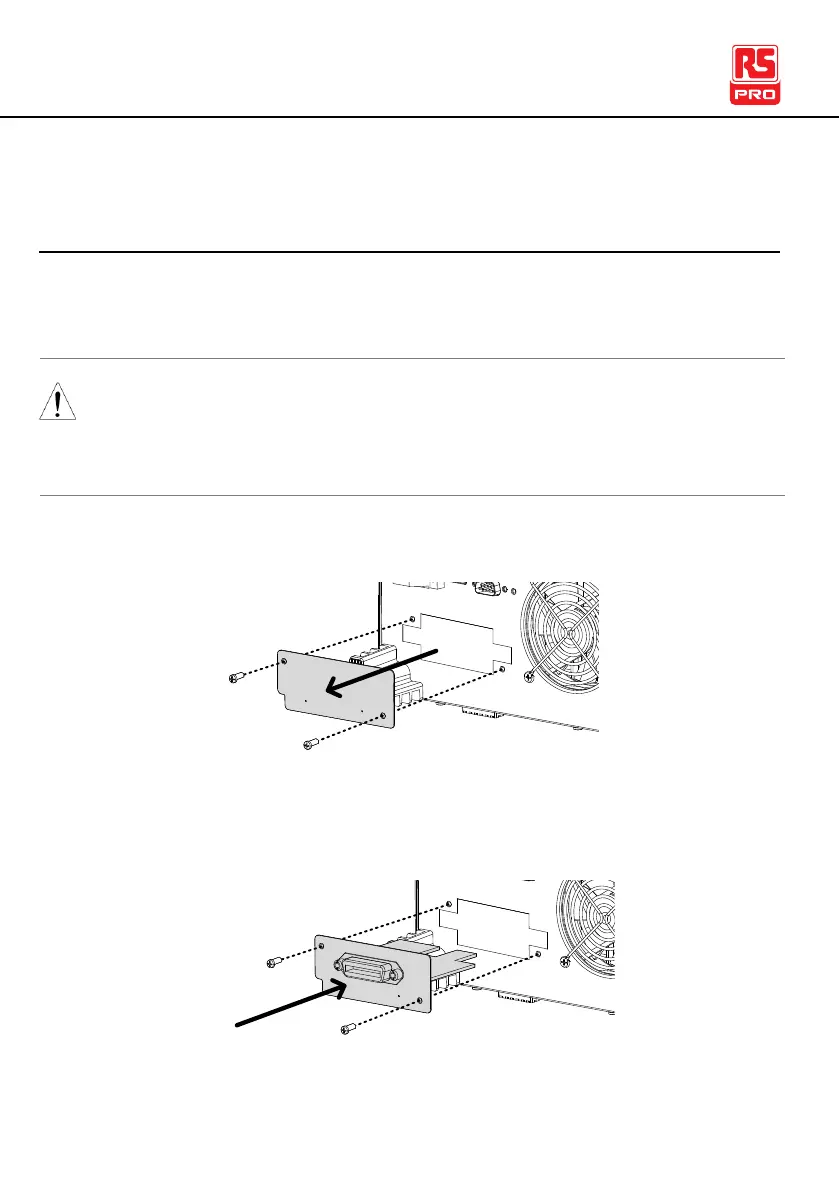
1. Remove the screws from the rear panel cover plate.
2. Insert the GPIB card into the two slots on either side of the
opening. Push the card gently until it is fully inserted.



 To Next Page