IIT-2000/2010/5000/5010 Instruction Manual/English
34 05/08/2015 Version No. 001
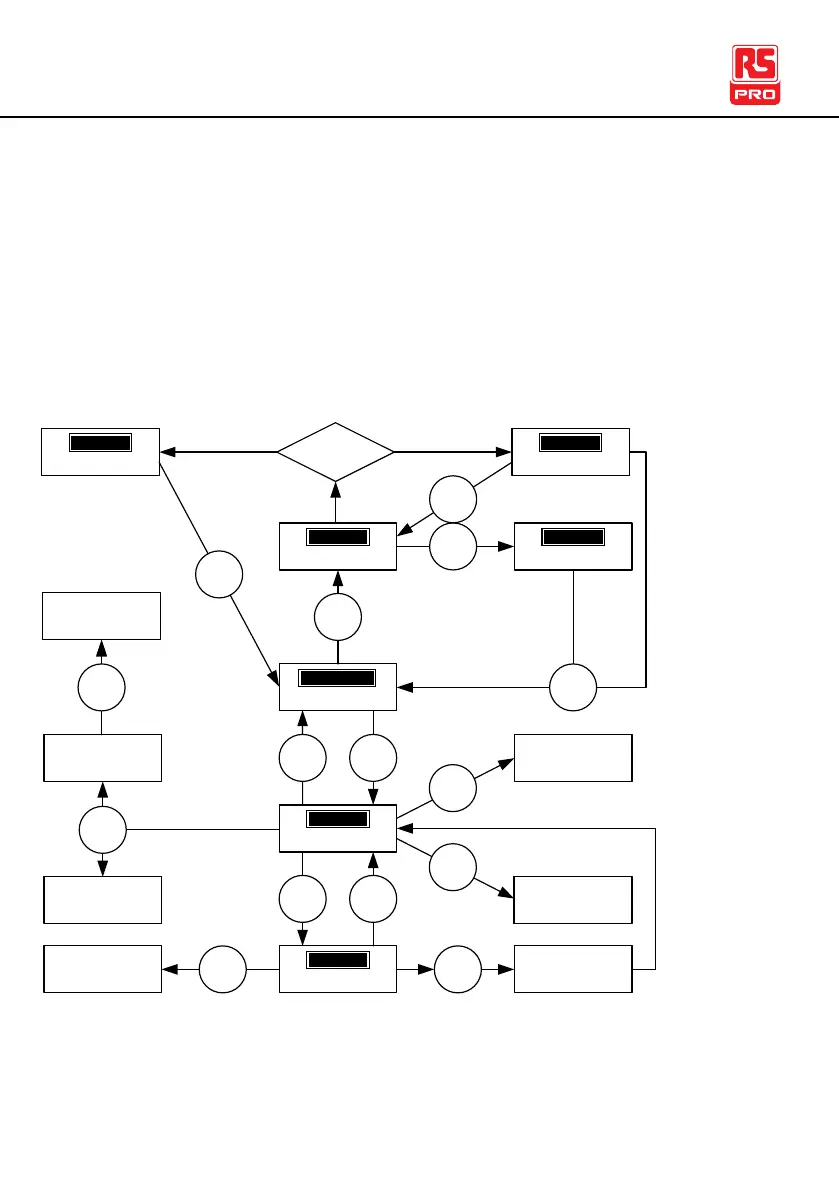
Menu Tree
This section describes the overall structure of the operation statuses and modes for
the IIT-2000/2010/5000/ 5010 safety testers. The testers have two main testing
modes (MANU, AUTO) and 5 main operation statuses (VIEW, EDIT, READY, TEST
and STOP).
status
SET
T
status
OTS
P
status
YAER
D
status
EIV
W
status
IDE
T
Press
START
Press
STOP
Press
MANU/
AUTO
Save the MANU
test or AUTO test
Press
STOP
Press
EDIT/
SAVE
Common Utility
Settings
1
PAGE View
(AUTO mode
only)*
Press
PAGE
Press
ESC
Press
EDIT/
SAVE
Switch to AUTO
mode
MANU UTILITY
menu (MANU
mode only)
1
Press
UTILITY
1 Press EDIT/SAVE to save settings, or ESC to cancel and return to the previous screen.
2 Press the STOP key twice for a FAIL result.
3 When in MANU mode, selecting MANU number 000 will enter the special manual mode.
4 The Sweep mode function is only accessible in the special manual mode.
PAGE View
(AUTO mode
only)*
PAGE View
(AUTO mode
only)
1
Switch to MANU
mode
Special manual
mode
Press
UTILITY
Hold
MANU/
AUTO
MANU
no.
# 000
3
status
SAP
S
status
IAF
L
PASS/FAIL
Judgement
Press
STOP
Press
STOP
2
Press
START



 To Next Page