IIT-2000/2010/5000/5010 Instruction Manual/English
46 05/08/2015 Version No. 001
Pressing the EDIT/SAVE key again will save the settings for
the current test and return back to VIEW status.
Setting the Test Function
After a MANU number has been chosen and the tester is in
EDIT status, a test function can be set.
There are four test functions, AC Withstand, DC Withstand,
Insulation Resistance and Ground Bond.
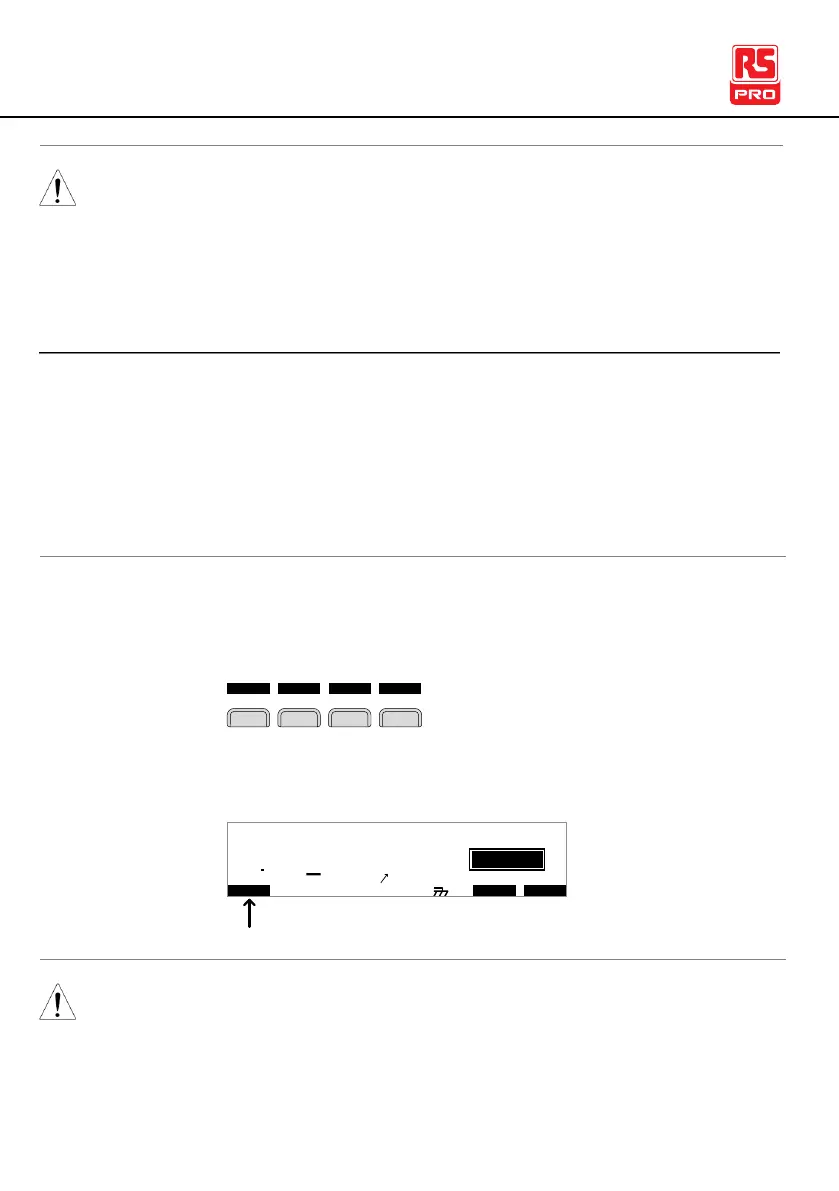
1. To choose the test function, press the ACW, DCW, IR or GB
soft-keys.
2. The test function soft-key is highlighted.
I R G B A CW D CW I / LH O I M ET R
E
F R E Q = 0 H z 6
0
100
k V
IDE
MT I E = 0 0 1 . 0 SR
0 0 m AER F =# 0 .0MM A UN N A_
1 . 0 0 m AIH ES = 0T
0 0 . 1 S0A M P =R
T
2M A N U = * * * - 0 0
test function
m A
The chosen test function only applies to the current test.



 To Next Page