IIT-2000/2010/5000/5010 Instruction Manual/English
05/08/2015 Version No. 001 97
0 1 2 3 4 5 6 7 8 9
W X Y ZM VO P RQ T USNLA B C D E F G H I J K
w x y zm vo p rq t usnla b c d e f g h i j k
+ - * / _ = : Ω ? ( ) < > [ ]
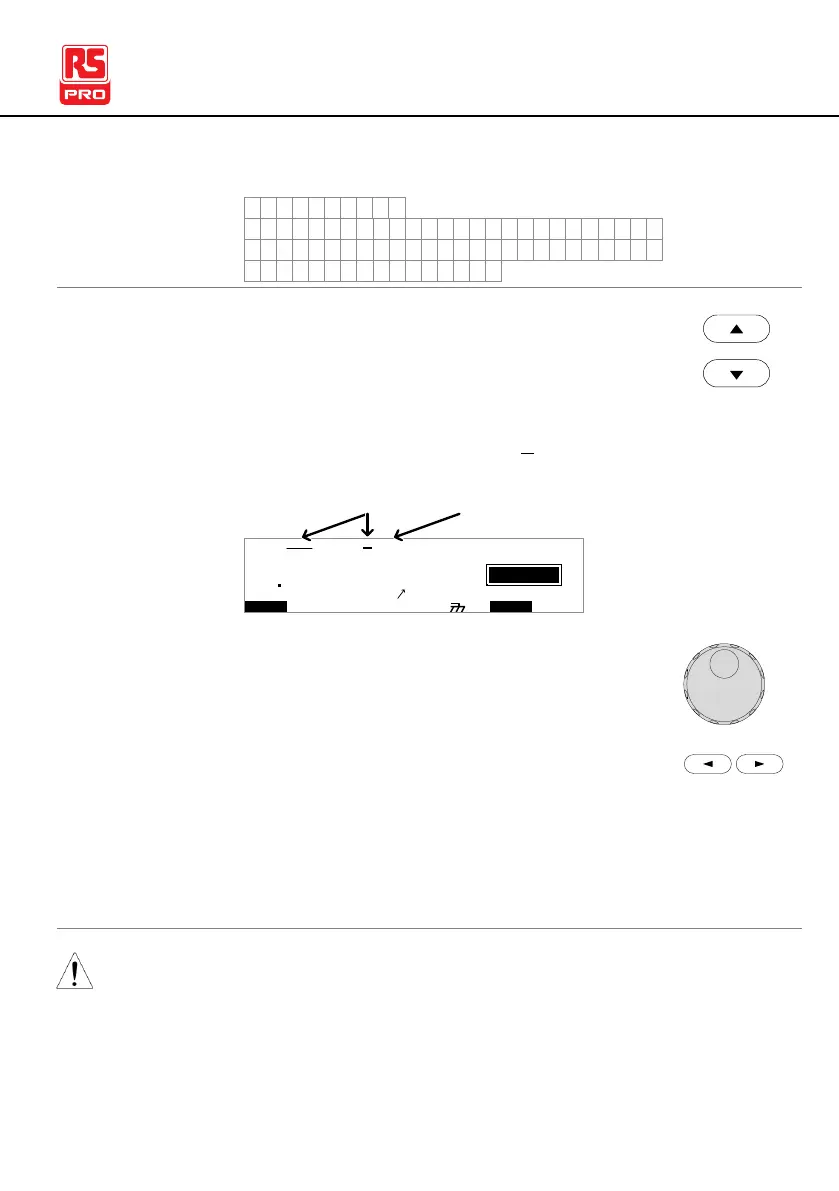
1. Use the UP/DOWN arrow keys to bring the cursor
to the AUTO number. A small cursor will also
appear under the first character of the AUTO test
file name. This is initially set as AUTO_NAME
I R G B
m A
A CW D CW A D D
E
F R E Q = 0 H z 6
0
100
k V
IDE
MT I E = 0 0 1 . 0 SR
0 0 m AER F =# 0 .0MA U OT N A_
1 . 0 0 m AIH ES = 0T
0 0 . 1 S0A M P =R
T
1A U T O = 0 0 1 - 0 0
cursor AUTO test file name
2. Use the scroll wheel to scroll through the
available characters.
3. Press the LEFT/RIGHT arrow keys to go to the
next character.
4. The AUTO test file name is set when the current AUTO test is
saved or when the cursor is moved to another setting.
To cancel the name changes, press the ESC key before the
cursor is moved to another setting or the name is saved.



 To Next Page