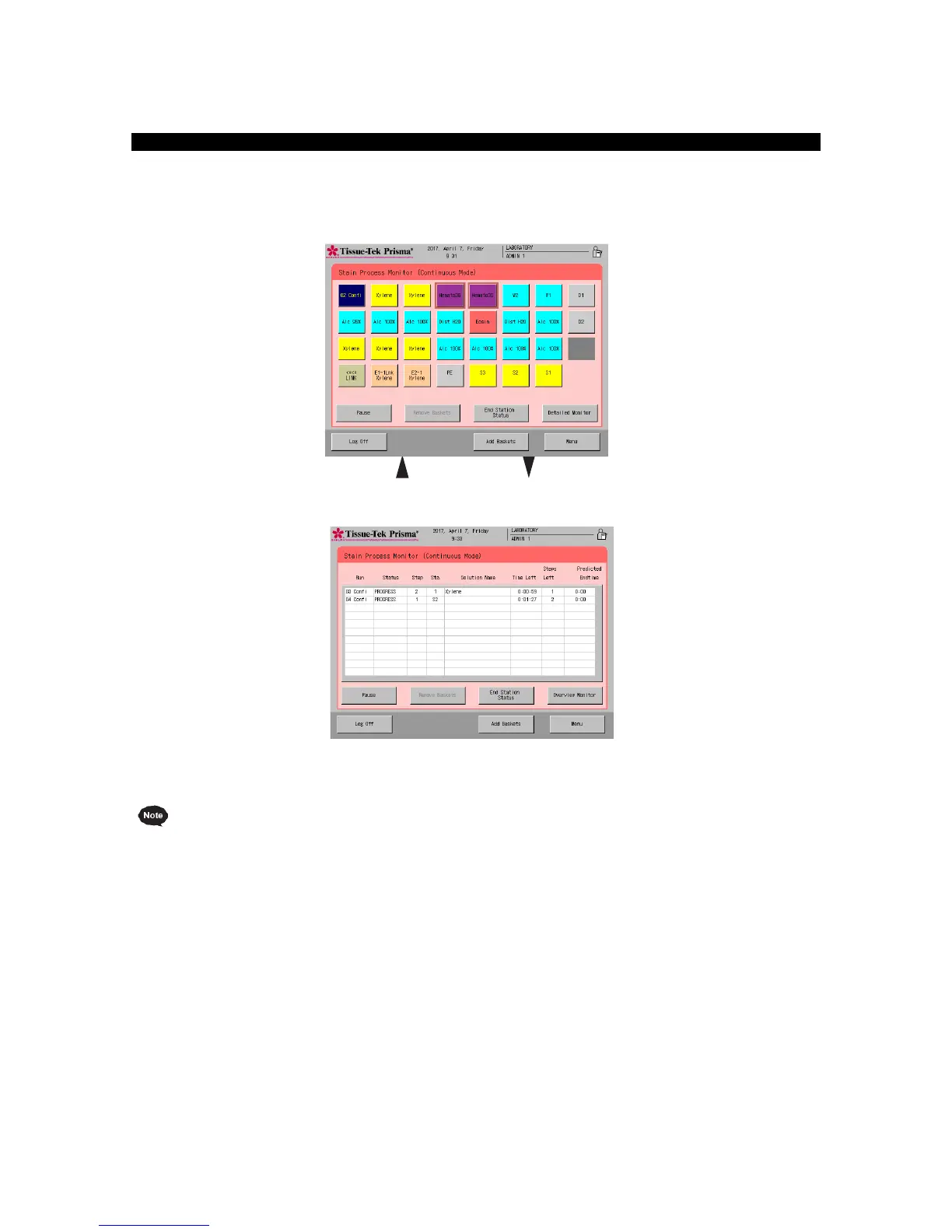
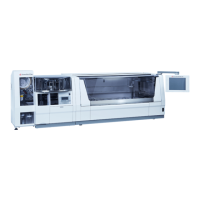
You can check the status of the current staining run by touching the Detailed Monitor key in the Stain
Process Monitor screen during staining process. The scheduled end time can also be checked in the
Detailed Monitor. To return to the previous screen, touch the Overview Monitor key. You can log off from
either screen, and both screens function as the Stain Process Monitor screen.
Overview Monitor
Detailed Monitor
The staining run numbers and abbreviated staining program names shown in the "No." field are also
shown in the Overview Monitor, so the current step can be visually identified at a glance. Also, you can
touch the button corresponding to a desired staining run number (No.) in Overview Monitor to check
the details of the applicable staining program. Touch the Exit key to return to the Overview Monitor.


 To Next Page