SLT12 User Manual
33
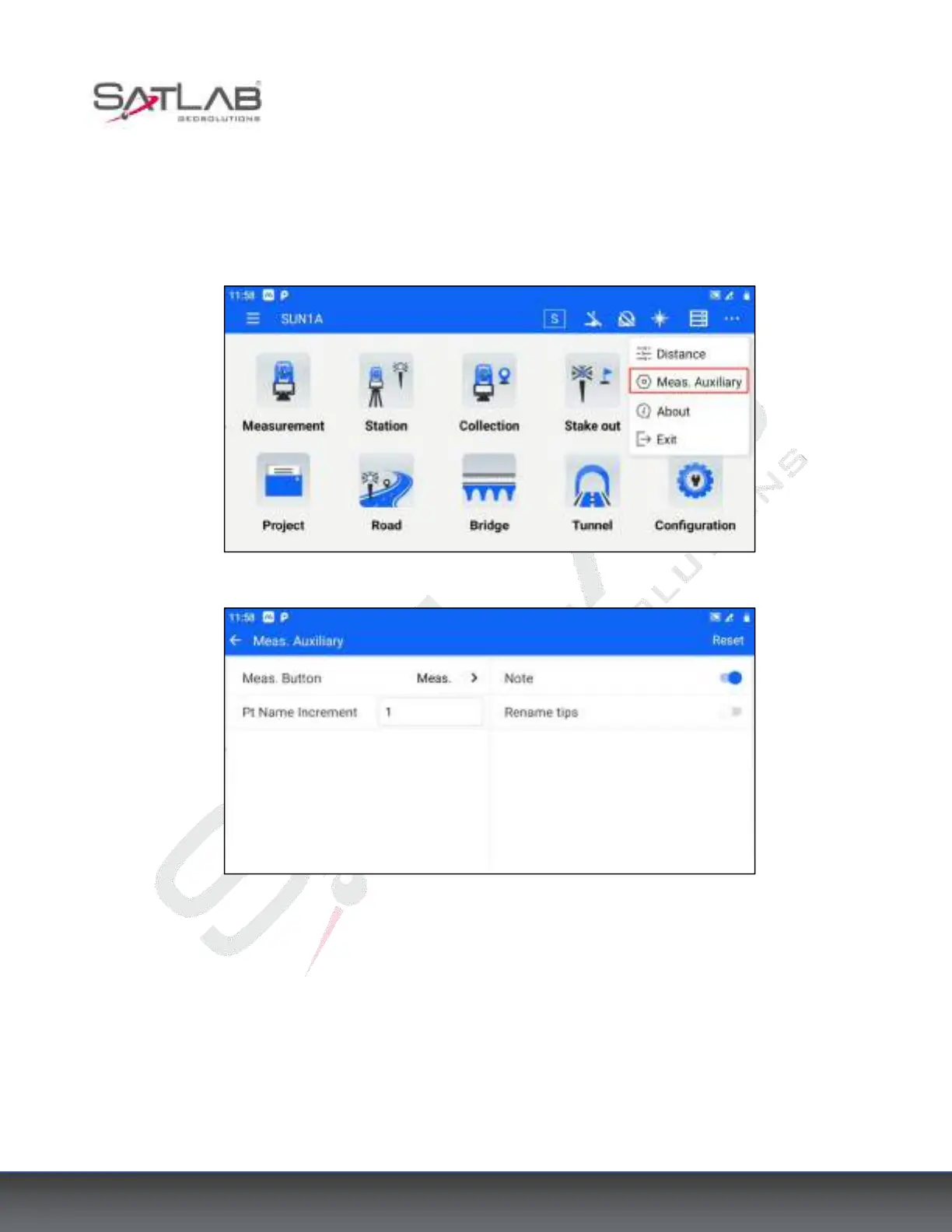
When measuring, you can also choose to record the description of the point at the same time. The operation is as
follows.
1. Click the […] icon in the top bar - [Meas. Auxiliary] and turn on the switch of Note.
Figure 5- 3
Figure 5- 4
2. Return to the [Measure] interface, and the interface will display the image description of the measured point at
the same time. When you measure and store the point, the image description of the measured point will be stored
at the same time.
Noted: The image function is not available when the USB slot is occupied.



 To Next Page