SLT12 User Manual
48
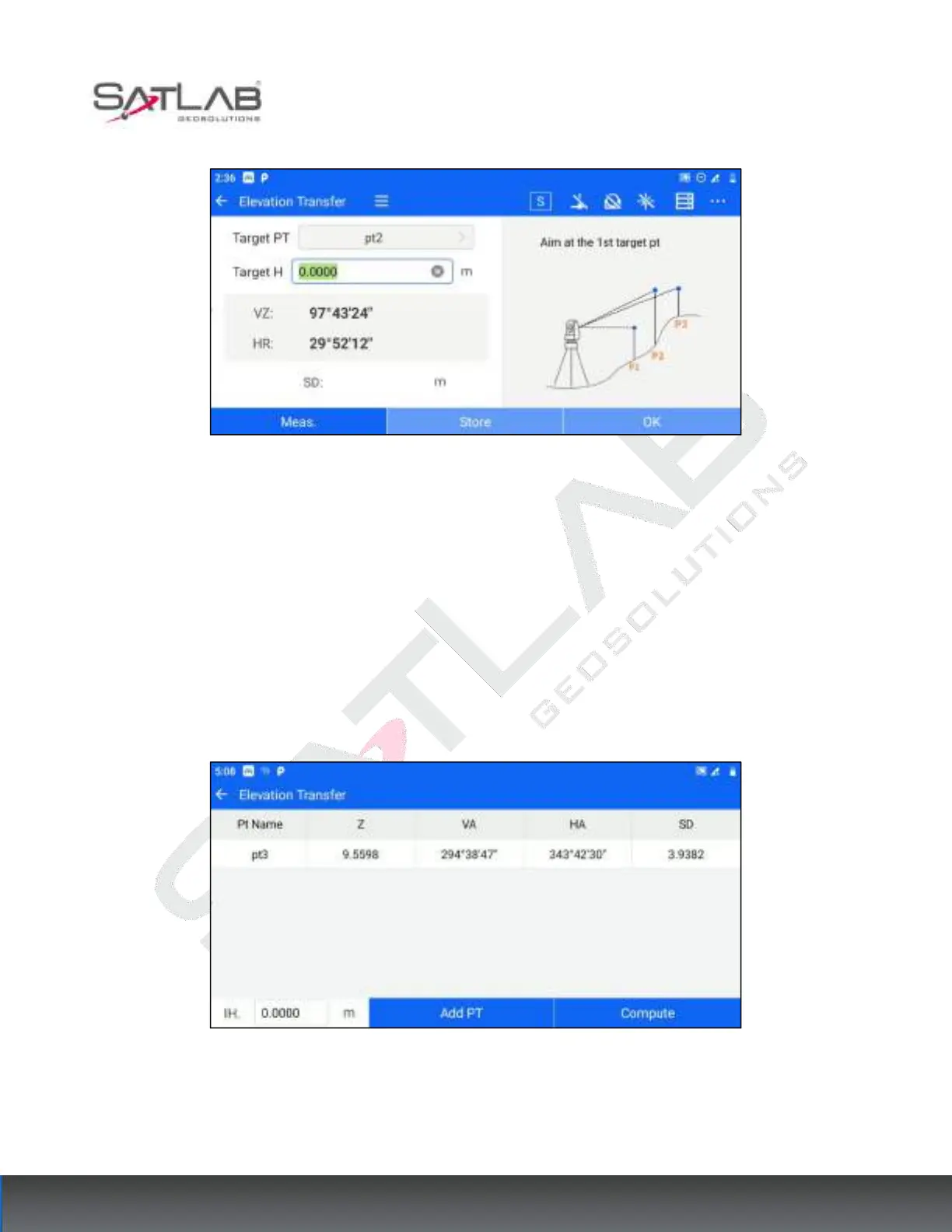
Figure 6- 19
[Meas.]: Click measure when aiming at the target point to get the slant distance from the measuring station to the
target point.
[Store]: After you have measured the target point, click " store " to return to the point list and store the distance
measurement point in the measurement point library.
[OK]: After you have measured the target points, click "OK" to return to the point list.
4. The elevation transfer point list interface shows all the points that have been measured currently. At the
bottom, you can set the “IH”. Click on the corresponding data to "delete" the operation.
Figure 6- 20
[Add PT]: You can continue to add known points for measurement, repeat steps 2~3. A minimum of 1 known
point is required for elevation transfer.



 To Next Page