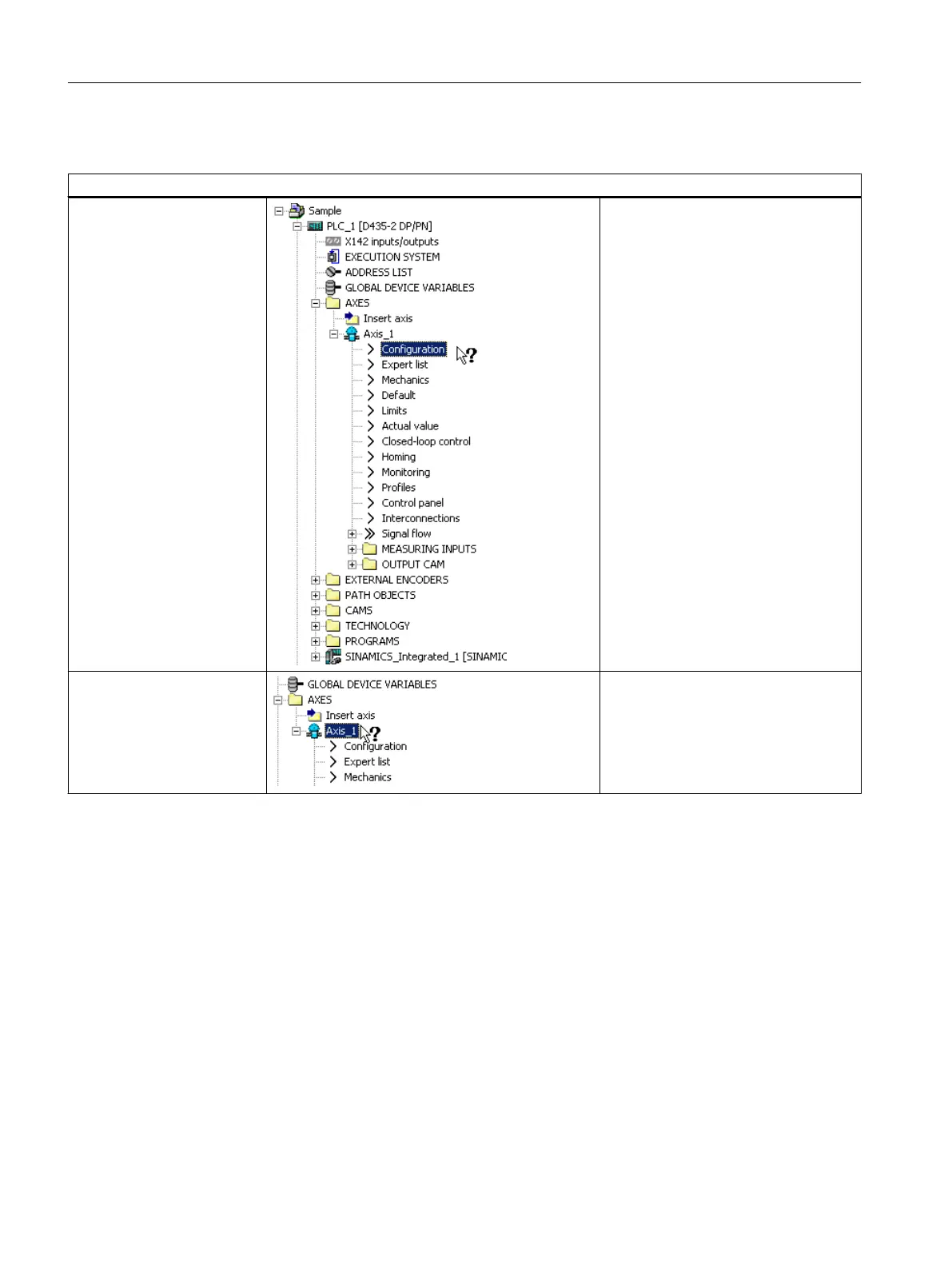
Examples of the context-sensitive help
Help in the project navigator
General help Press <Shift+F1>. Then click with the
question mark on the project navigator.
The general help for the project naviga‐
tor opens.
Help for the technology ob‐
ject
(only SIMOTION)
Press <Shift+F1>. Then click with the
question mark on a technology object in
the project navigator.
The help for this technology object
opens.
User interface
5.10 SIMOTION SCOUT - using help
SIMOTION SCOUT
58 Configuration Manual, 11/2016






 To Next Page