Operating Manual Audiology Scanners
Document version: 3.3 04-2020 28
Installation with Noah
To operate aural Scan with Noah (the software of the Hearing Instrument
Manufacturers' Software Association (HIMSA)), you must accept the proposed
target folder.
6.2
Load the calibration data
Start aural Scan (for the first time).
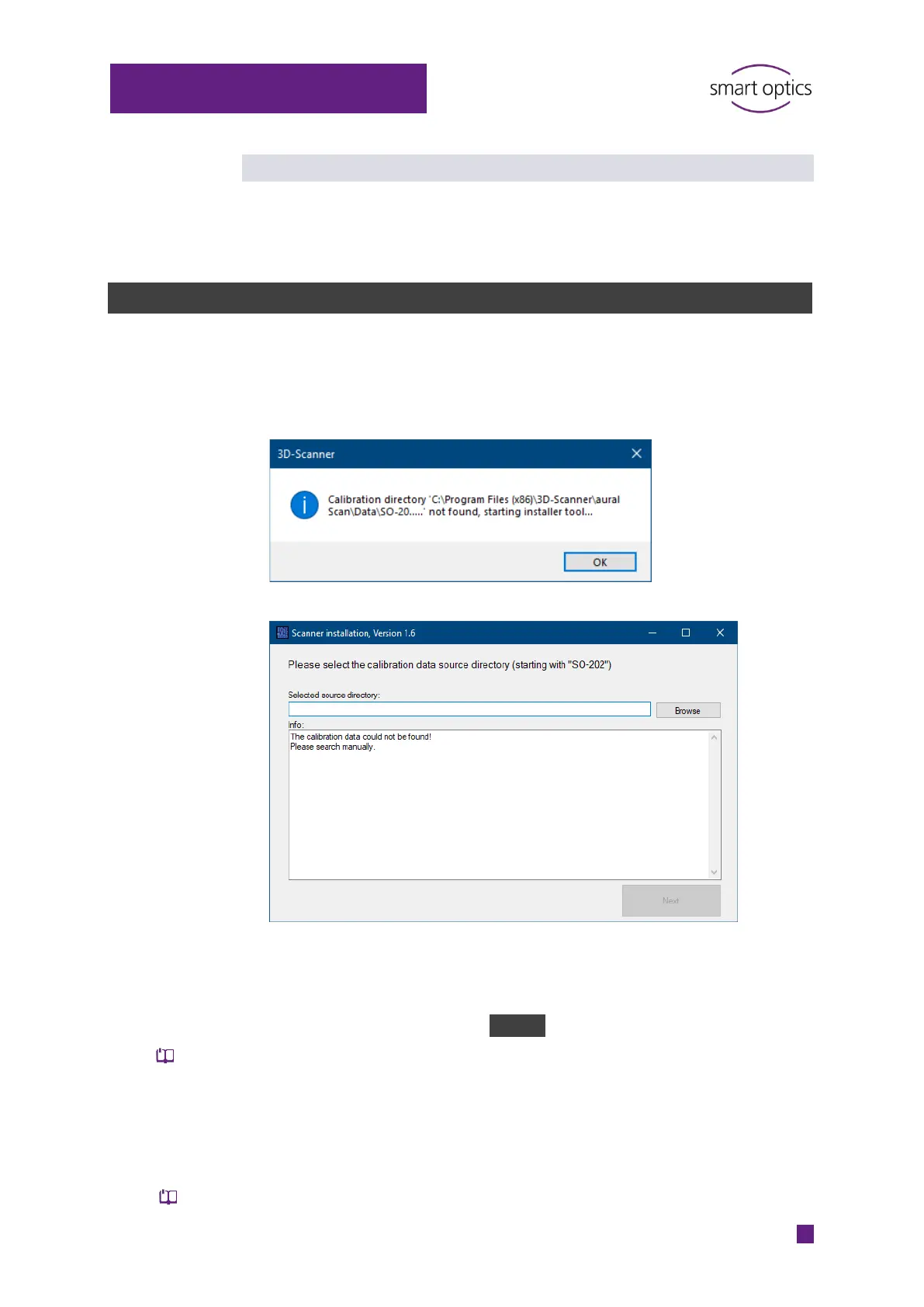
aural Scan indicates that a folder (calibration directory) is missing in
Program Files:
Follow the instructions.
The specific calibration data for your scanner are stored on the aural Scan
data carrier. Calibration data folder names begin with the character string
\SO-202.
To look for the folder, click on Browse.
The name of the calibration data folder must match the scanner’s sensor
number (
See the back of the scanner: SO number)
If the calibration data folder is named differently, please contact your
seller (reseller or smart optics). Do not rename the SO folder.
Once the calibration data have been loaded, you can start aural Scan.
The axes must necessarily be calibrated with the first start.



 To Next Page