Operating Manual Audiology Scanners
Document version: 3.3 04-2020 99
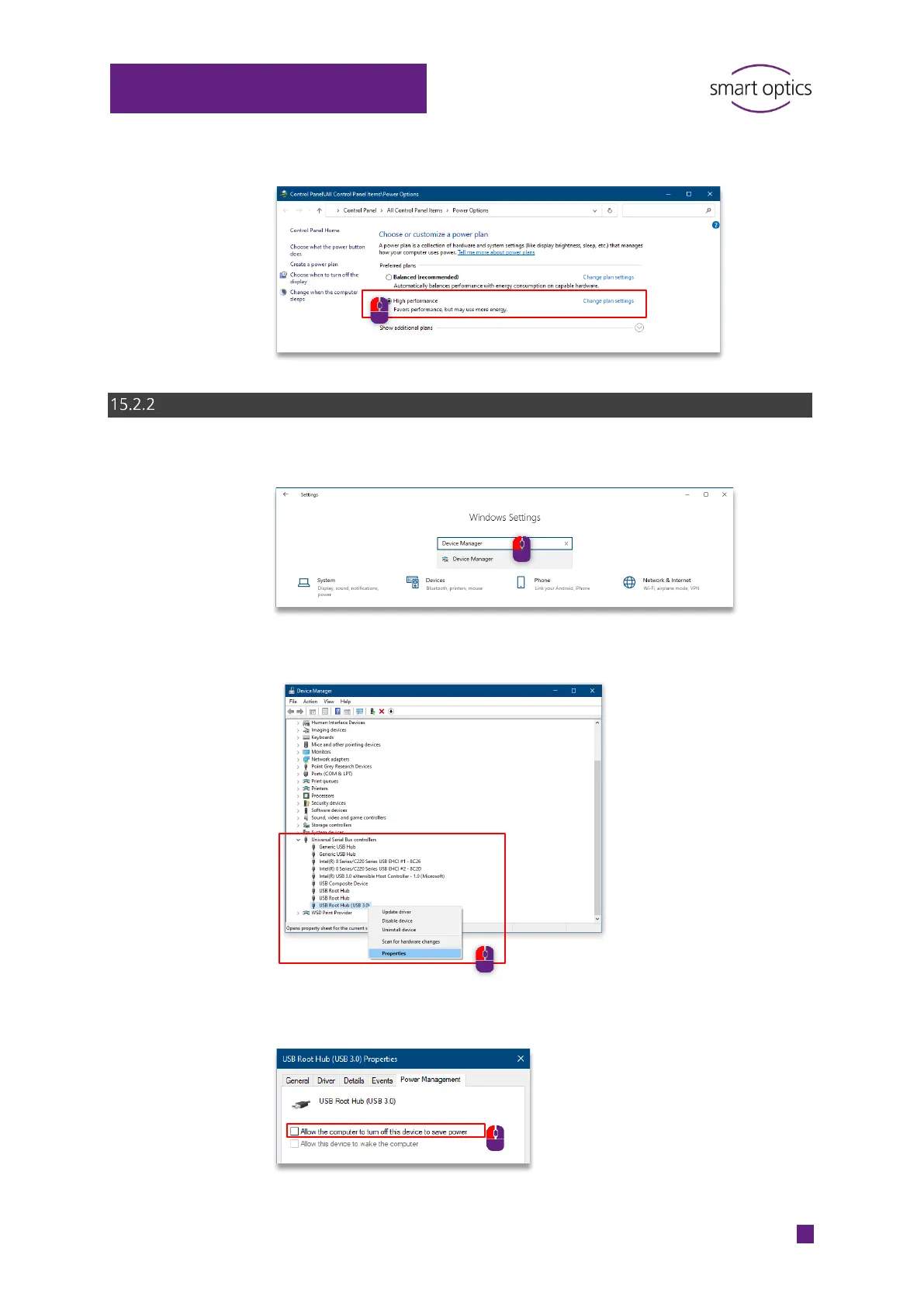
Enable High performance.
Disable energy saving option for USB root hub
Open the Device Manager.
Select USB-Controller USB-Root-Hub,
Properties in the context menu.
Disable Allow the computer to turn off this device to save power under
Power Management.



 To Next Page