Operating Manual Audiology Scanners
Document version: 3.3 04-2020 98
BIOS
Hardware drivers
Virus and threat protection.
Allow aural Scan in the antivirus software.
Change the PC to rule out computer errors.
15.2
Connection problems (USB, camera)
The following are signs of connection problems:
Displaced single images - the scan looks like a flower in the 3D viewer
The scanning is interrupted.
Check the hardware
Check the USB and camera connections:
Change the USB ports
Unburden the USB port by directly connecting the scanner to a USB
port (at the back of the PC)
Do not use a USB hub (frequent source of errors).
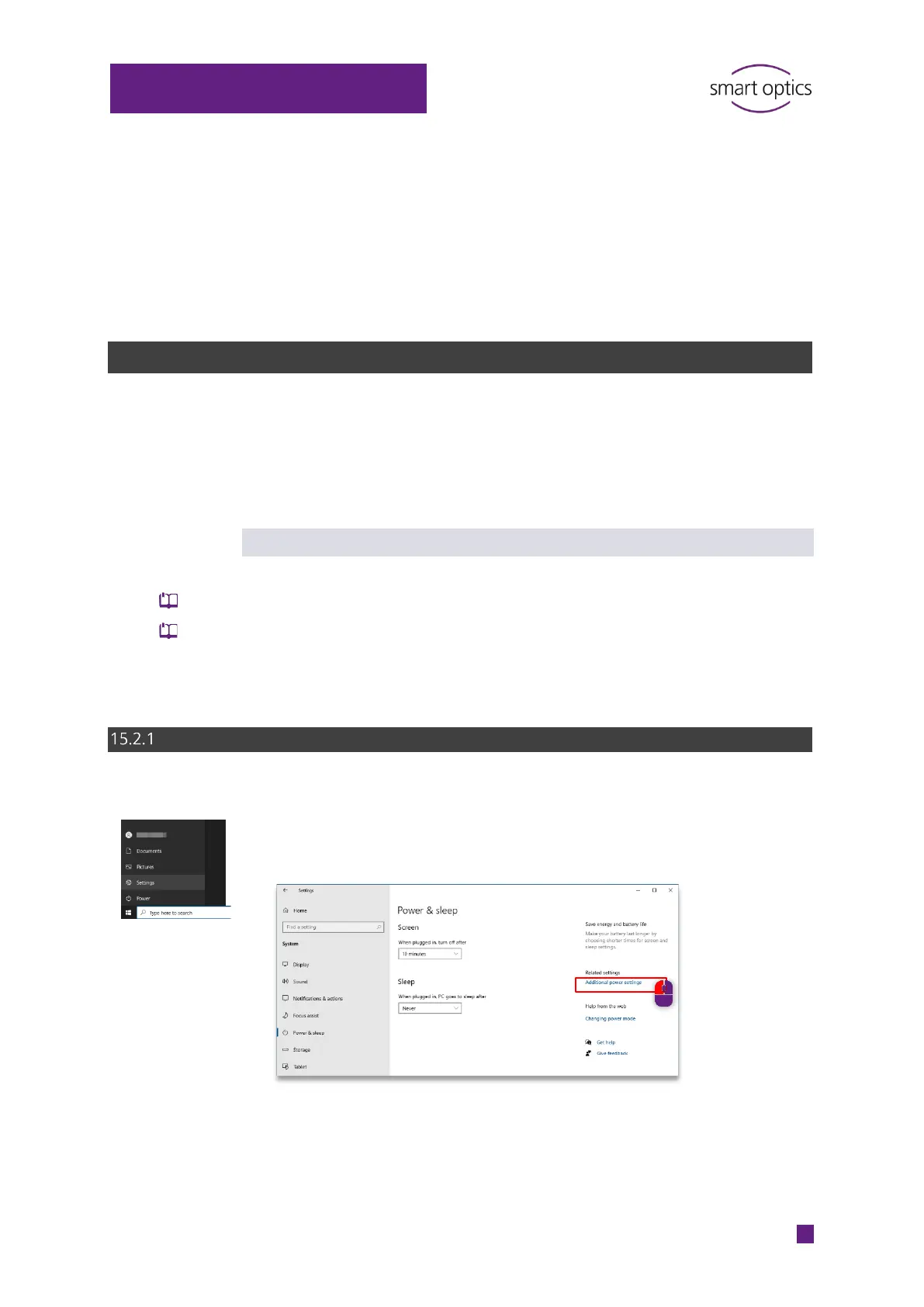
Enable maximum energy performance
Open the Power options via:
Settings | Power & Sleep
Additional Power Settings.



 To Next Page