Operating Manual Audiology Scanners
Document version: 3.3 04-2020 81
PDF file
Enable PDF overview
Determines whether a PDF document (order.pdf) is created for each
impression for order communication purposes.
To enter your address and contact details, click on Customize.
Default value: enabled
Customize
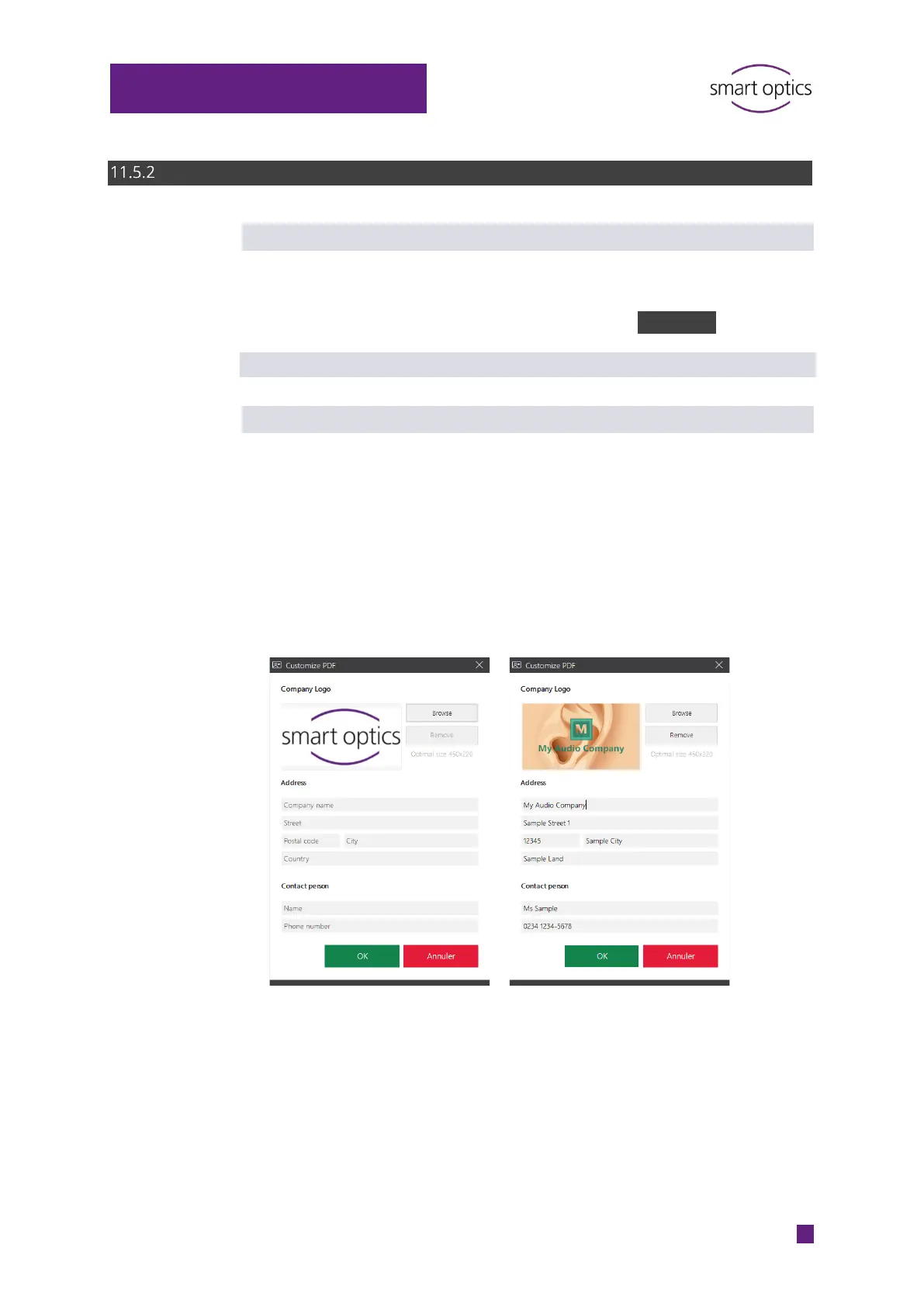
Your company logo, address and contact details can be printed in the PDF
document.
Enter the relevant information into the corresponding fields.
Load your company logo into the template in the form of an image file.
File formats: BMP, JPG, JPEG, GIF, PNG
Image size: 450 × 220 px.
Reset PDF document to default: Field entries and logo are removed.



 To Next Page