Operating Manual Audiology Scanners
Document version: 3.3 04-2020 90
13.3
Shortcuts
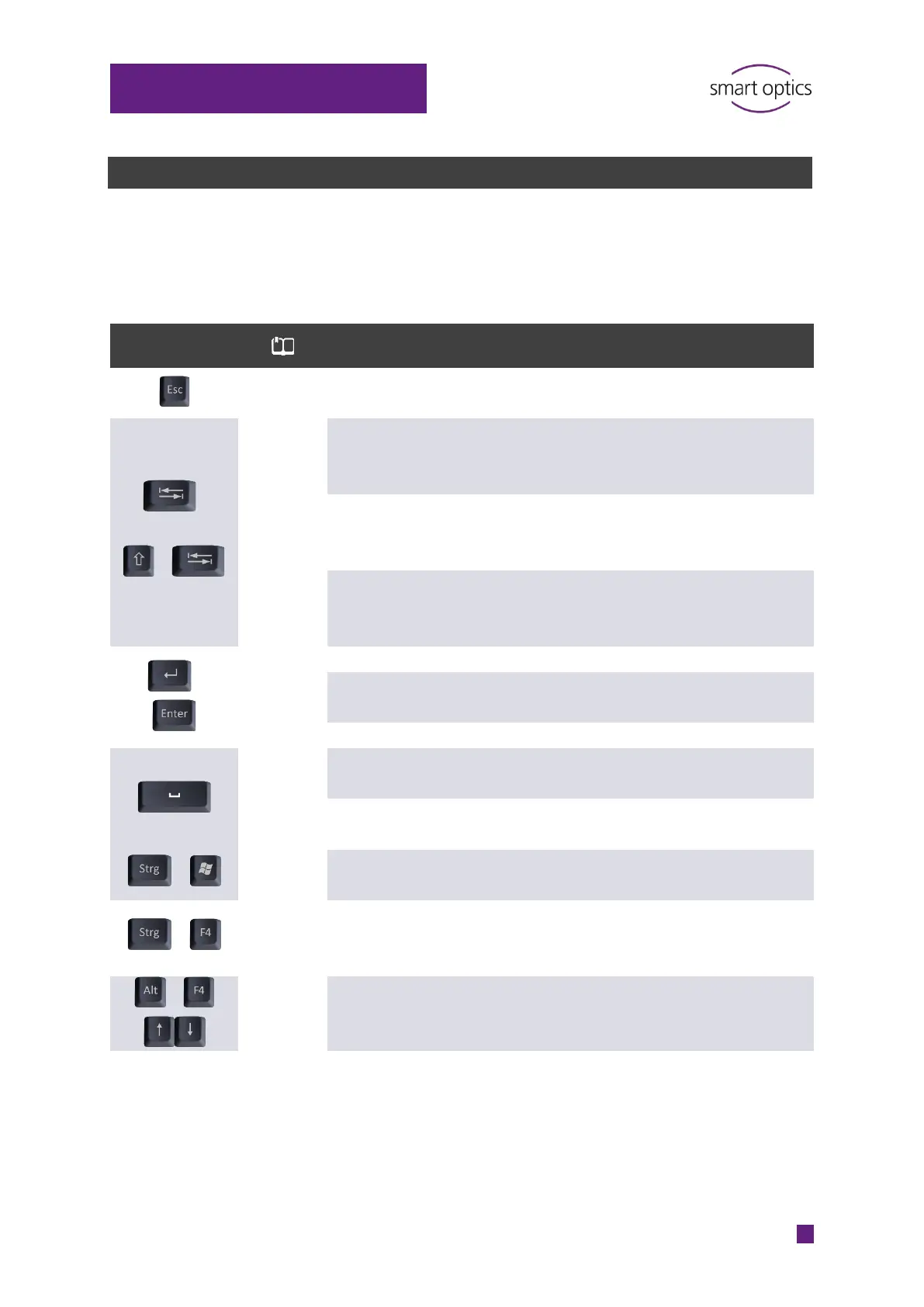
aural Scan supports Windows shortcuts, e.g. for selecting, copying and cutting
field contents (CTRL + A, CTRL + C, CTRL + X, CTRL + V). The same shortcut can
have different effects depending on the context or cursor position.
Shortcut
Context Meaning
44 Scanning Cancel the ongoing scanning
process
=
Jump from the left to the right
scan name and vice versa (the
focus must be in the 3D viewer)
Jump from the left to the right
scan (the focus must be in the
3D viewer)
Dialogs and messages, e.g.
settings
Select the next user control,
e.g. input field, checkbox,
button
=
Dialogs and messages, e.g.
settings
Trigger the function of a
selected button.
40 3D viewer Rotate the scan by 360°
Dialogs and messages, e.g.
settings
Turn a checkbox on or off
63 Dialogs and messages, e.g.
settings
Open the context menu of a
selected input field
Dialogs and messages, e.g.
settings
Open the context menu of a
selected input field
Close the software (cancel the
scan at the same time if a scan
is still open)
Dialogs and messages, e.g.
settings
Select option, select entry in a
list



 To Next Page