Operating Manual Audiology Scanners
Document version: 3.3 04-2020 38
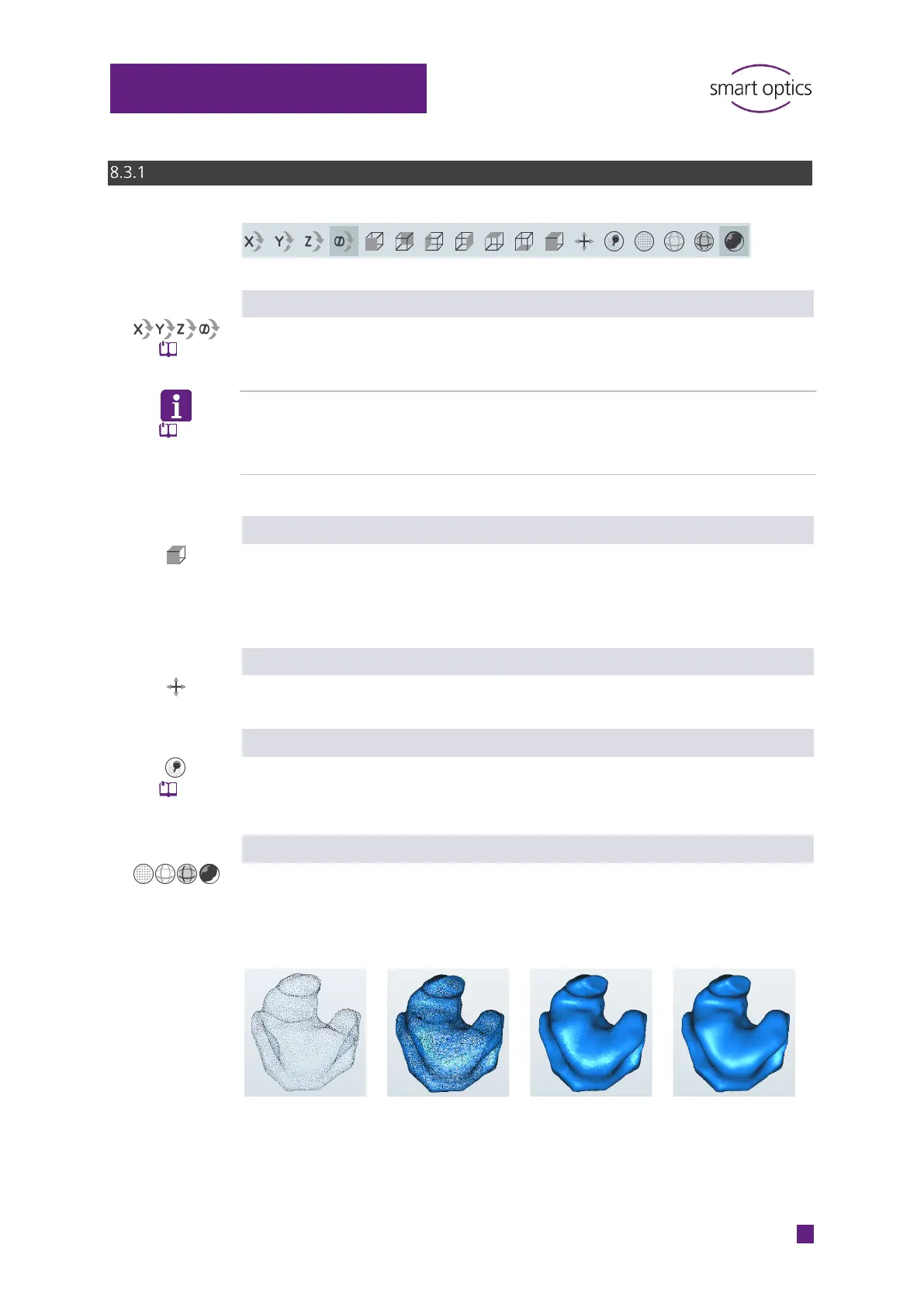
Icons in the 3D viewer
Rotation axis (X Y Z ∞)
Selection of the rotation axis, the default option is “All axes” (∞). When
rotating with the mouse, the scan is rotated about the selected axis.
TIP
The Cartesian coordinate system applies in the 3D viewer (regardless of the
Orientation setting).
Alignment (“Cube”)
The filled side of the cube is the desired orientation (front, back, left, right,
top, bottom). The default option is isometric orientation (front, top). Both
scans are rotated to the selected side and zoomed to 100%.
Centering
Both scans are displayed centrally and zoomed to 100%.
On/Off (“Show Markers”)
The markers (pins) are hidden and shown on both scans (e.g. to check the
scan). The notes remain visible.
View (“Spheres”)
Both scans are displayed as points (corner points of the triangles), triangles
(lines) or shaded areas (filled triangles). The Gouraud shading display looks
three-dimensional and realistic.
scanning
matching



 To Next Page