Operating Manual Audiology Scanners
Document version: 3.3 04-2020 58
Uploading files to a FTP server
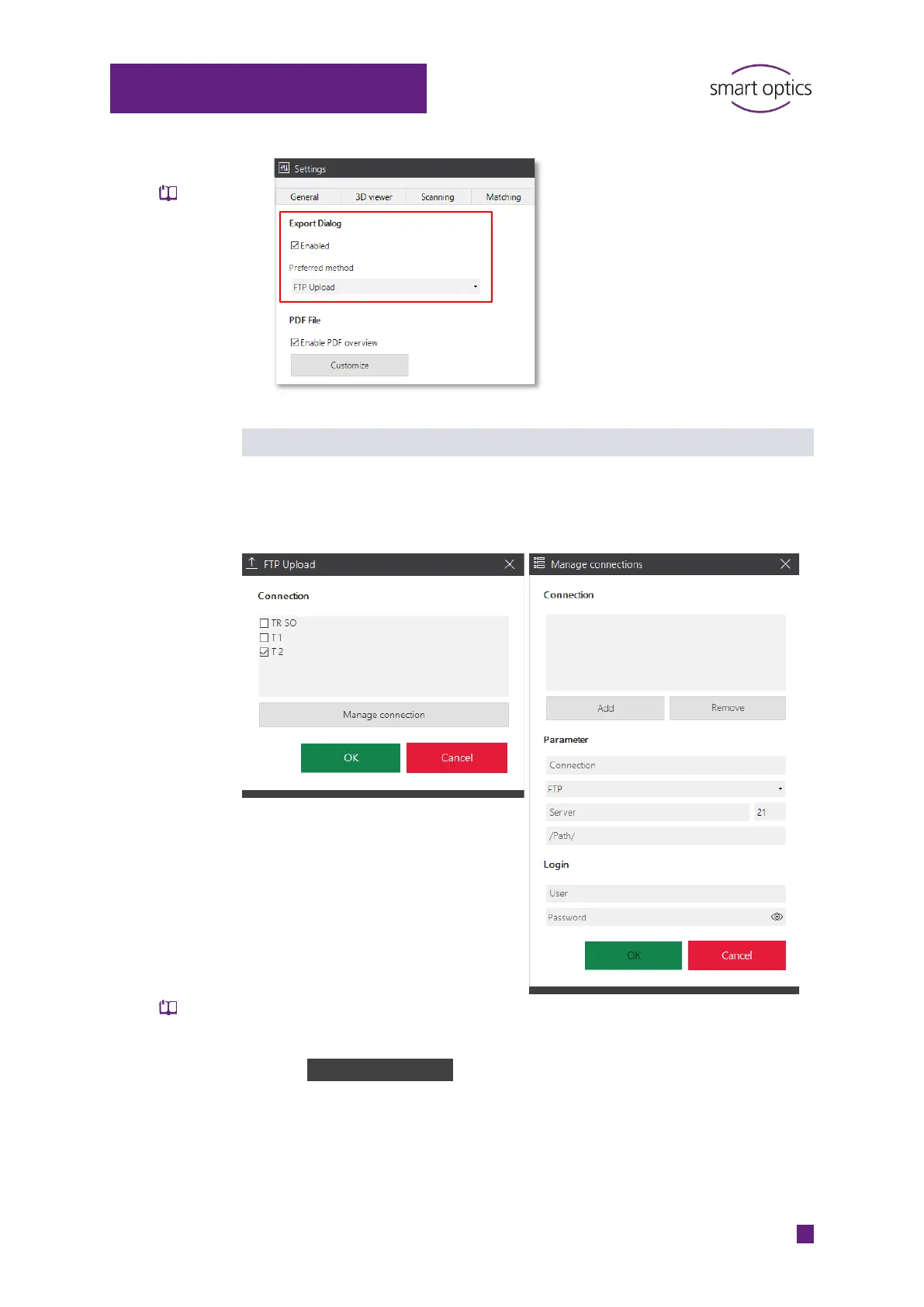
At the end of the job, aural Scan will ask you to select or enter an FTP
connection (if one has not been saved yet).
Selection of an FTP connection:
Entering of a new FTP connection (password-
protected):
Check one or more connections to upload the export files to the FTP
server. The selection will be saved.
With Manage connection in the upload dialog, you can view and edit the
information about the saved FTPs and enter new FTP connections
(password-protected dialog, by default: smartoptics).
Export dialog



 To Next Page