179
Installing the Material Bay
1. Gently install the material bay to the open drawer. See Figure 7-20.
2. Using a 2.5mm hex wrench, fasten the mounting screws securing the material bay to the top of
the drawer. See Figure 7-20.
3. Close the material bay drawer.
4. From the back of the printer, connect the cable to the material drive controller board connector.
See Figure 7-18.
5. Press and hold the locking tab to install the filament tube to the rear of the material bay. See
Figure 7-18.
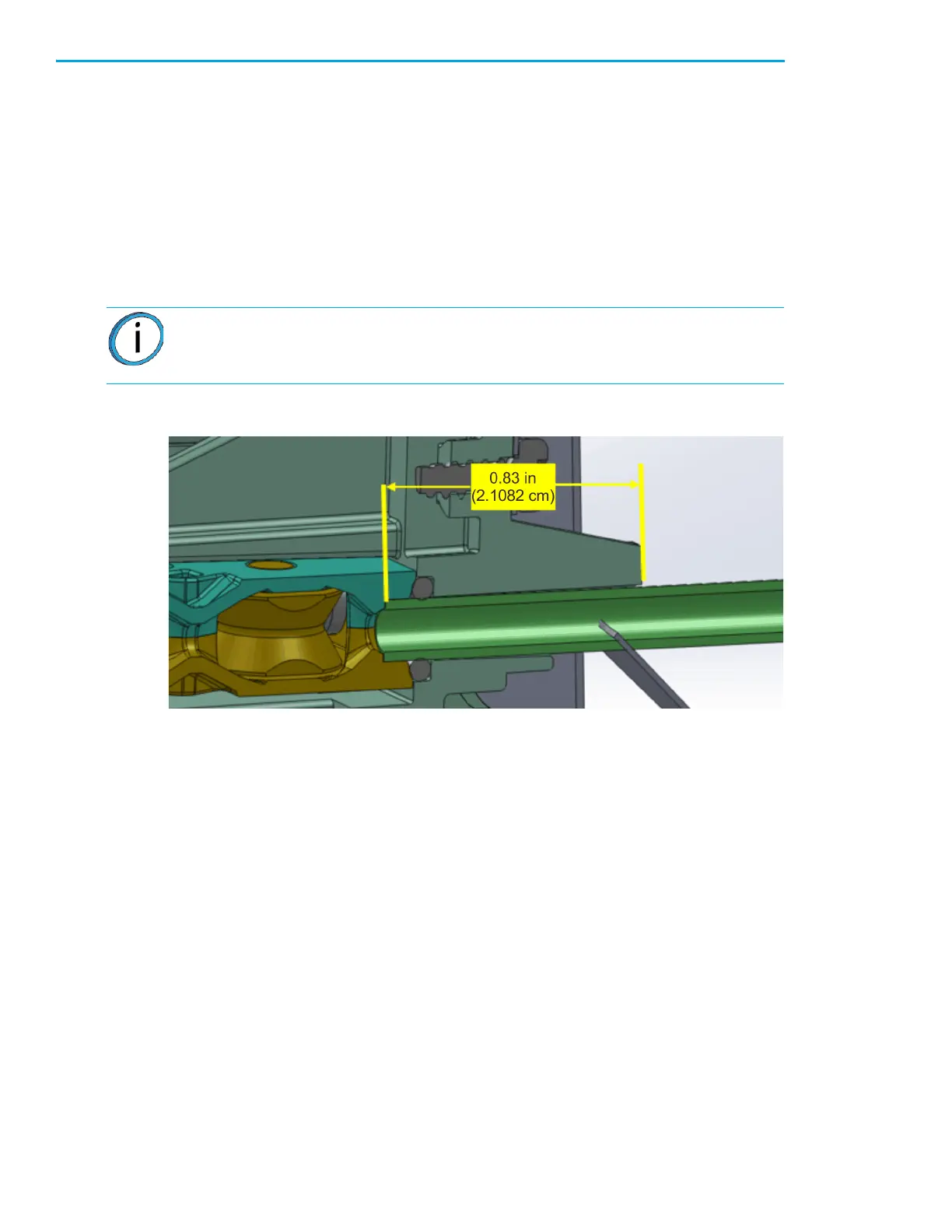
Figure 7-21: Correct material bay material tube installation
6. Open the material bay drawer and view the filament tube from the rear of the printer. Make sure
that the filament tube is routed properly with no interference.
7. Install the rear tool tray.
8. Install the material spool to the material bay.
9. Close and latch the material bay.
10. Close the material bay drawer.
11. Install the rear panel. See “Installing the Rear Panel” on page 170.
12. Power ON the printer. See “Powering ON the Printer” on page 105.
13. Load material. See “Loading Material” on page 108.
Note: Make sure that there is 0.83 inch of tube from the tube support finger to the
bottom of the switch block assembly. See Figure 7-21.














 To Next Page