Chapter 3 Replacing Storage Components 3-3
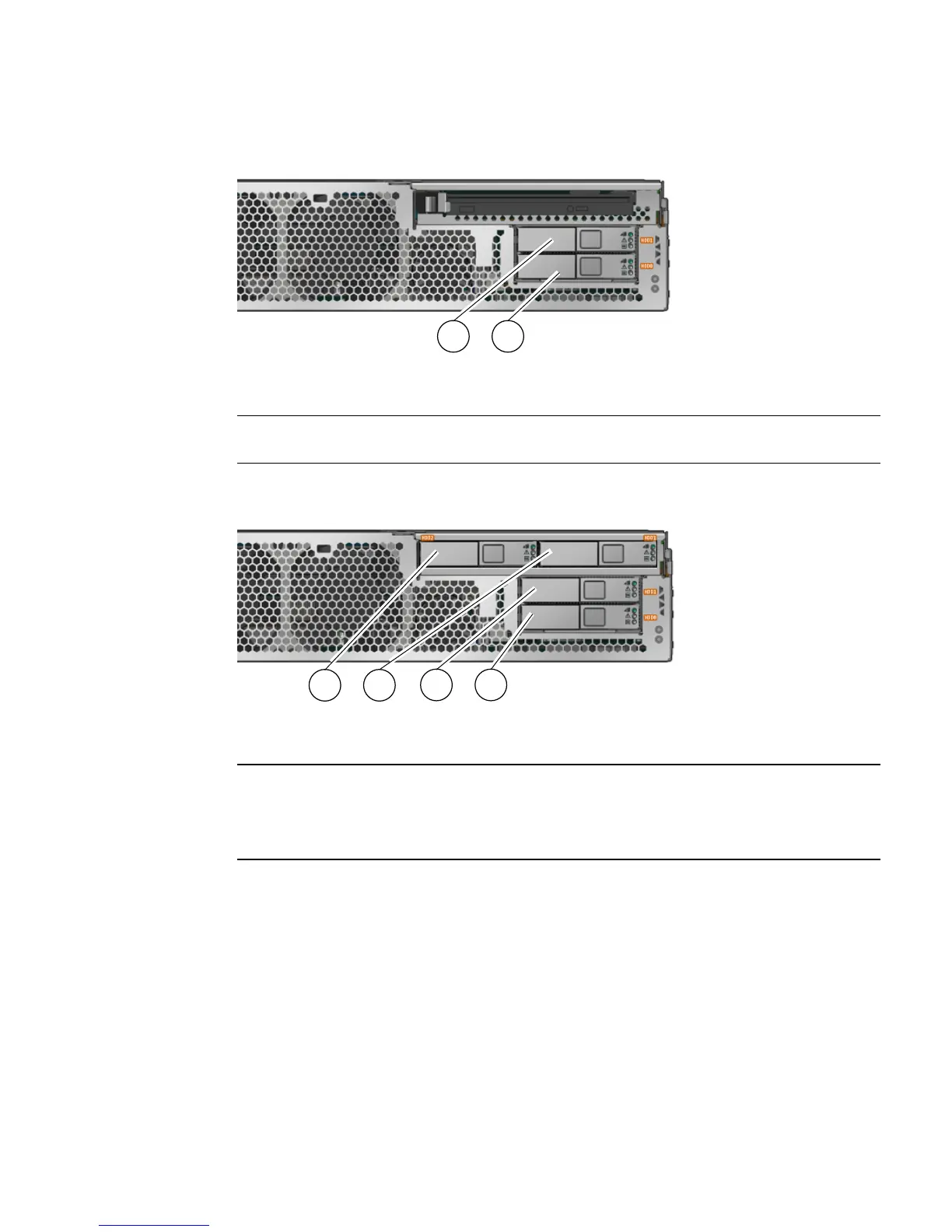
FIGURE 3-2 Locations of HDDs on 2 HDD Server
FIGURE 3-3 Locations of HDDs on 4 HDD Server
3. Type the Solaris OS commands required to stop using the hard drive.
Exact commands required depend on the configuration of your hard drives. You
might need to unmount file systems or perform RAID commands.
4. On the drive you plan to remove, push the latch release button (
FIGURE 3-4).
The latch opens.
Figure Legend
1 Hard Drive 1 (HDD1)
2 Hard Drive 0 (HDD0)
Figure Legend
1 Hard Drive 2 (HDD2)
2 Hard Drive 3 (HDD3)
3 Hard Drive 1 (HDD1)
4 Hard Drive 0 (HDD0)
1 2
3 4
1 2













 To Next Page