Servicing FRUs 123
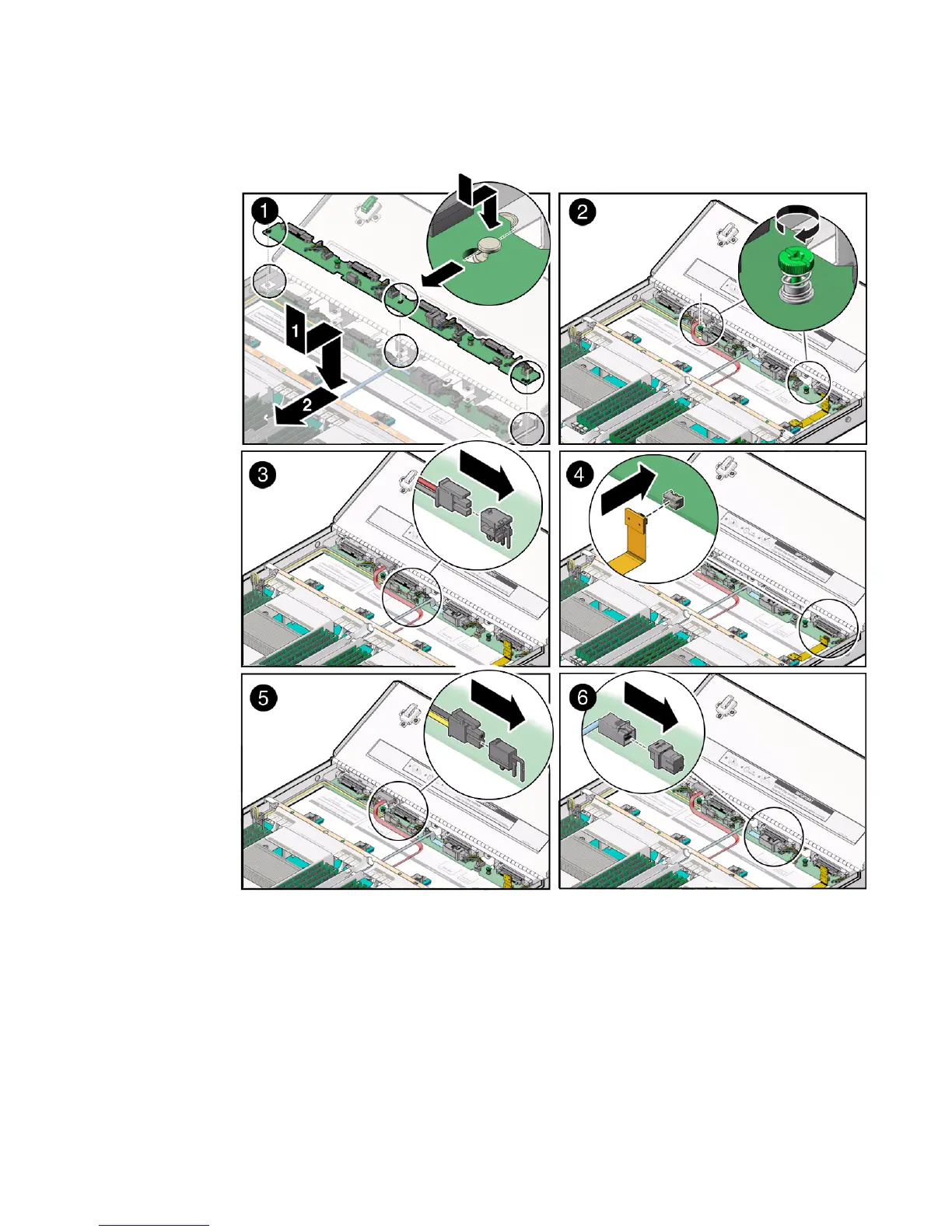
FIGURE: Installing the Disk Backplane
2. Using just your thumb and fingers, tighten the two captive thumb screws to
secure the disk backplane to the chassis [2].
3. If the server has a DVD drive, reconnect the DVD drive power cable to the disk
backplane [3].
4. Reconnect the disk backplane LED cable to the disk backplane [4].
5. Reconnect the disk backplane power cable to the disk backplane [5].



 To Next Page