130 Sun Server X4-2 Service Manual • May 2014
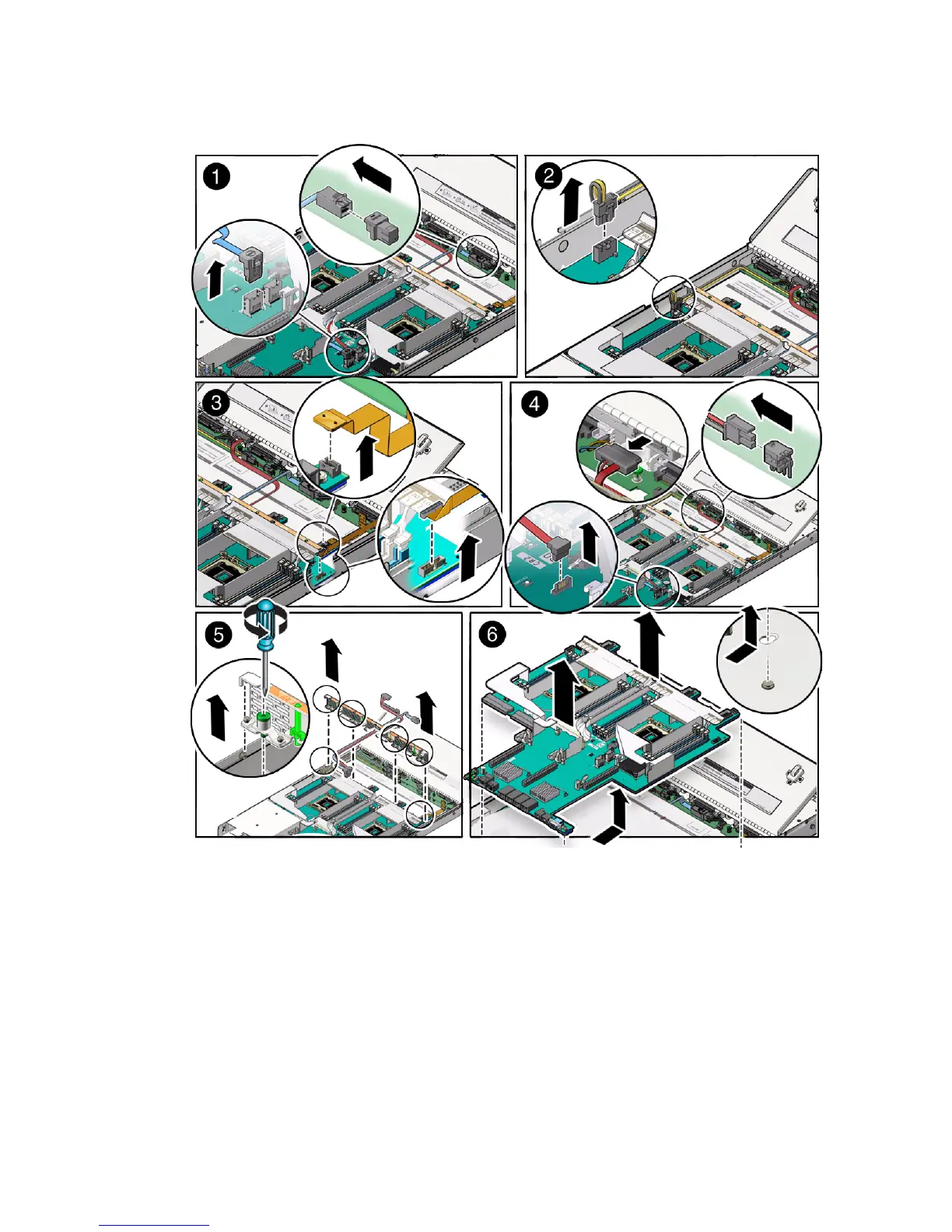
4. Disconnect the disk backplane LED cable from the motherboard [2].
5. Disconnect the front indicator module (FIM) cable from the motherboard [3].
6. If the server has a DVD drive, do the following:
a. Disconnect the DVD drive cable from the motherboard [4].
b. Carefully lift the DVD drive cable out of the cable trough.



 To Next Page