134 Sun Server X4-2 Service Manual • May 2014
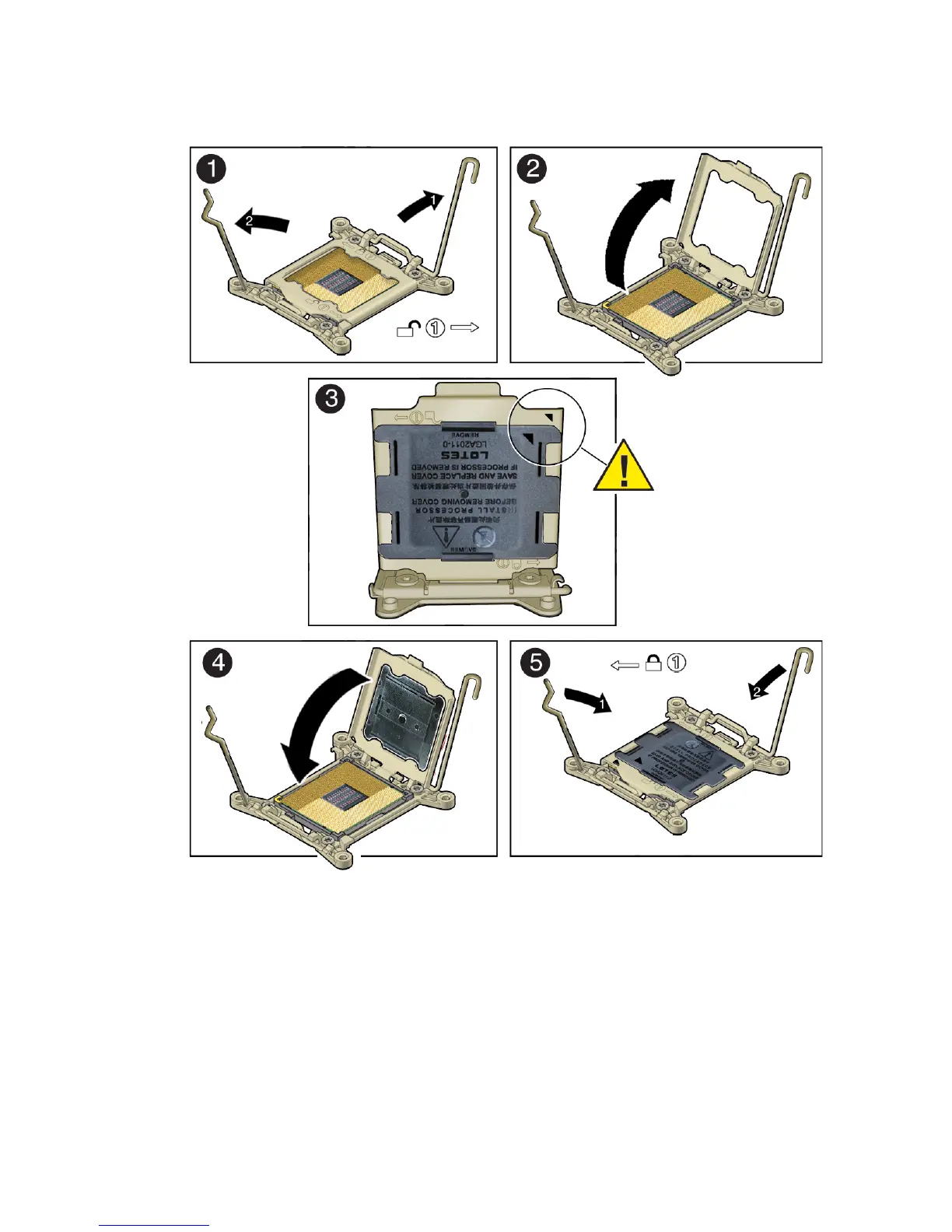
b. Hold the processor ILM assembly load plate open with one hand and
position the processor socket cover over the top of the load plate so that 1)
the arrow on the processor socket cover is aligned with the arrow on the load
plate and 2) the fasteners on one side of the cover (the fasteners are located
on the underside of the cover) are inside the load plate (it does not matter
which side), and use your thumb to press the other side of the processor
socket cover into the load plate. [3].
You will hear a clicking sound when the processor socket cover snaps into
place.



 To Next Page