136 Sun Server X4-2 Service Manual • May 2014
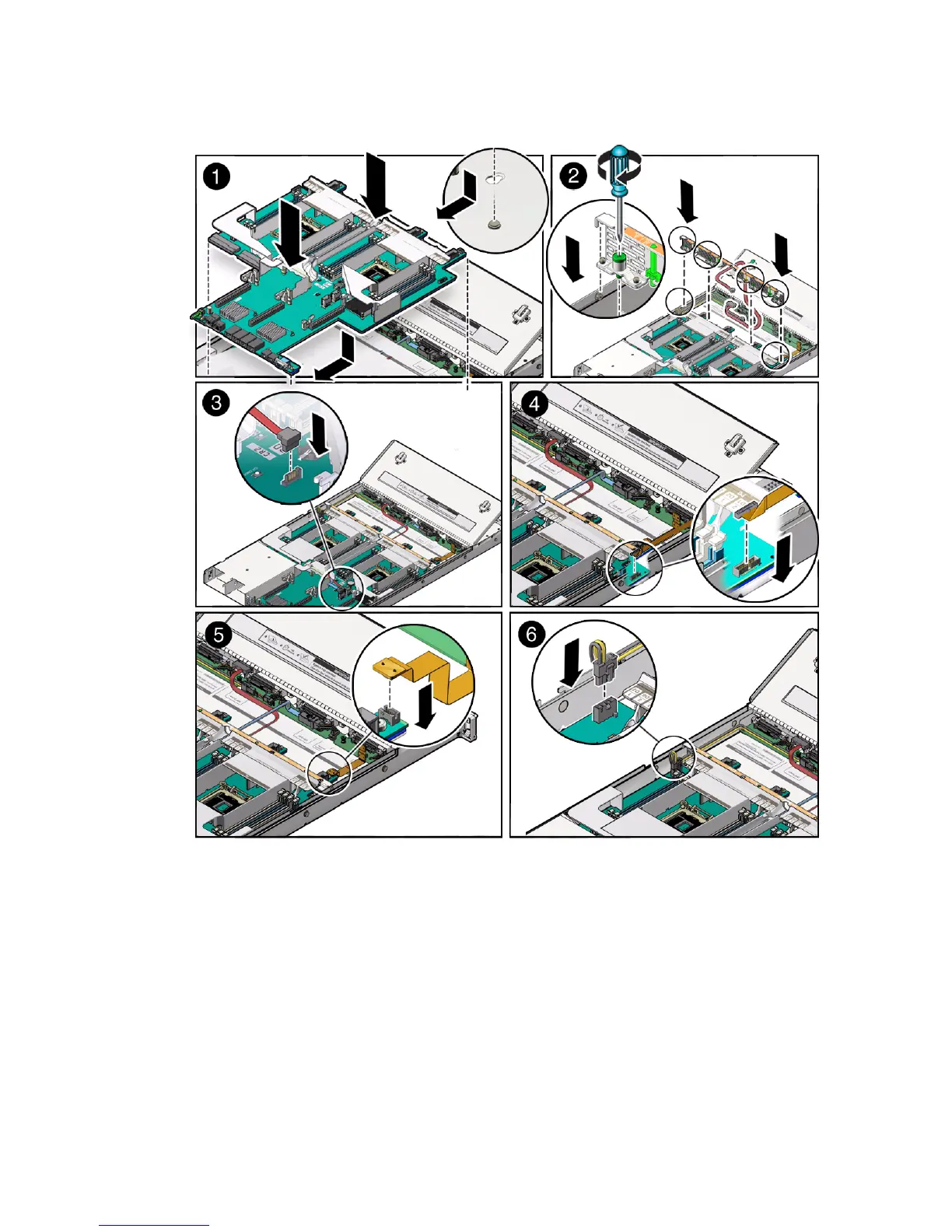
c. Ensure that the indicators, controls, and connectors on the rear of the
motherboard fit correctly into the rear of the server chassis.
3. Install the server mid-wall [2].
a. Ensure that the cables (SAS and DVD cable, if applicable) are running
through the opening in the center of the mid-wall.
b. Position the mid-wall with the cables in front of the motherboard so that it
engages the mushroom-shaped standoffs that are located on the server
chassis sidewall (one for each side of the mid-wall).



 To Next Page