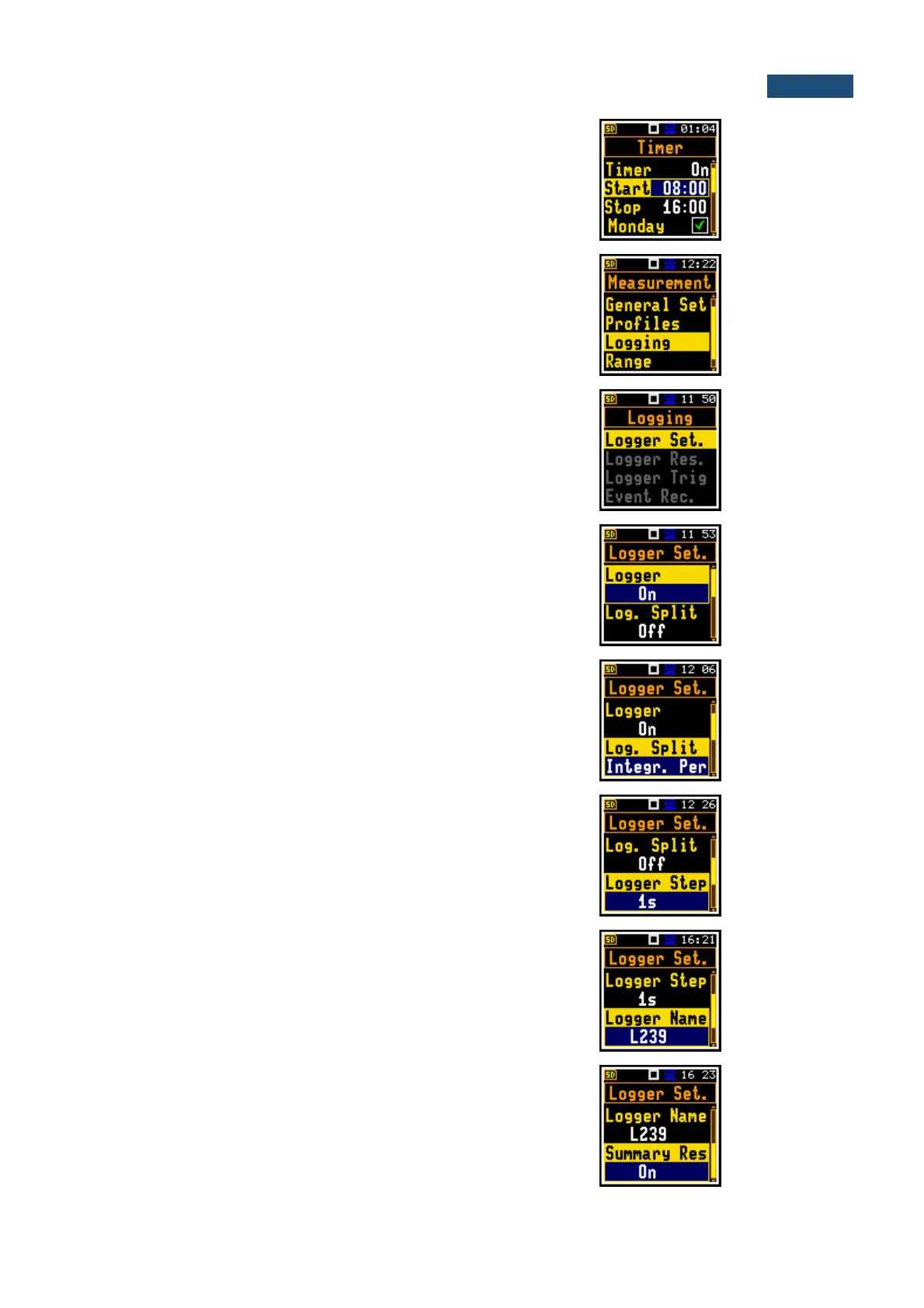
Automatic switching on the instrument and
performing the measurement on the programmed
time with defined setup. Timer can be Single or
repeatable (Multiple).
After every timer cycle, the instrument automatically
switches off.
Saving of the Summary Results, Logger Results
and Events in a file. In the Logging menu, the user
may programme these functionalities.
Setting up of the main logging parameters:
switching on the logger functionality (Logger),
programming the splitting of the logger file (Split),
selecting of the step for the time-history results
logging (Logger Step), defining of the logger file
name (Logger Name).
Position in the Logger Setup list that switches On or
Off the Logging functionality.
If Logger is Off no data recording is available.
Saving of the logger records in separate files
according to different rules: after the integration
period, or every quarter/half an hour/hour, or on
specific times of a day.
Time of measuring/integration of the selected
results: Leq, Lmin, Lmax, Lpeak (same meaning as
Integration Period for the Summary Results). The
Logger Step can be selected from the set: 100 ms,
200 ms, 500 ms or from 1 second to 59 seconds
with 1-second step or from 1 minute to 59 minutes
with 1-minute step and up to 1 hour.
Name of the file in which Logger Results,
Summary Results, Markers and Event Recordings
are saved.
Main measurement results: Leq, Lpeak, Lmax,
Lmin, L, LE, Lden, LEPd, Ltm3, Ltm5, statistics Lnn;
that are measured, displayed and saved in the file
with the Integration Period step as many times as
defined by the Repetition Cycles parameter. They
are renewed and displayed every second when the
measurement is running.



 To Next Page