108 WEB Interface
CP560 DVB-T2 Gateway User’s Manual Rev. 2.2 (3686) ID: um_t2gateway
The Alarms sub page contains a table showing all alarms currently active on the selected service.
The columns in the table (Severity, Description, Alarm ID and Details) have the same meaning
as described in Section 8.3.2.
The Service Descriptors sub page is divided into two sections. The first section, Service Descrip-
tors, shows a tree with all service descriptors (if present). The second section, SDT Descriptors,
shows a tree containing all SDT descriptors (if present).
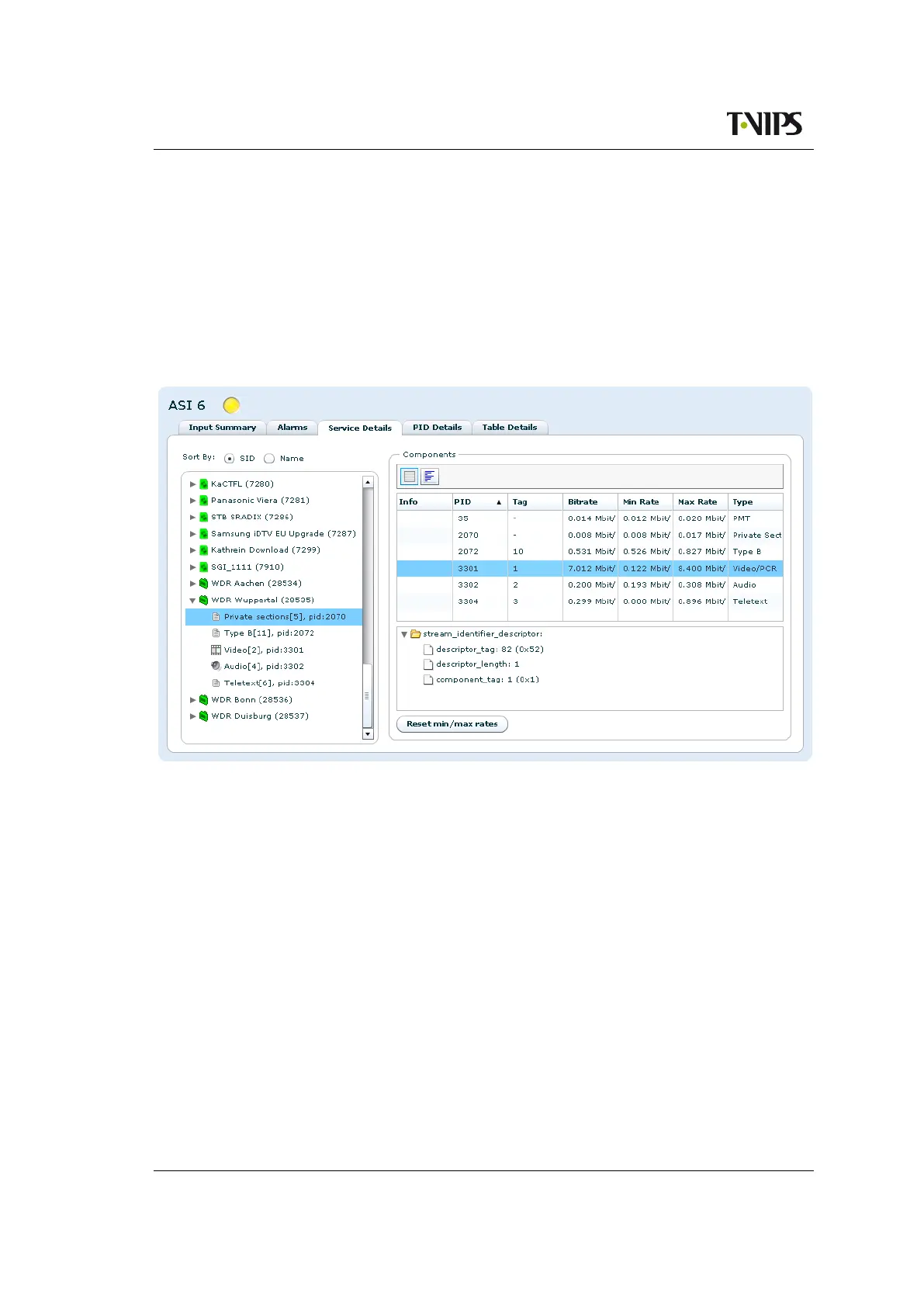
To list all components contained within a specific service click the arrow for the given service.
The expanded view is shown in Figure 8.57.
Figure 8.57 Service details full component overview
Each component is shown with the following information:
Component type symbol
Symbol showing the kind of component.
Textual description
A text description of the component type.
Type id
The component type id.
PID
The transport PID number.
Clicking on a component in the left hand list of services and components opens a Components
view on the right hand side. On the top of this view is a toolbar with two buttons to switch
between Table and Rate views.



 To Next Page