RUN MED: Service & Maintenance Manual - rev. 1.0
Page 6.2
6.1. TROUBLESHOOTING SERVICE MENU
This section can be used to test the operation of certain machine components (AC/DC Motors, LED
display, keyboard, serial ports, inverter). It is invoked, when the machine is in standby mode, by
simultaneously pressing the keys 369. The following prompt appears on the display:
ENTER PASSWORD:
To access the procedure, type in the password 2501 which protects against unauthorized access and
press ENTER to confirm. At this point there are two options available:
1 = Tech Config
2 = Troubleshooting
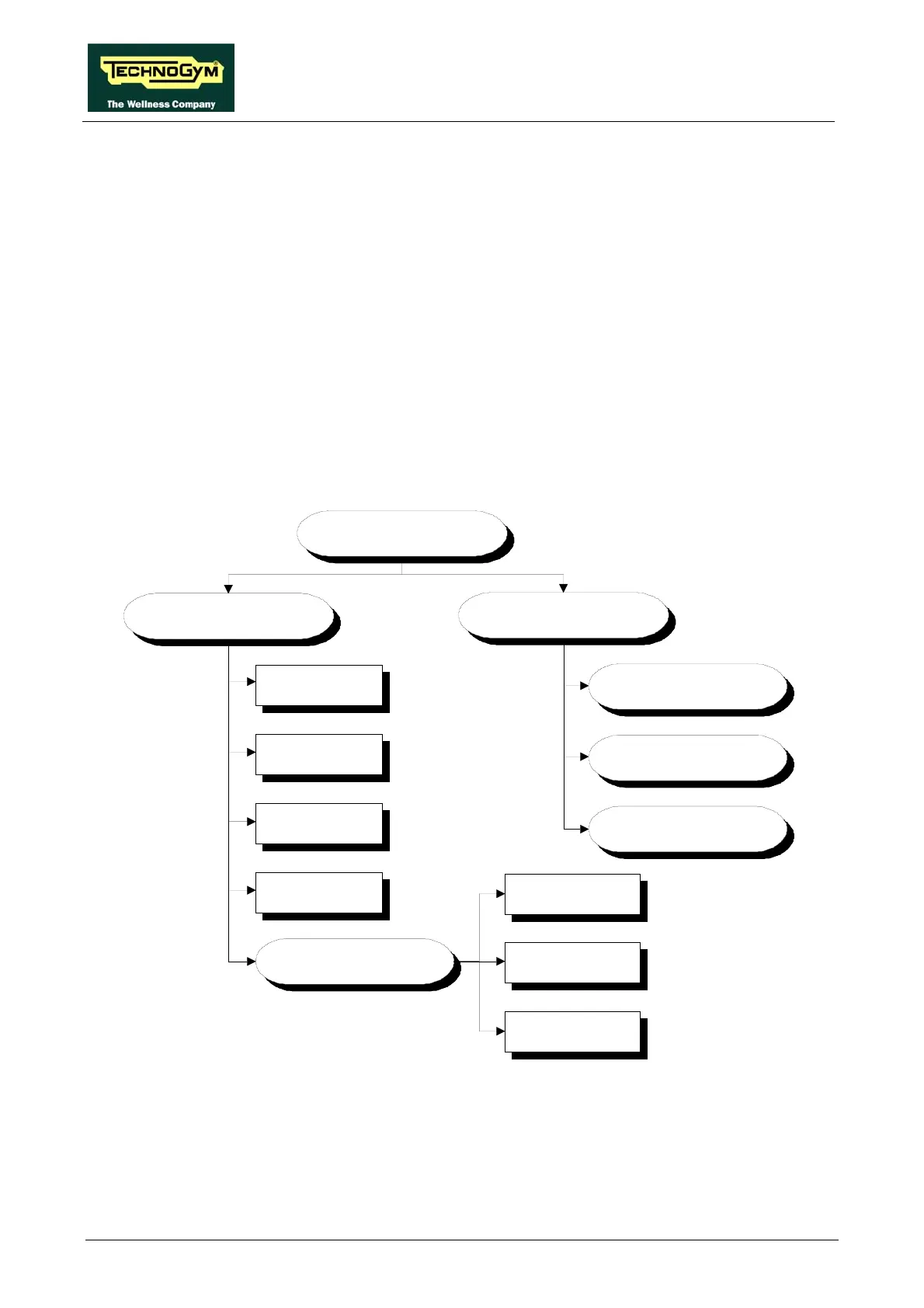
Press the number key 2 to access the troubleshooting menu, which is structured as shown in the
figure below.
TROUBLESHOOTING
MANUAL TEST
MAN.INVERTER
TEST
MAN.UPDOWN
TEST
MAN.KEYBOARD
TEST
I2C Devices Test
AUTOMATIC TEST
UpDown Test
Inverter Test
LED Test
SERIAL PORTS
TEST
CSafe COM Test
TGS COM Test
Low Kit COM Test
To scroll through the list of available functions, press the + or – speed keys to display the next or
previous item. Confirm the choice by pressing ENTER. To cancel the operation, press the CLEAR
key for a few seconds.
The tests are divided into two groups: Automatic and Manual. The machine prompts for a choice
immediately upon accessing the troubleshooting menu.












 To Next Page