RUN MED: Service & Maintenance Manual - rev. 1.0
(1) Check the parameter setting as detailed in paragraph 9.2.2.4 “Table of configuration
parameters”.
(2) Check the low kit version as detailed in paragraph 9.2.7.1 “Low kit version”.
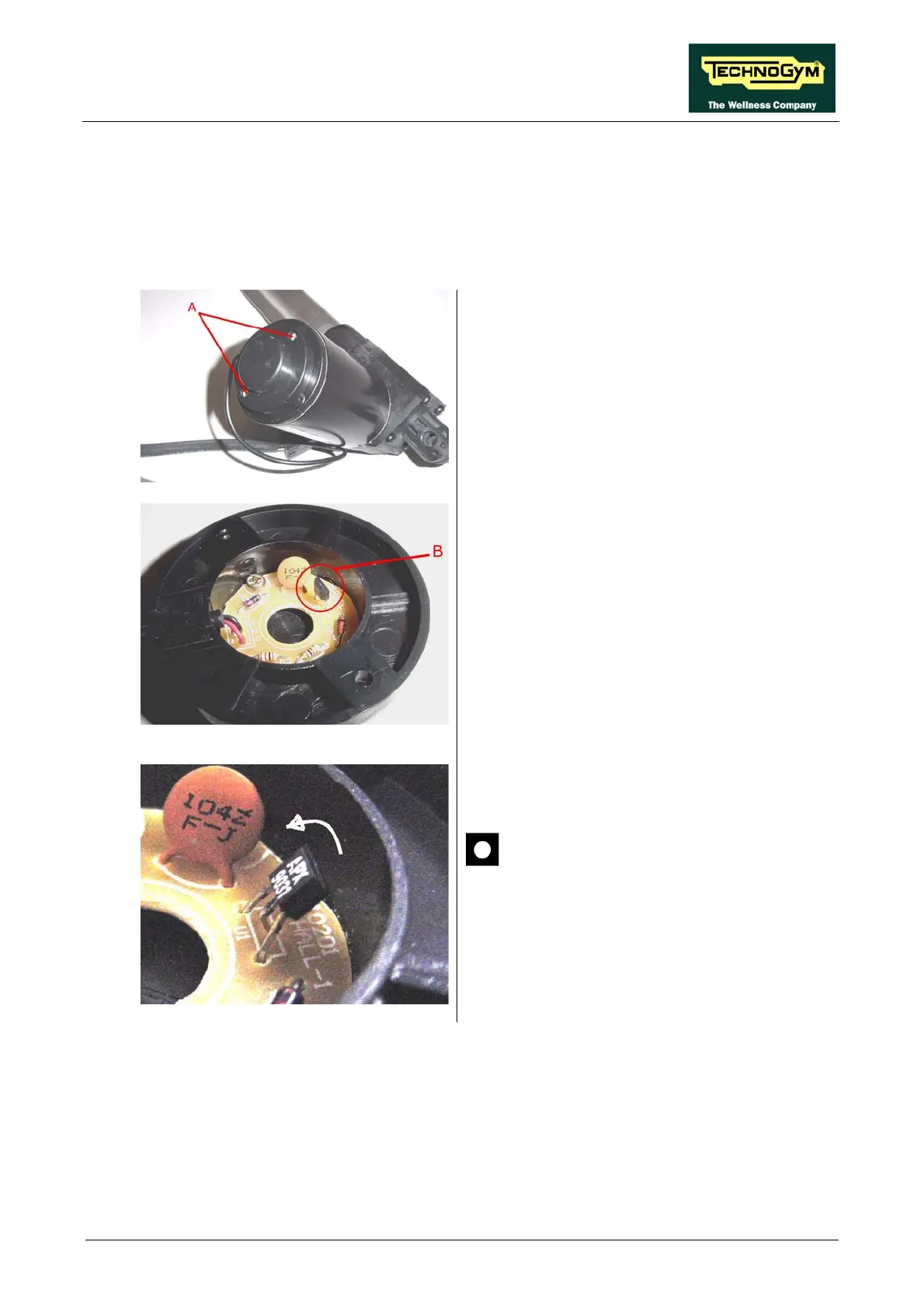
(3) Carry out the following procedure to check and adjust the encoder position:
1. ctrical box in order to
access the elevation motor
2. Back off the 2 screws A using a medium
Philips screwdriver.
Disassemble the ele
3. Remove the side cover.
4. Check that the encoder B is perpendicular to
the circuit board as illustrated in the picture
to side.
5. If t
up
scre
he component is bent over, straighten it
as indicated in the picture to side, using a
wdriver:
After reassembling the side guard
previously disassembled in step 3,
make sure the encoder does not touch
motor.
the central rotating portion of the
6. Check that the machine is functioning
correctly and reset the error log.
(4) Place the tester probes across pins 1 and 2 of connector J7 on the AT driver board. The
measured value should be approximately 24 Vdc.
(5) Place the tester probes across pins 6 and 4 of connector J7 on the AT driver board. The
measured value should be approximately 2.5 Vdc. If an oscilloscope is available, it is possible
to view the pulses produced by the encoder itself.
Page 6.29












 To Next Page