134
Chapter 10: Differential Equation Graphing
10DIFFEQ.DOC TI-86, Chap 10, US English Bob Fedorisko Revised: 02/13/01 2:28 PM Printed: 02/13/01 3:02 PM Page 134 of 2010DIFFEQ.DOC TI-86, Chap 10, US English Bob Fedorisko Revised: 02/13/01 2:28 PM Printed: 02/13/01 3:02 PM Page 134 of 2010DIFFEQ.DOC TI-86, Chap 10, US English Bob Fedorisko Revised: 02/13/01 2:28 PM Printed: 02/13/01 3:02 PM Page 134 of 20
Field Format
SlpFld
(slope field) Adds the slope field to the graph of only one first-order equation with
t
on
the x-axis and a specified
Qn
equation on the y-axis
DirFld
(direction field) Adds the direction field to the graph of only one second-order equation
with
Qx#
on the x-axis and
Qy#
on the y-axis
FldOff
(field off) Graphs all selected differential equations with
t
or
Q1
on the x-axis,
Q1
or
Q2
on the y-axis, and no field; initial conditions must be defined for all equations
(page 136)
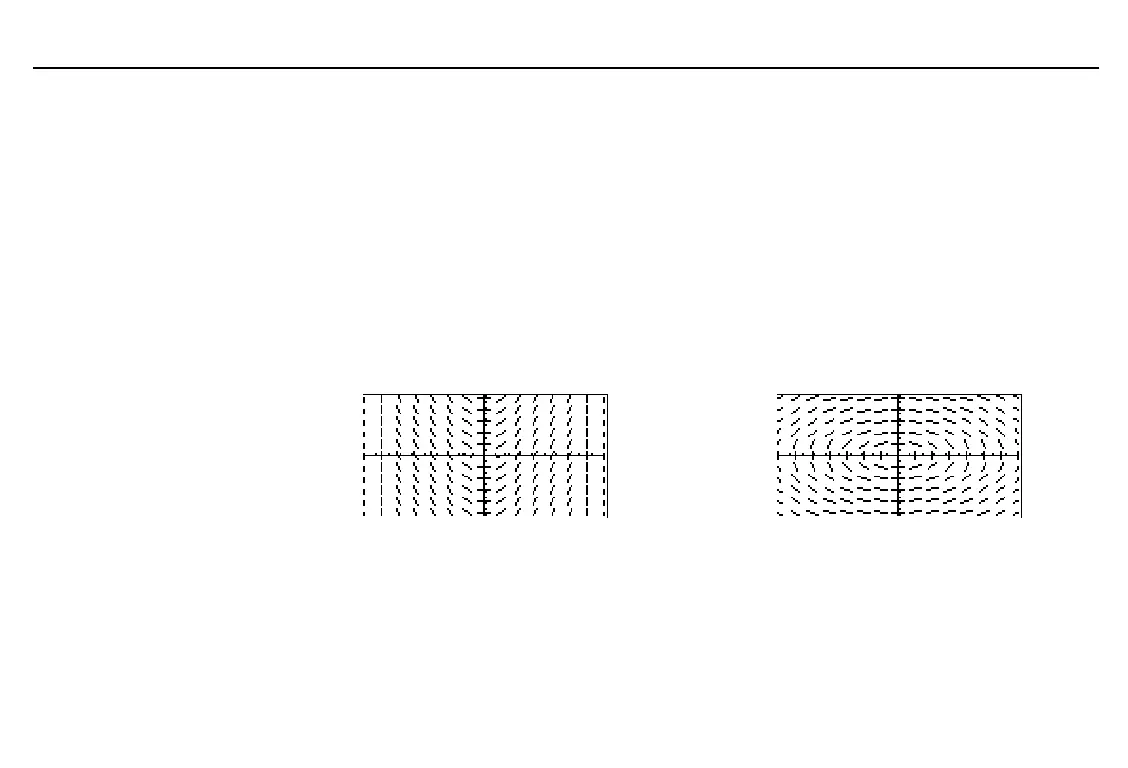
The examples below show the basic slope and direction fields; all unspecified settings and
values are defaults. To replicate these examples, reset defaults, enter the specified
information in
DifEq
graphing mode, and then press
6
*
.
SlpFld
field format
DirFld
field format
Q'1=t
(y
'
=x)
Q'1=Q2
and
Q'2=
L
Q1
(y
"
=
L
y)
Displaying the Differential Equation Editor
To display the differential equation editor, select
Q'(t)=
from the
GRAPH
menu in
DifEq
graphing mode (
6
&
). The
DifEq
equation editor menu on the bottom line is the same
as the
Func
mode equation editor menu, except that
t
and
Q
replace
x
and
y
.
Axes information is stored to
GDB
and
PIC
variables.
To remove menus from a
graph, as shown in the
examples, press
:
.



 To Next Page