180
Chapter 13: Matrices
13MATRX.DOC TI-86, Chap 13, US English Bob Fedorisko Revised: 02/13/01 2:32 PM Printed: 02/13/01 3:03 PM Page 180 of 1013MATRX.DOC TI-86, Chap 13, US English Bob Fedorisko Revised: 02/13/01 2:32 PM Printed: 02/13/01 3:03 PM Page 180 of 10
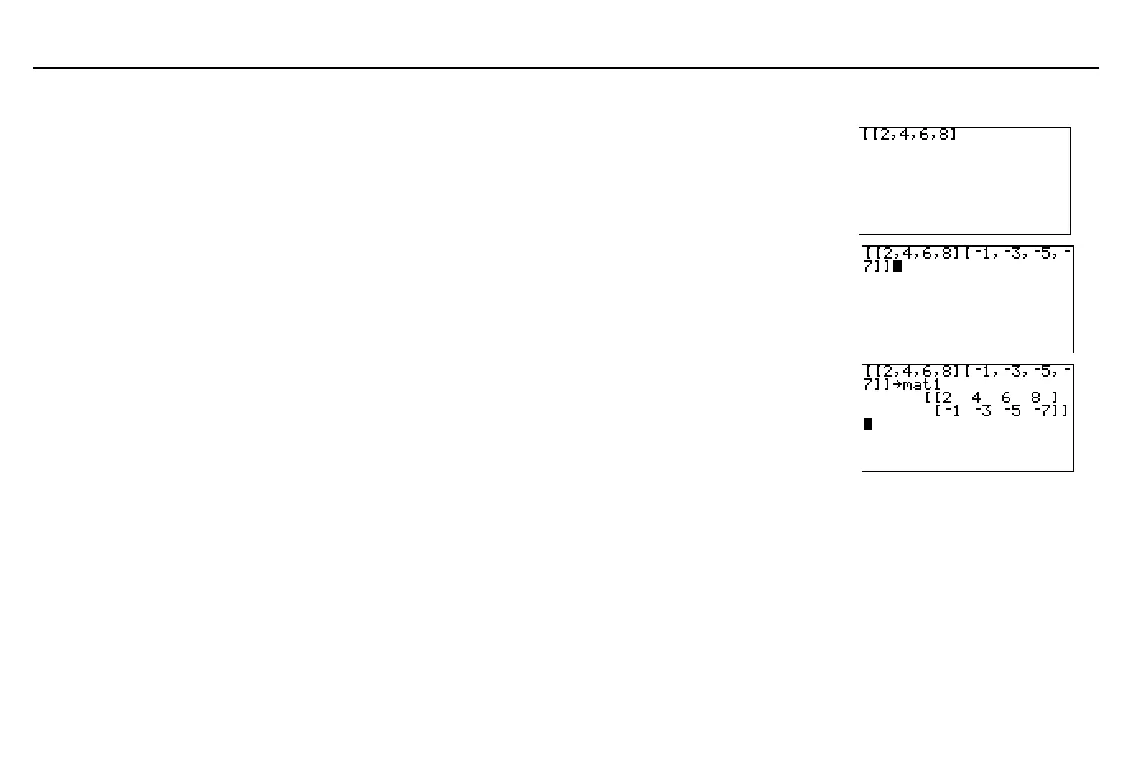
Creating a Matrix on the Home Screen
Define the start of the matrix with
ã
, and then
define the start of the first row with another
ã
. Enter each element for the row, separating
them with commas. Define the end of the
first row with
ä
.
- „ - „
2
P
4
P
6
P
8
-…
Define the start of each subsequent row with
ã
. Enter the row elements, separating each
from the next with a comma. Define the end
of each row with
ä
. Then define the end of
the matrix with
ä
.
- „ a
1
P
a
3
P a
5
P
a
7
- …
-…
Store the matrix to a matrix name. Either
enter a name from one to eight characters
long, starting with a letter, or select a name
from the
MATRX
NAMES
menu. The matrix
is displayed. If newly created, the matrix
name becomes a
MATRX NAMES
menu item.
X - n
ã
M
ä
ã
A
ä
ã
T
ä
1 1
1
b
Creating a Complex Matrix
If any matrix element is complex, all elements of the matrix are displayed as complex. For
example, when you enter the matrix
[[1,2][5,(3,1)]]
, the TI
-
86 displays
[[(1,0) (2,0)][(5,0) (3,1)]]
.
To create a complex matrix from two real matrices with the same dimensions, the syntax is:
realMatrix
+(0,1)
imaginaryMatrix

complexMatrixName
realMatrix
contains the real part of each element and
imaginaryMatrix
contains the
imaginary part of each element.
The close bracket is not
necessary when it precedes
X
.
To delete a matrix name from
memory, use the
MEM
DELETE:MATRX
screen
(Chapter 17).



 To Next Page