Chapter 10: Differential Equation Graphing
139
10DIFFEQ.DOC TI-86, Chap 10, US English Bob Fedorisko Revised: 02/13/01 2:28 PM Printed: 02/13/01 3:02 PM Page 139 of 2010DIFFEQ.DOC TI-86, Chap 10, US English Bob Fedorisko Revised: 02/13/01 2:28 PM Printed: 02/13/01 3:02 PM Page 139 of 2010DIFFEQ.DOC TI-86, Chap 10, US English Bob Fedorisko Revised: 02/13/01 2:28 PM Printed: 02/13/01 3:02 PM Page 139 of 20
Entering and Solving Differential Equations
In
Func
graphing mode,
x
is the independent variable and
y
is the equation variable. To avoid
conflict between
Func
equations and
DifEq
equations on the TI
-
86,
t
is the independent
variable and
Q'
n
is the equation variable in
DifEq
graphing mode. Therefore, when you enter
an equation in the differential equation editor, you must express it in terms of
t
and
Q'
n
.
For example, to express the first-order differential equation y'=x
2
, you would substitute
t
2
for x
2
and
Q'1
for y', and then enter
Q'1=t
2
in the equation editor.
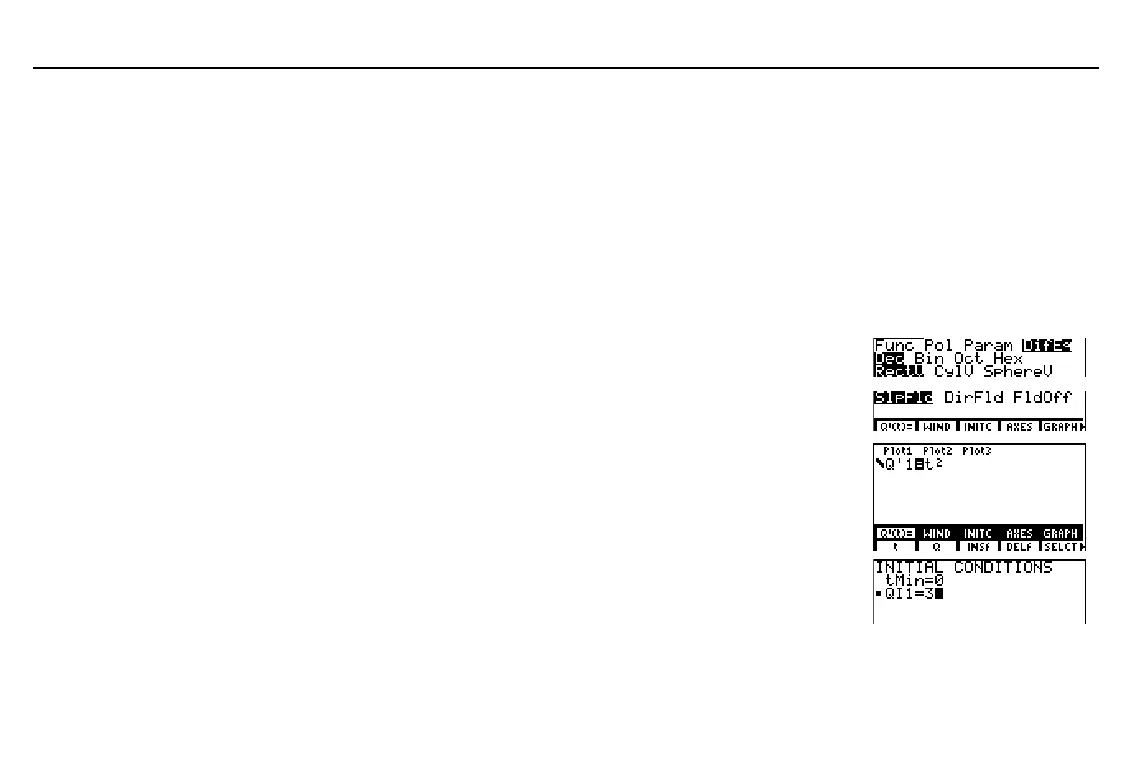
Graphing in SlpFld Format
Display the mode screen and set
DifEq
graphing mode.
-
m
#
#
#
#
"
"
"
b
Display the format screen and set
SlpFld
field format.
6
/
&
#
#
#
#
#
b
Display the equation editor and store the
differential equation y'=x
2
, substituting
Q'1
for y' and
t
for x. Clear any other
equations.
&
&
I
Display the initial conditions editor and
enter the initial conditions. A small square
indicates that an initial condition is required.
-
g
3
In the example, the default
window variable values are
set initially.



 To Next Page