252
Chapter 19: Applications
19APPS.DOC TI-86, Chap 19, US English Bob Fedorisko Revised: 02/13/01 2:41 PM Printed: 02/13/01 3:05 PM Page 252 of 1819APPS.DOC TI-86, Chap 19, US English Bob Fedorisko Revised: 02/13/01 2:41 PM Printed: 02/13/01 3:05 PM Page 252 of 18
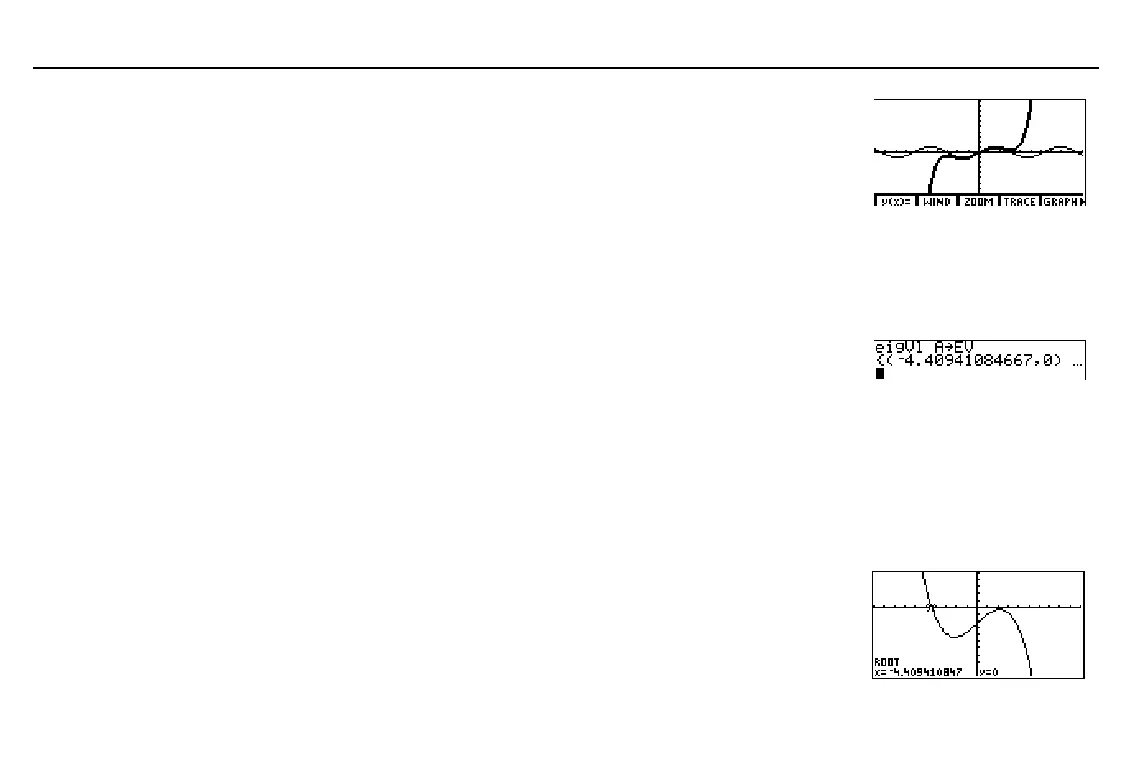
On the home screen, select
TAYLOR
from the
PRGM
NAMES
menu, and then press b to run the program.
When prompted, enter:
FUNCTION: sin x
ORDER: 5
CENTER: 0
Characteristic Polynomial and Eigenvalues
In the matrix editor or on the home screen, enter matrix
A
as shown.
[[
L
1,2,5][3,
L
6,9][2,
L
5,7]]

A
On the home screen, select
eigVl
from the
MATRX
MATH
menu
to find the complex eigenvalues for the matrix
A
and store them
to the list name
EV
.
Graph the characteristic polynomial Cp(x) of matrix
A
without knowing the analytic form of
Cp(x) based on the formula Cp(x)=det(A
N
x¹I). In
Func
graphing mode, select
y(x)=
from the
GRAPH
menu and enter the function in the equation editor as shown.
»
y1=det (A
N
x
¹
ident 3)
Select
WIND
from the
GRAPH
menu and set the window variable values as shown.
xMin=
L
10 xMax=10 xScl=1 yMin=
L
100 yMax=50 yScl=10 xRes=4
Select
ROOT
from the
GRAPH
MATH
menu and use it to display
the real eigenvalue interactively. Use
Left Bound=
L
5
,
Right Bound=
L
4
, and
Guess=
L
4.5
.
Compare the root (
x
value) you displayed interactively with the
first element of the result list in step 2.
The first eigenvalue is real,
since the imaginary part is
0
.
If necessary, select
ALL-
from the equation editor
menu to deselect all
functions. Also, turn off all
stat plots.



 To Next Page