154
Chapter 11: Lists
11LISTS.DOC TI-86, Chap 11, US English Bob Fedorisko Revised: 02/13/01 2:30 PM Printed: 02/13/01 3:03 PM Page 154 of 1611LISTS.DOC TI-86, Chap 11, US English Bob Fedorisko Revised: 02/13/01 2:30 PM Printed: 02/13/01 3:03 PM Page 154 of 1611LISTS.DOC TI-86, Chap 11, US English Bob Fedorisko Revised: 02/13/01 2:30 PM Printed: 02/13/01 3:03 PM Page 154 of 16
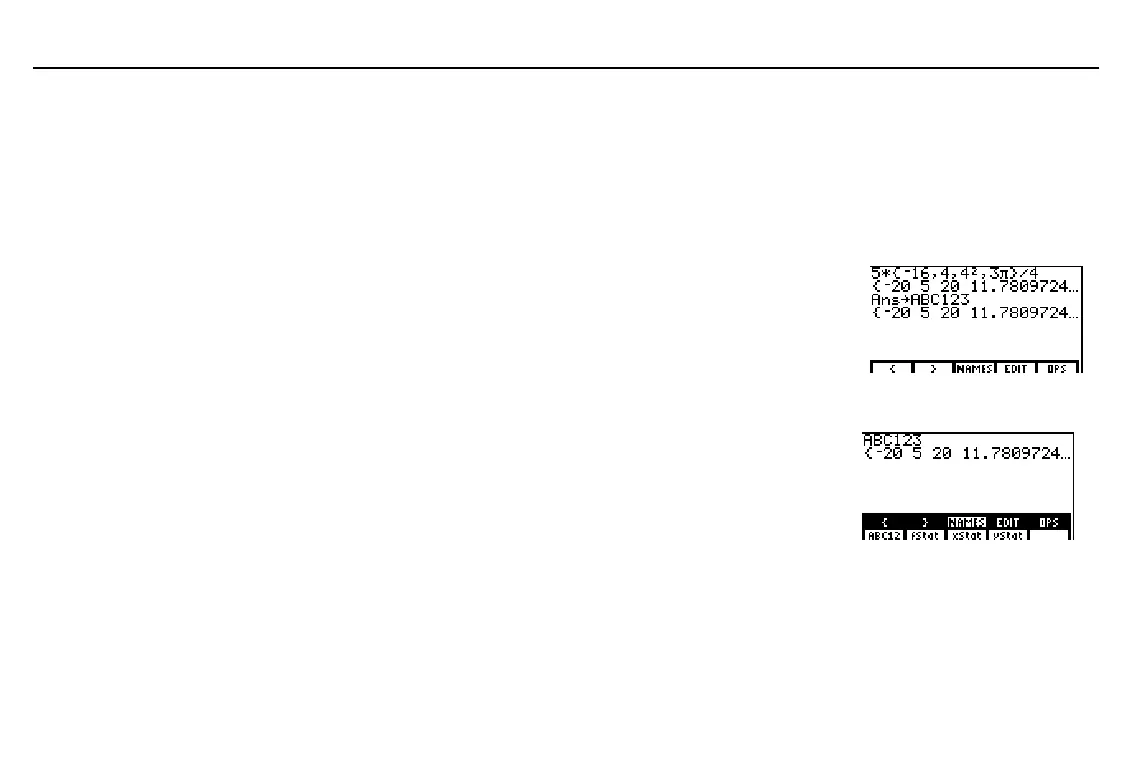
Creating a List Name by Storing a List
To store a list, the syntax is:
{
element1
,
element2
,
...
,
element n
}

listName
Enter a list directly. (To store a result expressed as
a list and currently stored in
Ans
, as shown in the
example, begin these steps at step 2.)
Paste

to the cursor location. ALPHA-lock is on.
(steps 2
through 5
above)
X
Enter the list name. Either select a name from the
LIST
NAMES
menu or directly enter a name one to
eight characters long, starting with a letter.
Store the list to the list name.
ã
A
ä
ã
B
ä
ã
C
ä
1
1
2
3
b
Displaying List Elements Stored to a List Name
Enter the list name on the home screen;
either select it from the
LIST
NAMES
menu
or enter the characters.
Display the list elements.
-
”
(
&
b
You need not enter the close
brace
(
}
)
when you use
X
to store a list name.
To delete a list name from
memory, use the
MEM
DELETE:LIST
screen
(Chapter 17).
The TI
-
86 distinguishes
between uppercase and
lowercase letters in list
names. For example,
ABC123
,
Abc123
, and
abc123
are three different list names.



 To Next Page