136
Chapter 10: Differential Equation Graphing
10DIFFEQ.DOC TI-86, Chap 10, US English Bob Fedorisko Revised: 02/13/01 2:28 PM Printed: 02/13/01 3:02 PM Page 136 of 2010DIFFEQ.DOC TI-86, Chap 10, US English Bob Fedorisko Revised: 02/13/01 2:28 PM Printed: 02/13/01 3:02 PM Page 136 of 2010DIFFEQ.DOC TI-86, Chap 10, US English Bob Fedorisko Revised: 02/13/01 2:28 PM Printed: 02/13/01 3:02 PM Page 136 of 20
The values shown in the picture on page 135 are defaults in
Radian
mode.
x
and
y
settings
correspond to the axes variables (page 137).
$
indicates that
xScl=1
,
yMin=
L
10
,
yMax=10
,
yScl=1
,
and
difTol=.001
(in
RK
format) or
EStep=1
(in
Euler
format) are beyond the screen.
tMin=0
Specifies the
t
value at which to begin evaluating within a graph screen
tMax=6.28318530718
Specifies the last
t
value to evaluate within a graph screen
tStep=.1308969389958
Specifies the increment from one
t
value to the next
t
value
tPlot=0
Specifies the point at which plotting begins (ignored when
t
is an axis)
difTol=.001
(in
RK
format) Specifies tolerance to help select step size for solving; must be
‚
1
E
L
12
EStep=1
(in
Euler
format) Specifies Euler iterations between
tStep
values; must be an integer >0 and
25
Setting the Initial Conditions
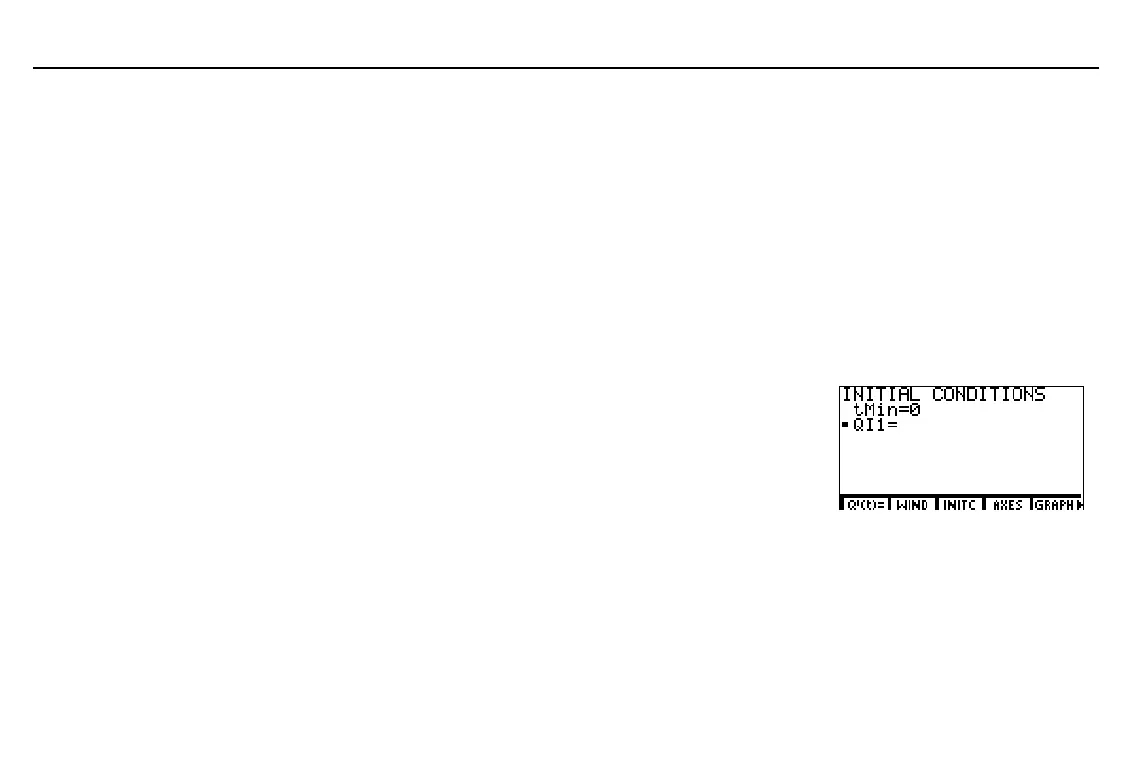
To display the initial conditions editor, select
INITC
from
the
GRAPH
menu (
6
(
). On this editor, you can set
the initial value at
t=tMin
for each first-order equation in
the equation editor.
tMin
is the first
t
value to evaluate.
Q
[
1
is the initial value of
Q
n
. A small square next to an initial condition variable
indicates that a value is required for a defined differential equation.
You can enter an expression, list, or list name for initial conditions
tMin
and
Q
[
n
. When you
enter a list name, the elements are displayed when you press
b
,
#
or
$
.
♦
If
SlpFld
or
DirFld
format is set, you need not specify initial conditions. The TI
-
86
returns the appropriate field with no specific solutions.
♦
If
FldOff
format is set, you
must
specify initial conditions.
tMax
default is 2
p
.
tStep
default is
pà
24.
Initial conditions information
is stored to
GDB
and
PIC
variables.



 To Next Page