182
Chapter 13: Matrices
13MATRX.DOC TI-86, Chap 13, US English Bob Fedorisko Revised: 02/13/01 2:32 PM Printed: 02/13/01 3:03 PM Page 182 of 1013MATRX.DOC TI-86, Chap 13, US English Bob Fedorisko Revised: 02/13/01 2:32 PM Printed: 02/13/01 3:03 PM Page 182 of 10
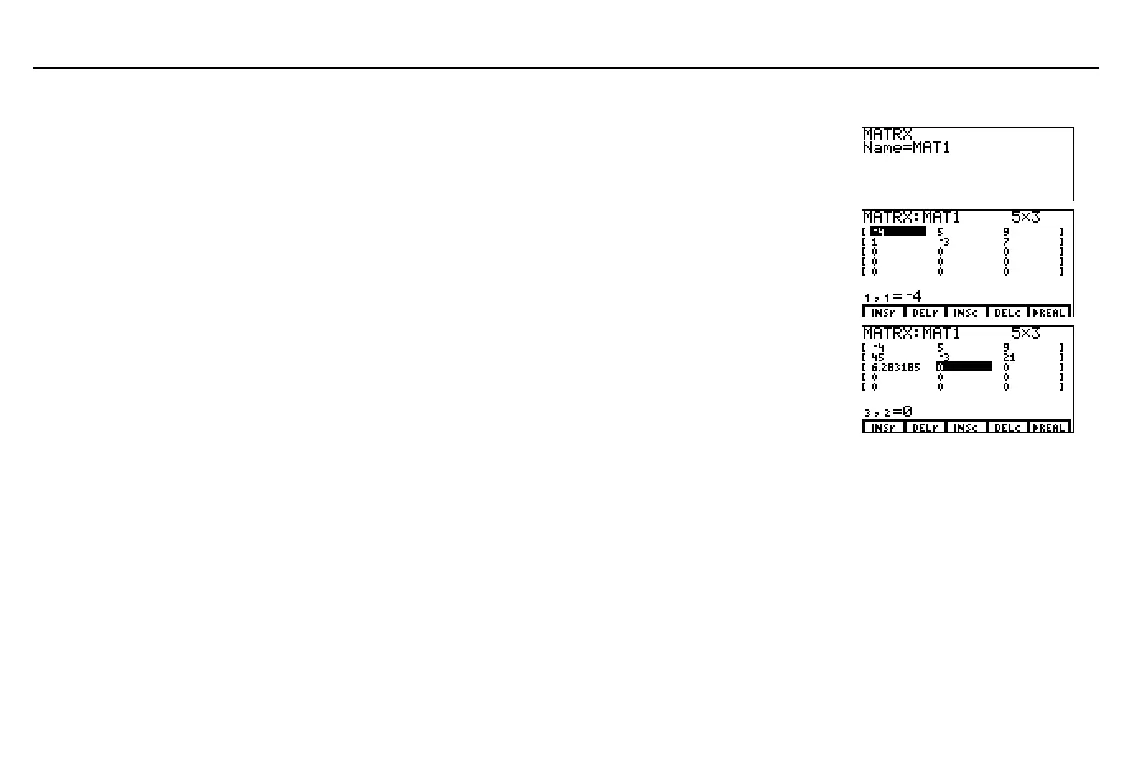
Editing Matrices in the Matrix Editor
Display the matrix
Name=
prompt screen.
Enter the matrix name. Either select it from the
MATRX
NAMES
menu or enter the characters.
- ‰ '
ã
M
äã
A
äã
T
ä
1
1
Display the matrix editor.
Edit or accept the row dimension, and then
edit or accept the column dimension.
b
5
3 b
3
b
Move the cursor to any element and edit it.
Continue moving the cursor to other
elements.
Save the changes and leave the matrix editor.
#
45
b "
21
b
2
-
~ b
.
Editing Matrices on the Home Screen
To change a matrix element value, the syntax is:
value

matrixName
(
row
,
column
)
To change the values of an entire row of elements, the syntax is:
[
valueA
,
valueB
,...,
value n
]
matrixName
(
row
)
To change the values of part of a row, beginning at a specified column, the syntax is:
[
valueA
,
valueB
,
...
,
value n
]
matrixName
(
row
,
beginColumn
)
To change the values of a submatrix within
matrixName
, the syntax is:
[[
valueA
,
...
,
value n
]
...
[
valueA
,
...
,
value n
]]
matrixName
(
beginRow
,
beginColumn
)
You can use
:
,
3
, an
-
p
to edit matrix
elements. You also can
overwrite existing characters.



 To Next Page