Chapter 11: Lists
155
11LISTS.DOC TI-86, Chap 11, US English Bob Fedorisko Revised: 02/13/01 2:30 PM Printed: 02/13/01 3:03 PM Page 155 of 1611LISTS.DOC TI-86, Chap 11, US English Bob Fedorisko Revised: 02/13/01 2:30 PM Printed: 02/13/01 3:03 PM Page 155 of 16
Displaying or Using a Single List Element
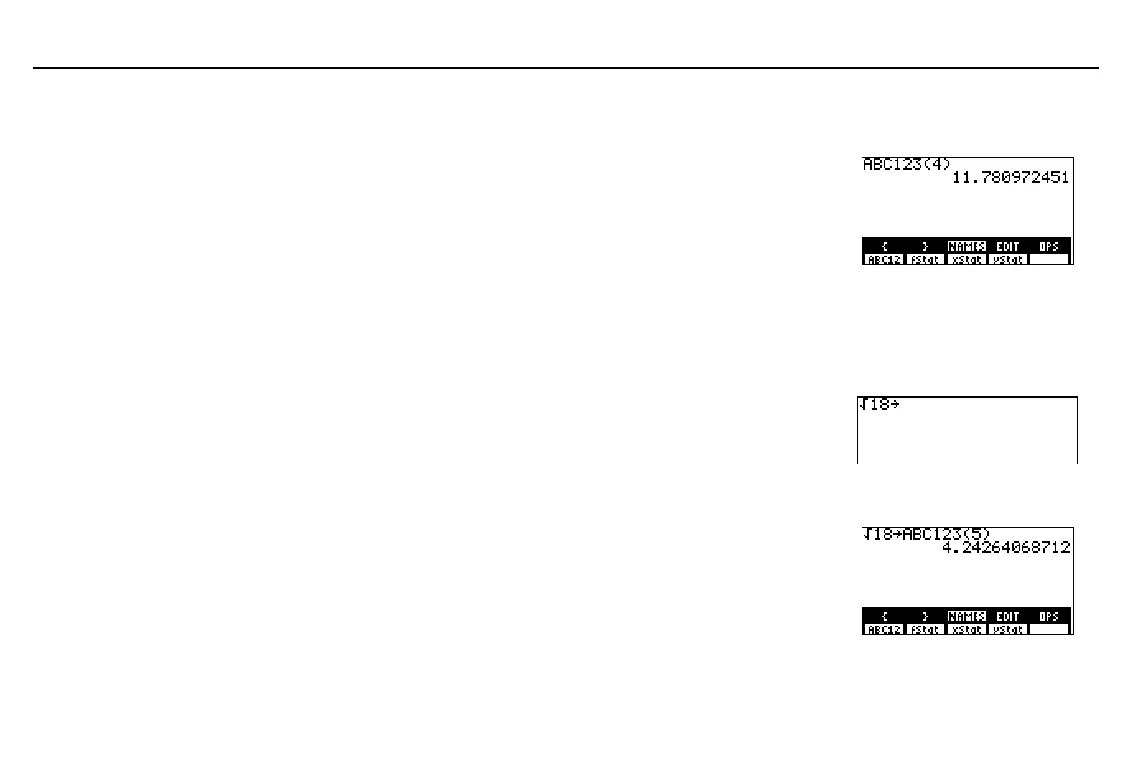
To display or use a single list element, the syntax is:
listName
(
element#
)
Enter the list name; either select it from the
LIST
NAMES
menu or enter the characters.
In parentheses, enter the element’s place
number in the list.
Display the list element.
-
”
(
&
D
4
E
b
Storing a New Value to a List Element
To store a value to a current element or one element beyond the end of a list, the syntax is:
value
¶
listName
(
element#
)
Enter the value to be stored in a current list
element or one element beyond the end.
Paste
¶
to the cursor location.
-
ˆ
18
X
Enter the list name; either select it from the
LIST
NAMES
menu or enter the characters.
&
Enter the element’s place number in
parentheses. (In the example,
5
is one
beyond the current dimension of
ABC123
).
Enter the new value to the element number.
(
‡
18
is evaluated and added as the fifth
element.)
1
D
5
E
b
listName
(
element#
)
is valid
as part of an expression.
element
# is
‚
1 and
the
dimension of the list.
value
can be an expression.



 To Next Page