Chapter 11: Lists
157
11LISTS.DOC TI-86, Chap 11, US English Bob Fedorisko Revised: 02/13/01 2:30 PM Printed: 02/13/01 3:03 PM Page 157 of 1611LISTS.DOC TI-86, Chap 11, US English Bob Fedorisko Revised: 02/13/01 2:30 PM Printed: 02/13/01 3:03 PM Page 157 of 16
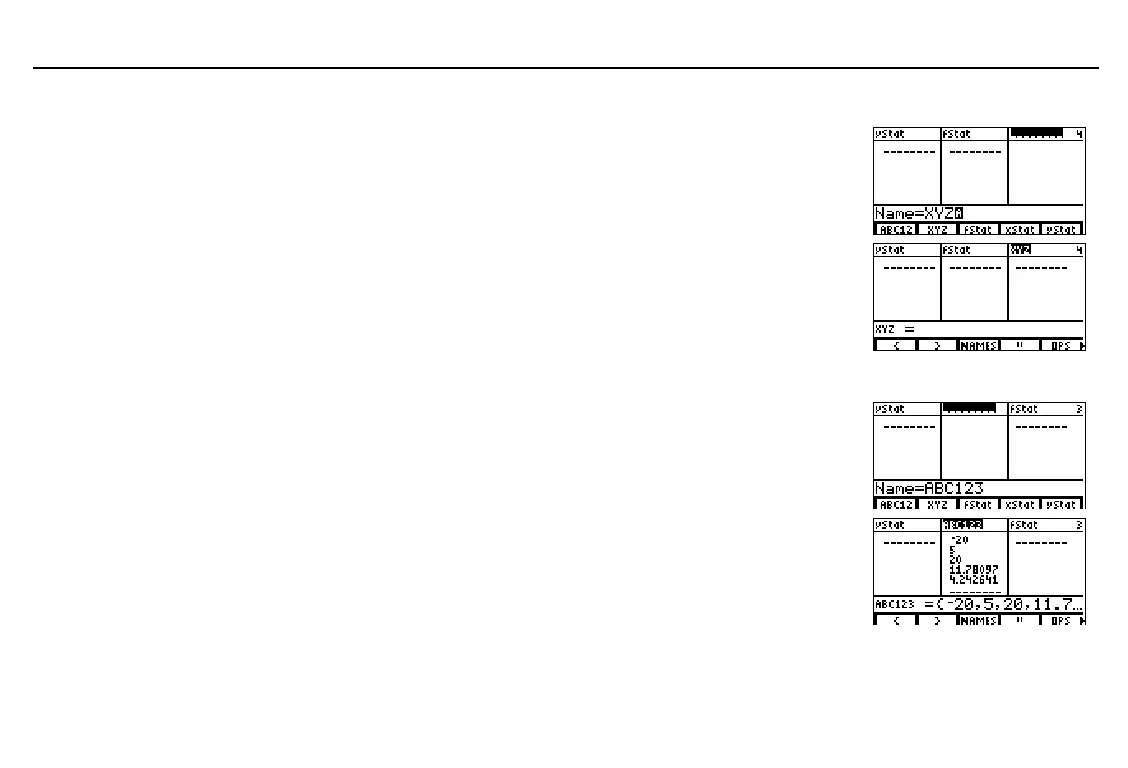
Creating a List Name in the Unnamed Column
Display the list editor.
Move the cursor to the unnamed column
(column 4). The
Name=
prompt is displayed
in the entry line. ALPHA-lock is on.
- ” )
$ " " "
Enter the list name. The list name is displayed
at the top of the current column. In the entry
line, a list name prompt is displayed. The
name becomes a
LIST
NAMES
menu item and
a
VARS
LIST
screen item.
ã
X
ä
ã
Y
ä
ã
Z
ä
b
Inserting a List Name into the List Editor
Move the cursor to column
3
.
Insert a new, unnamed column. List names shift
right, clearing column
3
. The
Name=
prompt and
LIST
NAMES
menu are displayed.
!
- p
Select
ABC12
from the
LIST
NAMES
menu to
insert the list name
ABC123
into column
3
.
Elements stored to
ABC123
fill the column
3
table of elements. The full value of all
ABC123
elements is displayed in the entry line.
& b
After memory is reset,
xStat
,
yStat
, and
fStat
are stored to
columns
1
,
2
, and
3
.
Resetting defaults does not
affect the list editor.
To move from the list name i
column 1 to the unnamed
column, press
!
"
.
If all 20 columns have list
names, you must remove a
list name to make room for
the unnamed column.
To cancel the list name
insertion, press
:
.
If a formula were attached to
ABC123
, the formula would
be displayed in the entry line
instead of the list shown in
step 3 (page 162.)



 To Next Page