Chapter 10: Differential Equation Graphing
143
10DIFFEQ.DOC TI-86, Chap 10, US English Bob Fedorisko Revised: 02/13/01 2:28 PM Printed: 02/13/01 3:02 PM Page 143 of 2010DIFFEQ.DOC TI-86, Chap 10, US English Bob Fedorisko Revised: 02/13/01 2:28 PM Printed: 02/13/01 3:02 PM Page 143 of 2010DIFFEQ.DOC TI-86, Chap 10, US English Bob Fedorisko Revised: 02/13/01 2:28 PM Printed: 02/13/01 3:02 PM Page 143 of 20
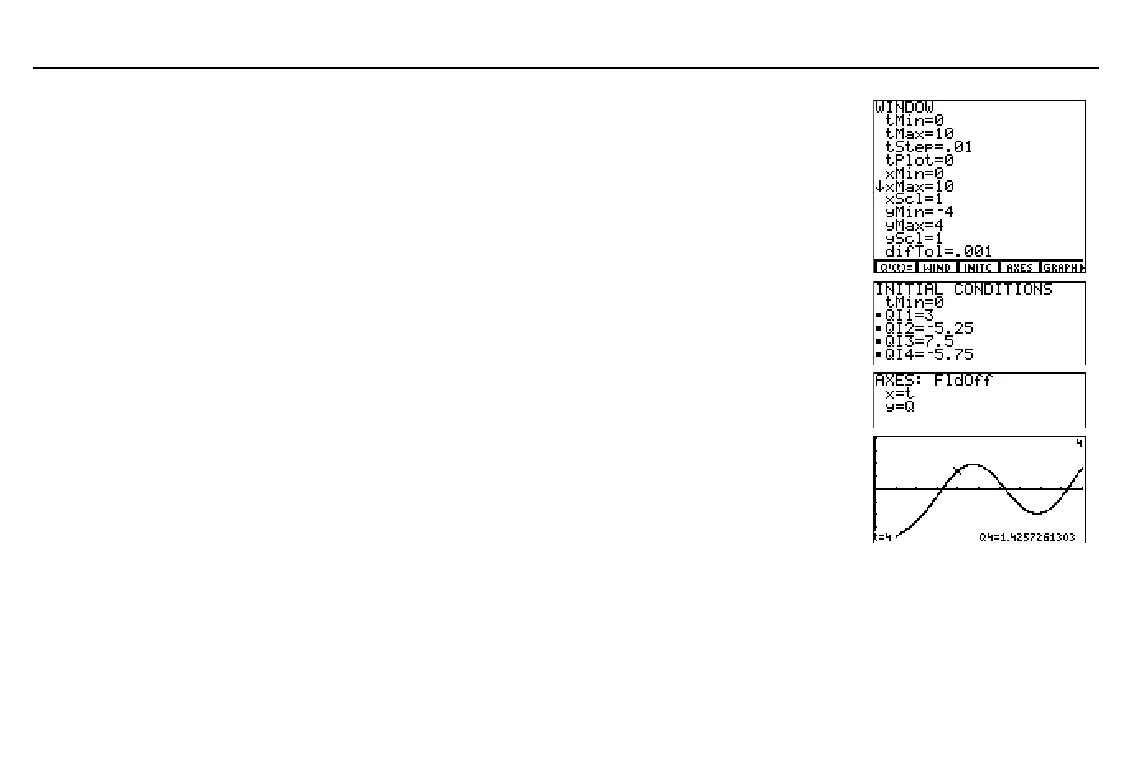
Display the window editor and set the
window variable values.
- f #
10
#
`
01
# #
0
#
# # a
4
#
4
Display the initial conditions editor and enter
the initial conditions. A small square
indicates that an initial condition is required.
(
3
# a
5
`
25
#
7
`
5
#
a
5
`
75
Display the axes editor. Enter the equation
variables for which you want to solve.
)
Display the graph. Explore the equation
with the trace cursor.
Enter a
t
value to move the trace cursor to
the solution for that
t
value. The
t
and
Q4
coordinates are displayed.
. / )
" and !
4
b
When
FldOff
field format is
selected,
x=t
and
y=Q
are the
default axes settings.



 To Next Page