Chapter 20: A to Z Function and Instruction Reference
283
20ATOZ.DOC TI-86, Chap 20, US English Bob Fedorisko Revised: 02/13/01 2:42 PM Printed: 02/13/01 3:05 PM Page 283 of 11820ATOZ.DOC TI-86, Chap 20, US English Bob Fedorisko Revised: 02/13/01 2:42 PM Printed: 02/13/01 3:05 PM Page 283 of 118
Disp
‡ program editor
I/O menu
Disp
valueA
,
valueB
,
valueC
,
...
Displays each value. The values can include strings and
variable names.
Disp
Displays the home screen.
10
¶
x
b
10
Disp x^3+3 x
N
6
b
1024
Done
"Hello"
¶
STR
b
Hello
Disp STR+", Jan"
b
Hello, Jan
Done
DispG
† GRAPH menu
‡ program editor
I/O menu
DispG
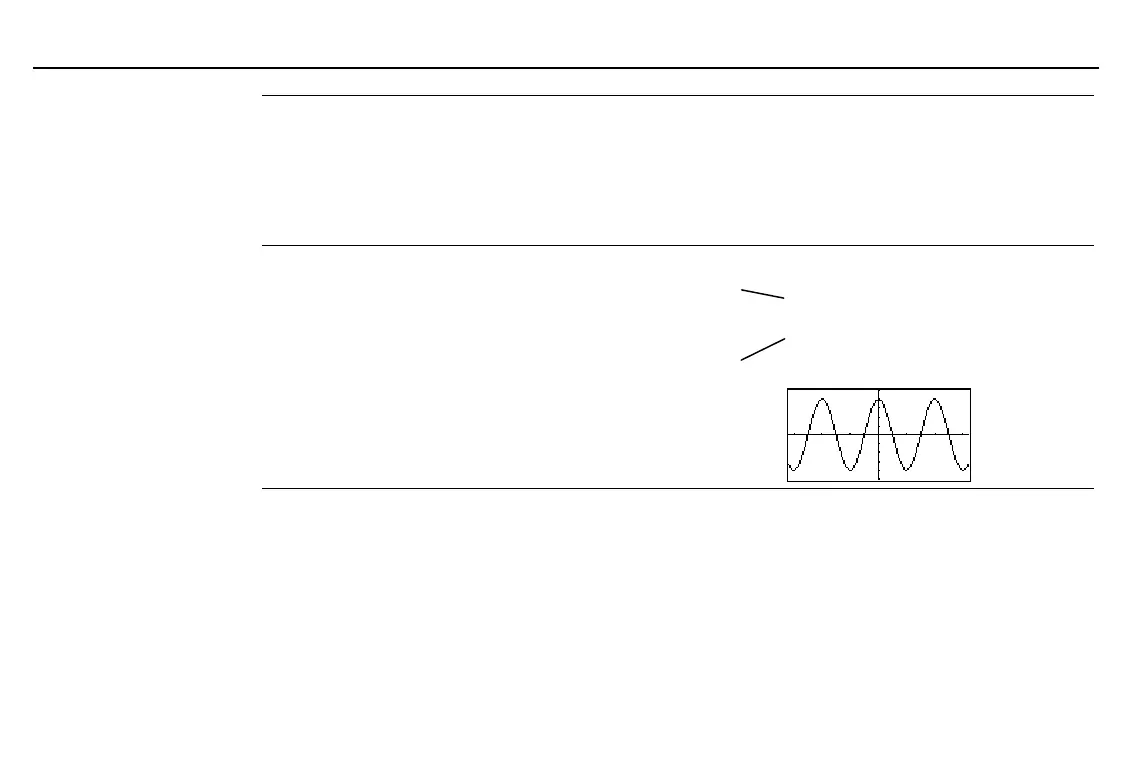
Displays the current graph.
Program segment in
Func
graphing mode:
©
:y1=4cos x
:
L
10
¶
xMin:10
¶
xMax
:
L
5
¶
yMin:5
¶
yMax
:DispG
©
Function names are
case-sensitive. Use
y1
, not
Y1
.
To select from a list of window
variable names, press
-
w
/
/
*
.


 To Next Page