302
Chapter 20: A to Z Function and Instruction Reference
20ATOZ.DOC TI-86, Chap 20, US English Bob Fedorisko Revised: 02/13/01 2:42 PM Printed: 02/13/01 3:05 PM Page 302 of 118
GridOn
† graph format screen
GridOn
Turns on grid format so that grid points are displayed in
rows and columns corresponding to the tick marks on
each axis.
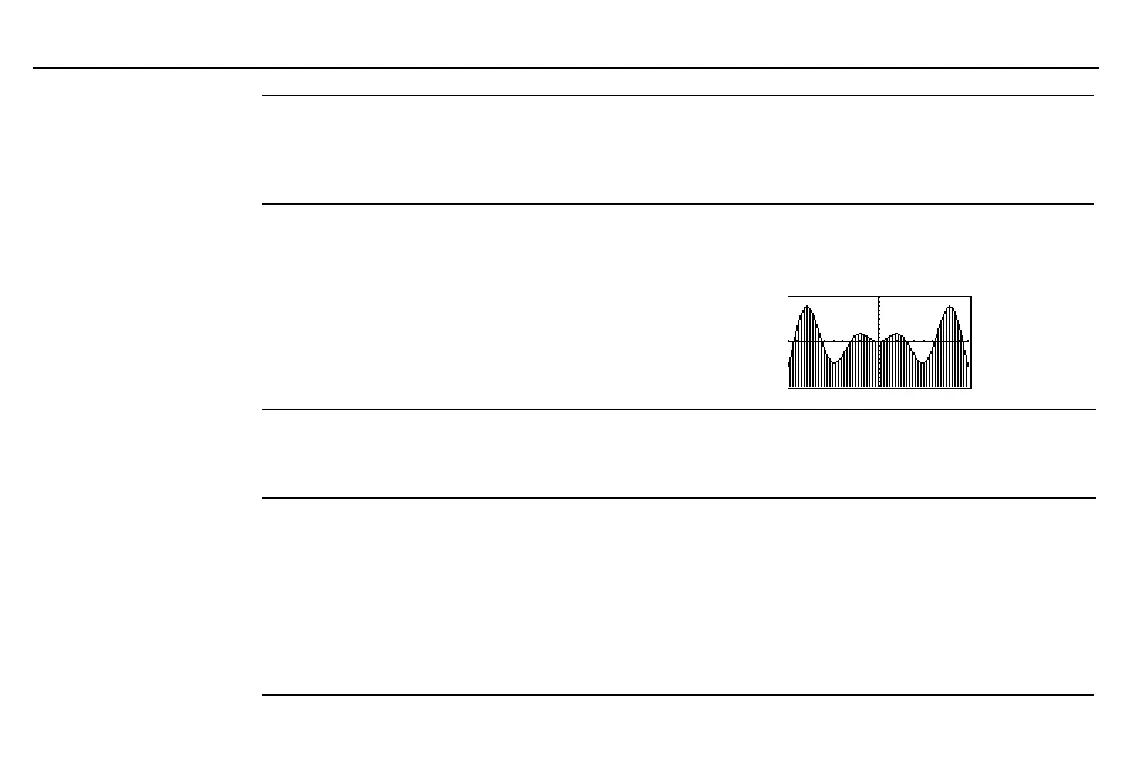
GrStl(
CATALOG
GrStl(
function#
,
graphStyle#
)
Sets the graph style for
function#
. For
graphStyle#
,
specify an integer from
1
through
7
:
1
= » (line)
4
= ¿ (below)
7
= Â (dot)
2
= ¼ (thick)
5
= À (path)
3
= ¾ (above)
6
= Á (animate)
Depending on the graphing mode, some graph styles may
not be available.
In
Func
graphing mode:
y1=x sin x
b
Done
GrStl(1,4)
b
Done
ZStd
b
ß
BASE TYPE menu
integer
ß
Designates a real
integer
as hexadecimal, regardless of
the number base mode setting.
In
Dec
number base mode:
10
ß
b
16
10
ß
+10
b
26
Hex
† mode screen
Hex
Sets hexadecimal number base mode. Results are
displayed with the
ß
suffix. In any number base mode,
you can designate an appropriate value as binary,
decimal, hexadecimal, or octal by using the
Ü
,
Þ
,
ß
, or
Ý
designator, respectively, from the
BASE TYPE
menu.
To enter hexadecimal numbers
Õ
through
Ú
, use the
BASE A-F
menu. Do not use 1 to type a letter.
In
Hex
number base mode:
Ú
+10
Ü
+10
Ý
+10
Þ
b
23
ß


 To Next Page