Instrument filters and supported dyes
System dyes
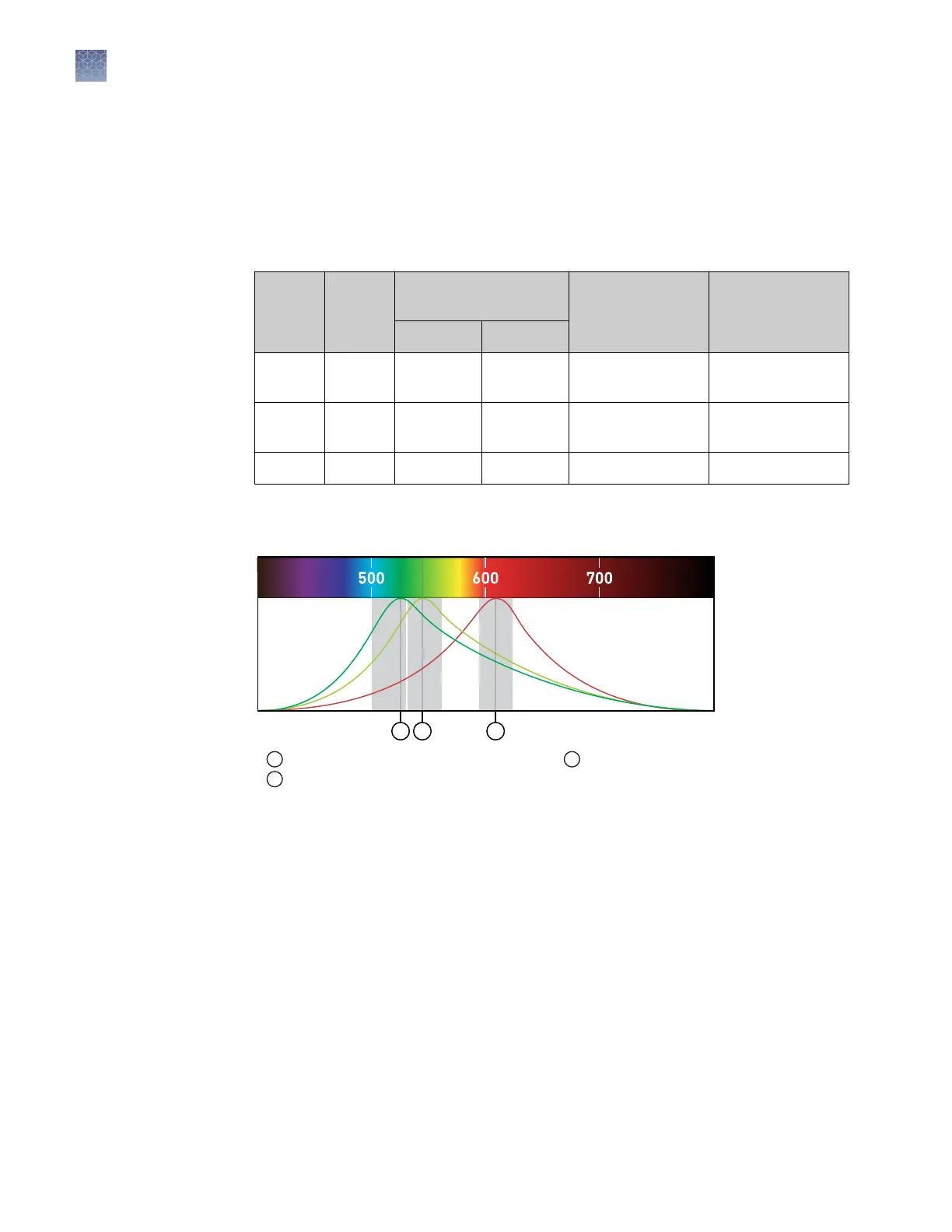
The instrument use a coupled three-color lter set that supports the dyes shown in the
following table and gure. For more information about available spectral dye
calibration kits, contact Support.
Peak
filter
Color
Filter wavelength
(nm)
[1]
Factory-calibrated
dyes
Example
custom dyes
Excitation Emission
x1-m1 Blue 470 ± 15 520 ± 15
FAM
™
,
SYBR
™
Green
SYT09
x2-m2 Green 520 ± 10 558 ± 12 VIC
™
JOE
™
,
HEX
™
, TET
™
[2]
x4-m4 Orange 580 ± 10 623 ± 14 ROX
™
, JUN
™
Texas Red
™
[1]
The central wavelengths are the optimized wavelengths.
[2]
The HEX
™
and TET
™
dyes from Thermo Fisher Scientific fall within the emission wavelength range of the
system, therefore they can be added and adapted for use on the instrument.
Filters
Wavelength
(nm)
1
2
3
x1-m1 x2-m2 x4-m4
Emission
Spectra
1
x1-m1 — FAM
™
, SYBR
™
Green
2
x2-m2 — VIC
™
3
x4-m4 — JUN
™
, ROX
™
, Texas Red
™
Custom dyes
The instrument can run assays designed with custom dyes. Custom dyes include the
following:
• Dyes that are not supplied by Thermo Fisher Scientic.
• Dyes or formulations of dyes that are not system dyes for the instrument.
To use a custom dye on the instrument, review the following requirements.
• Calibrate the instrument for the custom dye (see “Calibrate custom dyes“ on
page 62).
• Ensure that the custom dye excites and emits within the wavelength range of the
lters (see the lter-wavelength table in “System dyes“).
• Select a custom dye that does not overlap with other dyes used in the run (see the
lter-wavelength table in “System dyes“).
Chapter 1
Product information
Instrument hardware description
1
10
QuantStudio
™
1 Real-Time PCR System Installation, Use, and Maintenance Guide









 To Next Page