CFM-BL10Pro General instruction manual
42 / 87
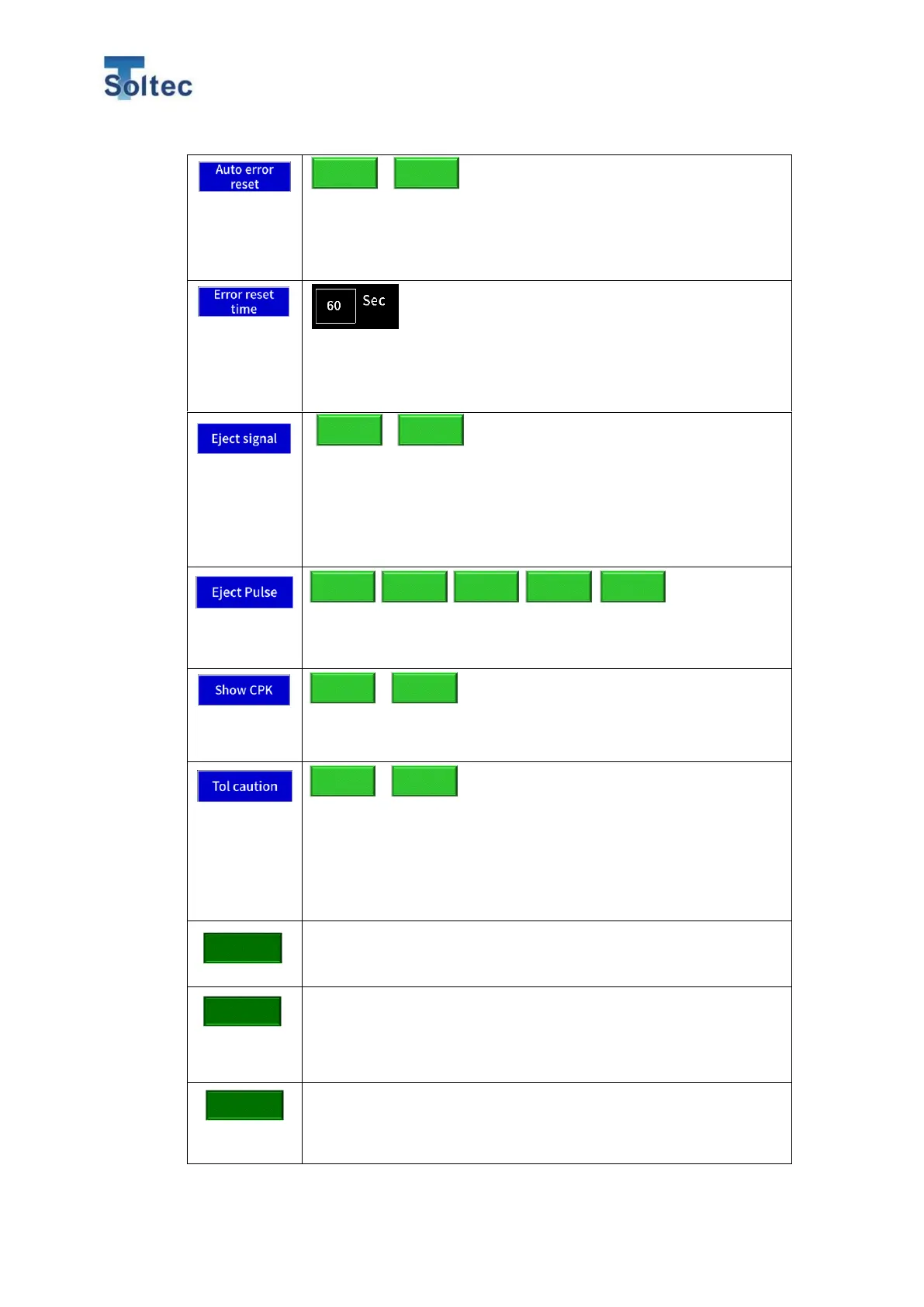
CFM automatically reset its own error mode during operation
mode. When this function is enabled, “Error reset time” button is
displayed on the right side of “Auto error reset” button. The initial
setting is ON.
When “Auto error reset” function is enabled, CFM is automatically
reset after a time set in “Error reset time”. Setting range is 1 to 60
seconds. The initial setting is 60 second.
CFM output Eject signal from IO pin No.17 every crimping.
Good: CFM output Eject pulse signal every good judgement.
Bad: CFM output Eject pulse signal only when CFM issue an
error alert. The initial setting is Good.
Pulse width for Eject signal can be set.
Depending on machine specification, select an appropriate signal
width. Unit is msec. The initial setting is 100.
Select whether CPK value is displayed on the value display or
not. The initial setting is ON.
CFM monitors if current tolerance is appropriate for an operating
product based on every crimping result. When this function is
enabled, CFM issue an alarm which says, “tolerance is small” or
“tolerance is big”. The alarm is a sign of recalculating Auto
tolerance, changing tolerance table and so on. The initial setting
is OFF.
Maximum 500 latest error results including force curve data are
stored in CFM. Press this button to delete those result history
data. A confirmation window is displayed before deleting the data.
Total count is cleared.
Press this button and a confirmation window is displayed before
deleting the data.
*Sub count is automatically cleared every teaching.
User Authority for main unit operation is set. You can set a range
that each Operator and Engineer can operate. Supervisor can
access all the operations. Press this button and Authority setting
display will open. Operator and Engineer can access the checked
Bad



 To Next Page