CFM-BL10Pro General instruction manual
44 / 87
When piezo electrical sensor is installed inside a base plate, you
have to apply a certain range of load to the sensor with rotating a
screw that is for fixing the sensor. Press Preload button and
Preload window is displayed. There you can check the load
applied to the sensor with % value.
*The Preload is needed only when the sensor is installed. It is not
a daily work.
*Do not take a base plate, in which the sensor is already
installed, into pieces.
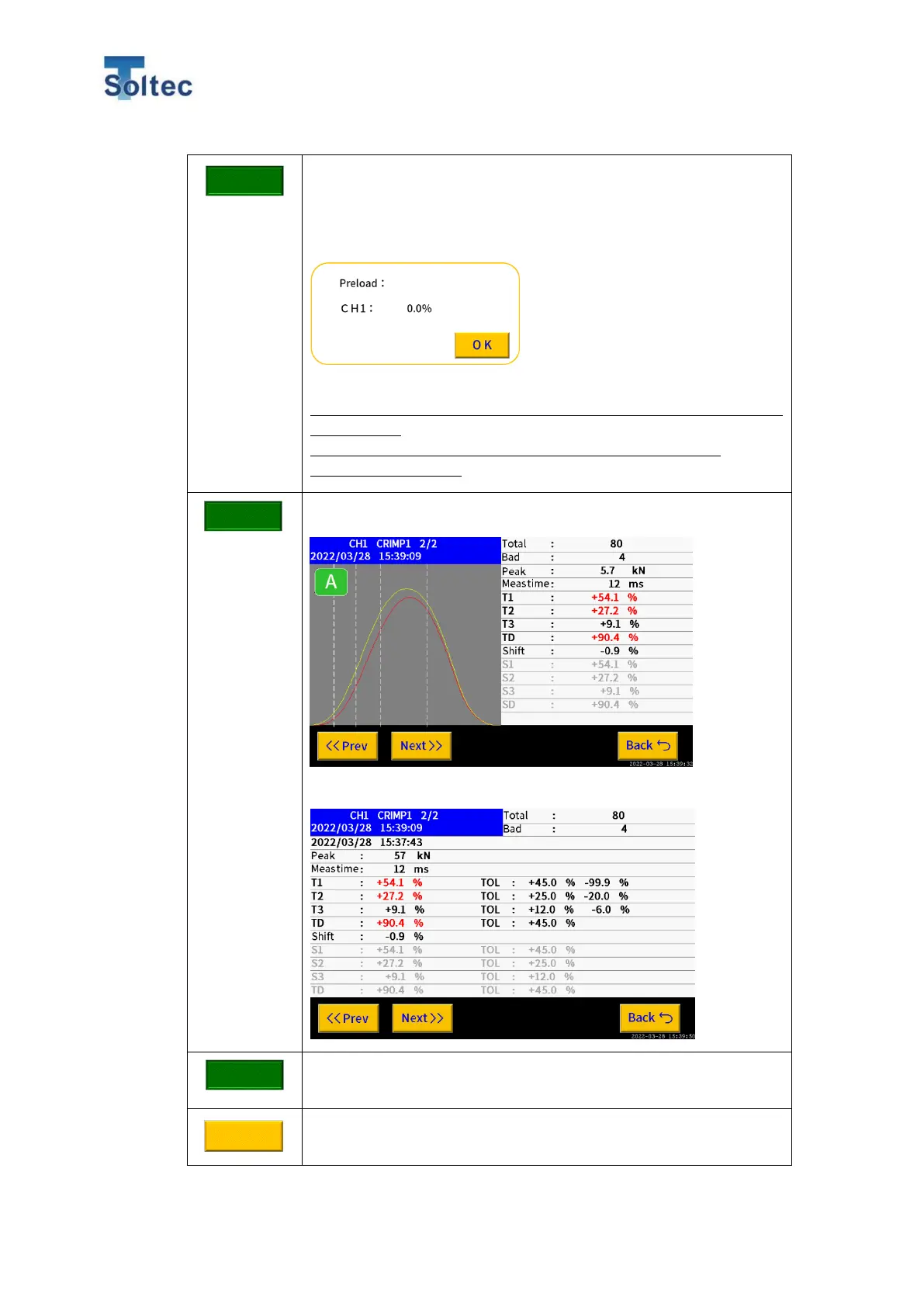
Press View history button and the Error result of the latest 500
not good samples can be seen.
By switching display, details values can be checked.
Firmware version and CPU ID can be checked.
System setting 1 is displayed.
E.g., A case of FTW20
Adjust a load applied to the screw so
the % will be instantly among 8% to 15%
when you tighten the screw. Because of
the sensor characteristic, the value
gradually goes down. However, that is no
problem so do not tighten the screw more.



 To Next Page