D292144.7.fm Taper Setup
Chapter 4: Machine Setup 4- 21
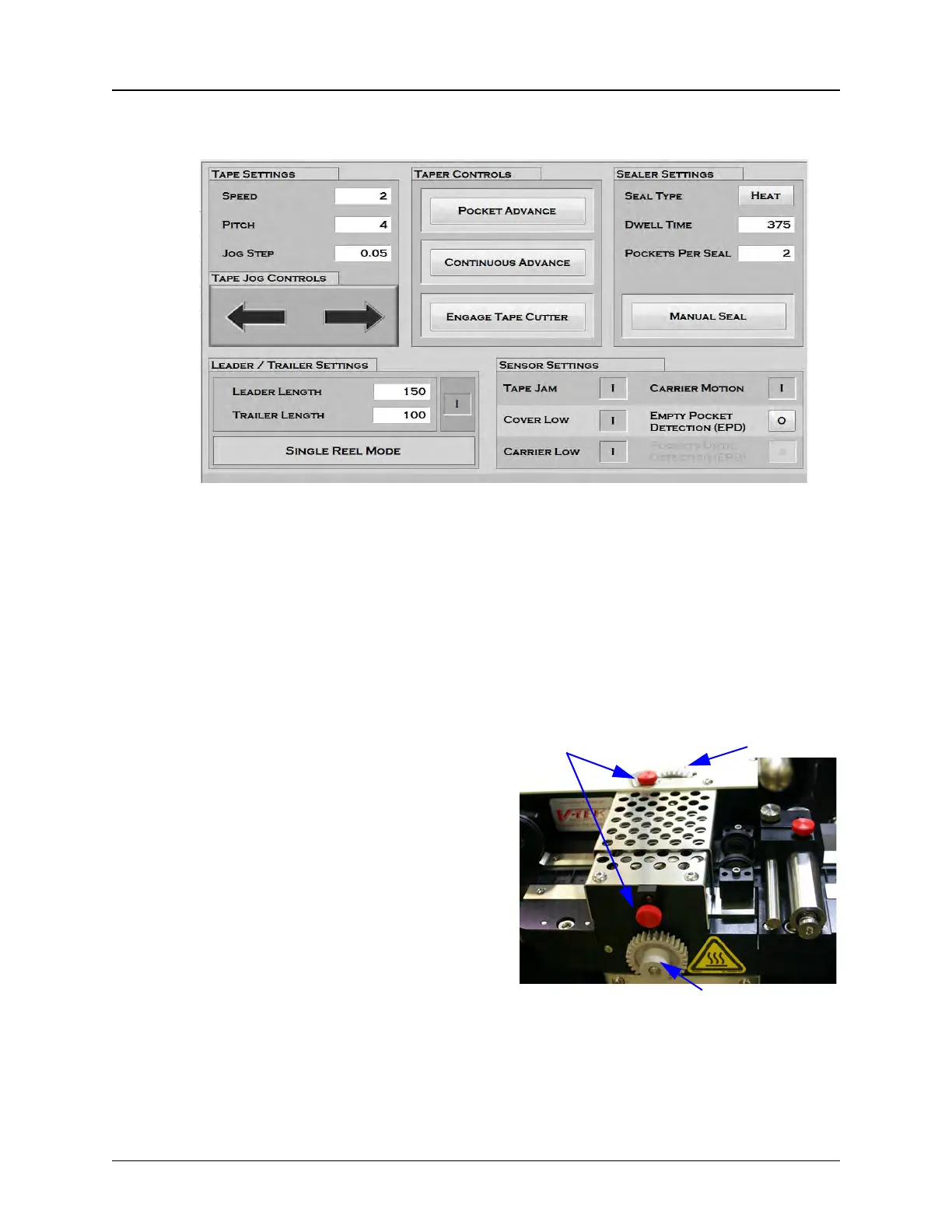
4. Open the HMI Taper Setup Screen. Ensure Tape Settings and Sealer Settings are
appropriate for the current job. Engage Automatic Cutter if desired.
5. Press the Continuous Advance button in the Leader section of the Taper tab.
The taping module will begin the advance of the carrier tape and cover tape
through the sealer. The cover tape will be sealed onto the carrier tape as it
advances.
6. Observe whether the sealer’s width is adjusted correctly for the cover tape. It
should seal just inside the outside edges of the carrier tape without going off the
edges or over the pockets. If it is not, stop the taper by pressing the Continuous
Advance button again.
The sealer’s inside and outside
seals are independently adjustable.
If one of the seals needs to be
moved, loosen the corresponding
position lock and turn the adjusters.
Turning the wheel counter-clockwise
will move the guide towards the
operator. Turning it clockwise will
move the guide closer to the
machine. Adjust the Inner Seal
Adjust and the Outer Seal Adjust to
the desired position, then tighten the
Position Locks to secure them.
Step 5:
Setup
Output
HEAT
SEALER
Inner Seal Adjust
Outer Seal Adjust
Position Locks



 To Next Page