3-14 TM-500 User’s Guide
Menus D292144.6.fm
Accessibility
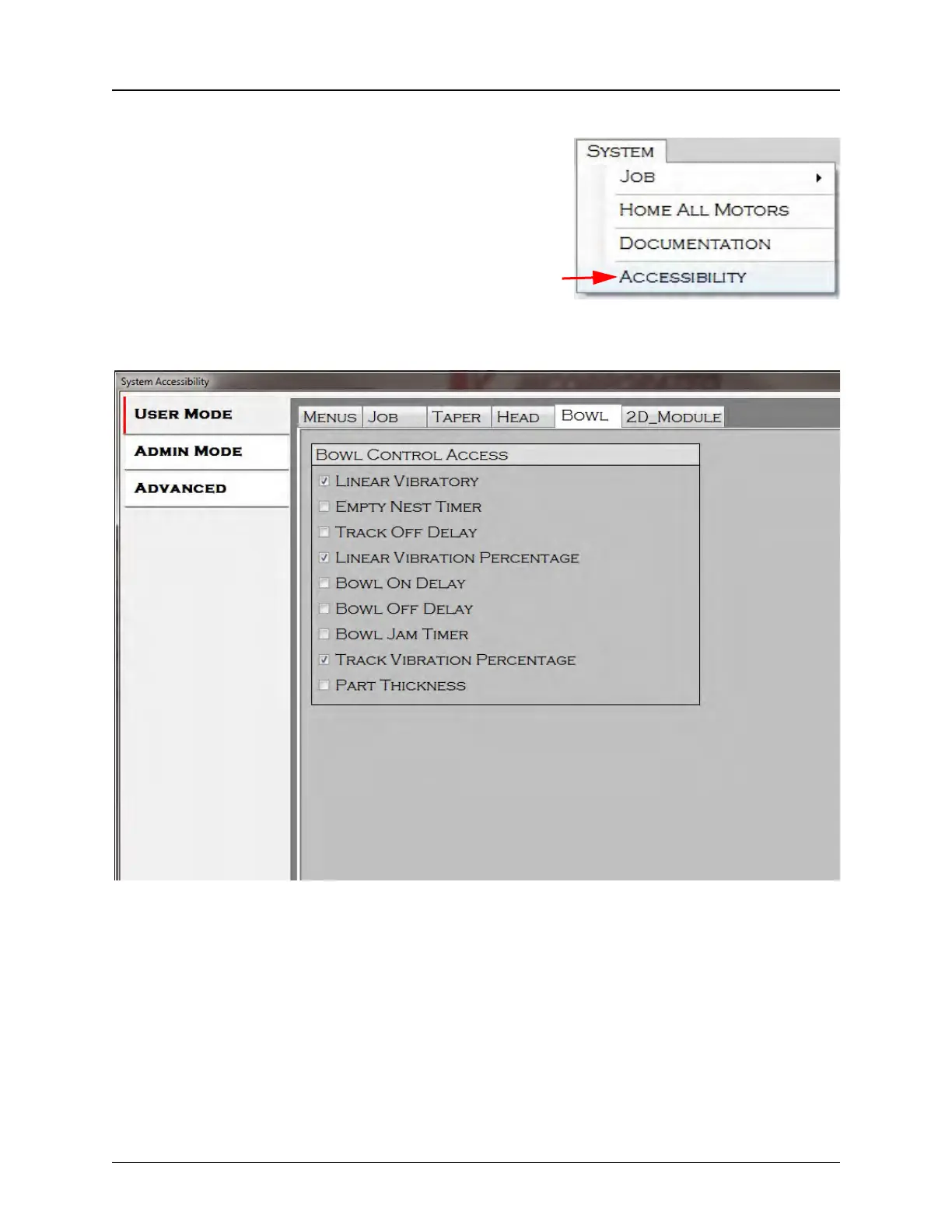
Accessibility is used to configure which menus, settings
and controls are available to operators in the User and
Admin levels. It is only available if the operator has logged
in at the Super User level.
Selecting Accessibility opens the System Accessibility window.
The tab menu on the left of the System Accessibility window allows the Super User to select
User Mode, Admin Mode or Advanced settings for configuration. In the example above, User
Mode is being configured.
The tab menu at the top of the System Accessibility window allows the Super User to select
which module settings to configure for each access level. These include Menus and settings
tabs for any input, output and vision modules that have been installed on the TM-500. These may
include: Bowl, Head, Job, Taper, Tray, Tube, 2D Tape, 2D Module (Upwards Vision), and 3D
Vision. In the example above, Menu Access is being configured determining which Menus and
Menu Options will be accessible in User Mode.



 To Next Page