7-2 TM-500 User’s Guide
Safe Maintenance Steps D292144.10.fm
Safe Maintenance Steps
Follow the steps below when performing routine maintenance or cleaning on the TM-500.
1. Turn the TM-500 OFF.
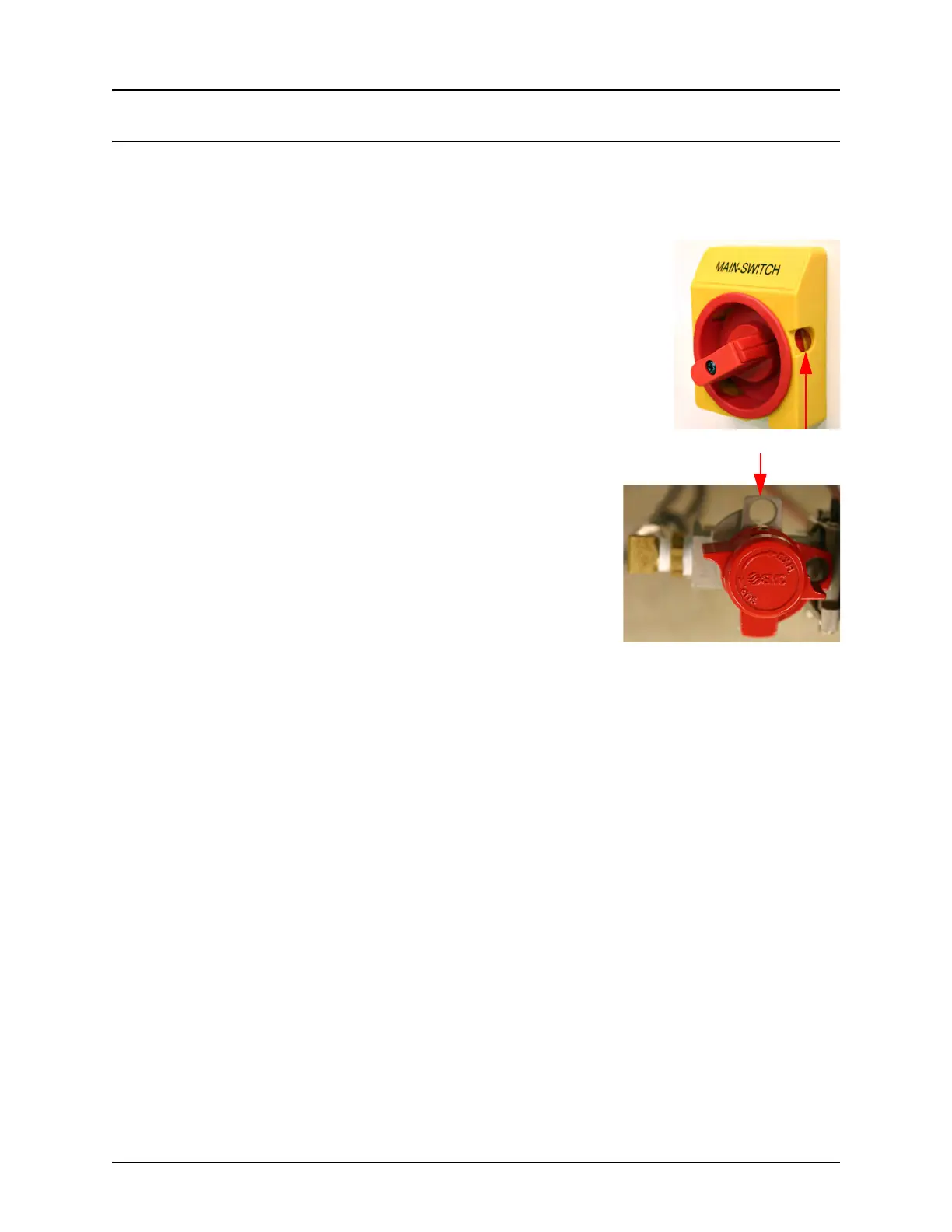
2. Ensure the Main Power Switch is rotated to the OFF position. The
Main Power Switch is Lock-out/Tag-out capable. Follow your com-
pany’s Lock-out/Tag-out procedure to ensure safe maintenance.
3. Ensure the Air Regulator is rotated to the OFF posi-
tion. The Air Regulator is Lock-out/Tag-out capable.
Follow your company’s Lock-out/Tag-out procedure
to ensure safe maintenance.
4. Disconnect the air supply and place the unplugged
air hose so it is clearly visible.
5. Disconnect the power supply and place the
unplugged power cord so it is clearly visible.
6. Remove all carrier and cover tape from the Taper.
7. Remove parts from the Input Module.
8. Remove rejected parts, if any, from Reject Bin.
9. Perform cleaning/maintenance as needed.
10. Reload Input Module parts.
11. Reload Taper carrier tape and cover tape.
12. Reconnect the air supply.
13. Reconnect the power supply.
14. Turn the TM-500 back ON.



 To Next Page