D292144.7.fm Leader/Trailer
Chapter 4: Machine Setup 4- 25
Leader/Trailer
The terms “leader” and “trailer” refer to the lengths of empty carrier tape required at the
beginning (leader) and the end (trailer) of the finished reel of placed parts. Therefore,
when the reel is being taped on the TM-500, the trailer is the first length of empty carrier
tape run before the first part is taped and the leader is the length of empty carrier tape run
after the last part is taped.
1. Before beginning a production reel, determine how long the trailer and the leader
should be.
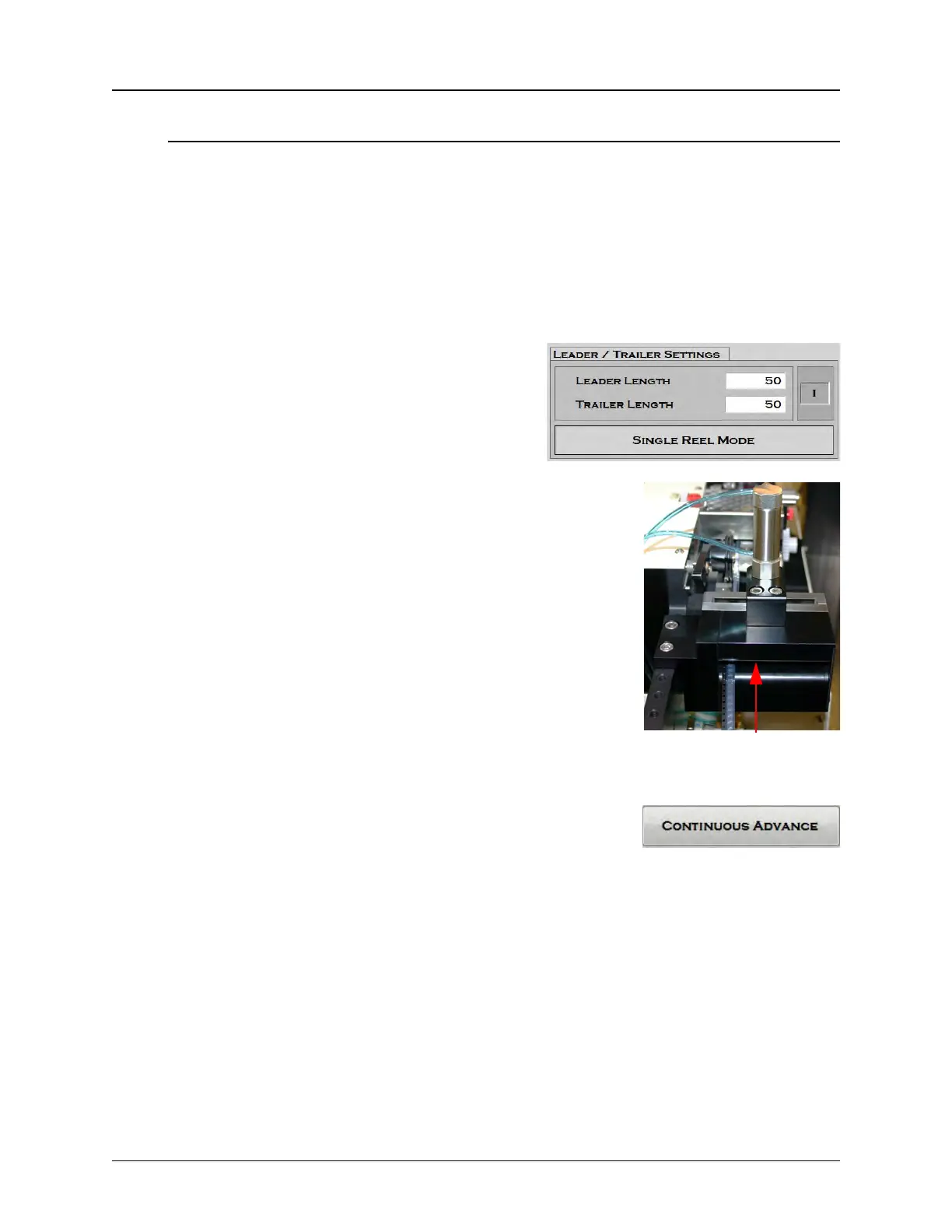
2. To create a Leader/Trailer, open the
HMI and go to the Taper Setup Tab.
Under the Leader/Trailer Settings, enter
the desired leader length in millimeters.
Note: If a leader value of zero is
entered, the taper will automatically advance the last
part until it reaches the cut point. If a leader value is
entered, it will move the last placed part that distance
beyond the cut point.
3. Enter the desired trailer length in millimeters.
Note: To manually create a trailer, simply select
Continuous Advance at the beginning of the reel
and run out sealed empty pockets until the desired
trailer length is reached.
4. Select Single Reel or Multiple Reel.
Note: If Multiple Reel is selected, a leader and trailer are required. If both leader
and trailer are set at zero, there will be no separation between one reel and the
next.
Step 5:
Setup
Output
LEADER/
TRAILER


 To Next Page