D292144.8.fm Preparing to Run a Pre-programmed Job
Chapter 5: Operation 5- 9
Setup 2D Vision
Note: In order to use the Keyence IV Vision System, the camera must be configured and
set to Run Mode in the Keyence HMI as well as being enabled on the TM-500 HMI.
Please complete the following instructions to correctly configure the vision system.
1. Select the 2D Tape Tab from the Tab Menu.
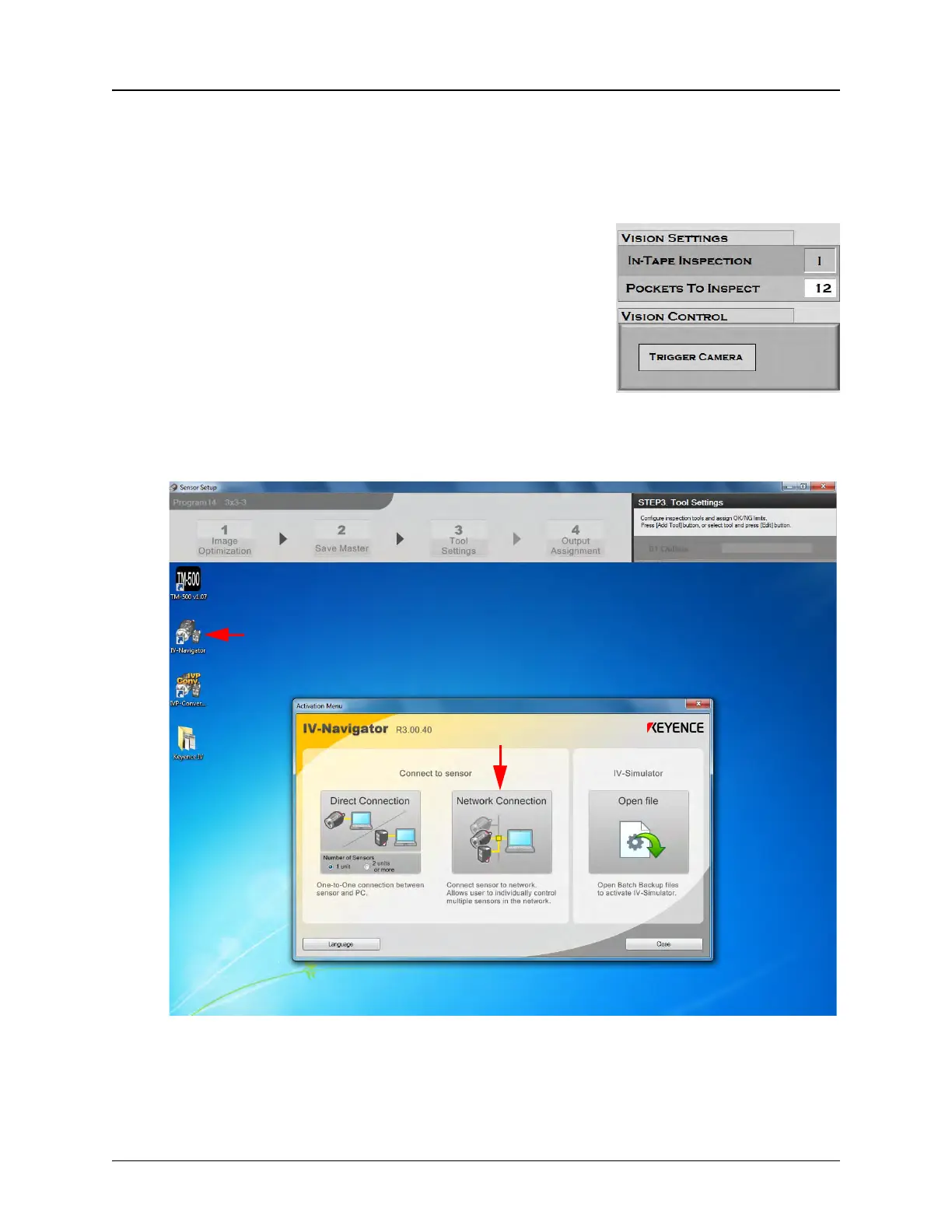
2. Under Vision Settings, turn In-Tape Inspection ON
( I ). Ensure the Pockets to Inspect field is correct.
3. To select a stored inspection or configure a new inspection, open the Keyence
Inspection System software by double-clicking on the IV Navigator icon on the
desktop. Then select Network Connection.



 To Next Page