D292144.6.fm The Setup Screens
Chapter 3: Human Machine Interface 3-17
Run - Setup Tab
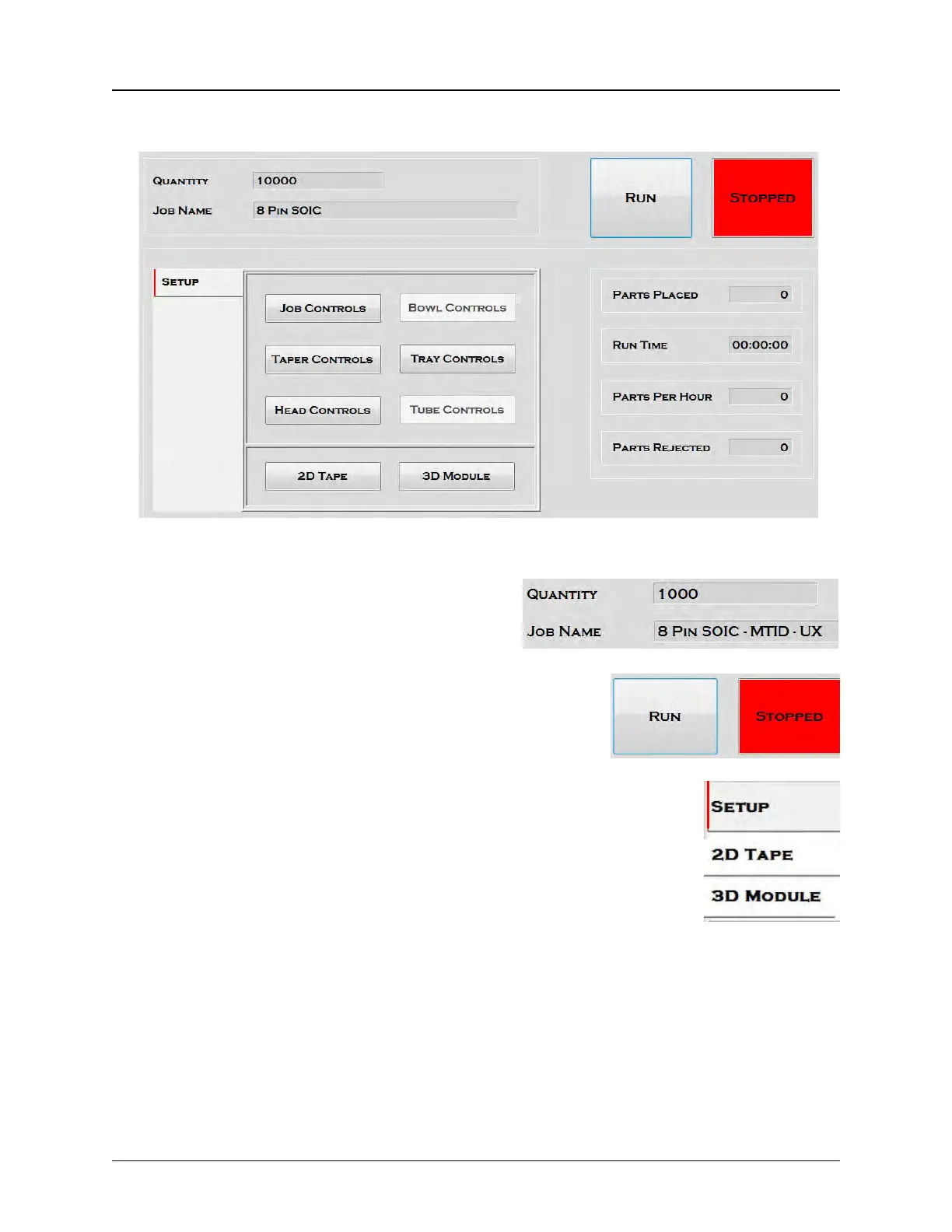
The Run Setup Tab includes the following:
1. Job Information
The Job Information section lists the Quantity of
parts to be run and the Job Name.
2. Run/Stop Buttons
The Run and Stop buttons start and stop job processing. They
change color to indicate they are active as in the Setup tab
above.
3. Tab Buttons
The Tab buttons are displayed on the left side of the Run Tab screen. They
determine what is displayed in Section 4 of the Run Tab.
When Setup is selected as it is on the right, the control buttons pictured in
the example above appear connecting the user to all setup tabs.
When 2D Tape, 2D Module and/or 3D Inspection modules are installed,
they also appear in the tab buttons. If one of the vision modules is selected
from the tab buttons, Section 4 of the Run Tab displays an image of the last
inspection by that camera. Examples follow below.



 To Next Page