6-20 TM-500 User’s Guide
Sensor Adjustments D292144.9.fm
Sensor Adjustments
Adjusting the Low Cover Sensor
The Low Cover Sensor is one of five sensor options that are included with the standard TM-500.
It alerts the operator at the beginning of a job if there is not enough cover tape loaded on the
Cover Tape Reel to complete the job.
Note: The Low Cover Sensor should be enabled if the Taper Output Module is being
used.
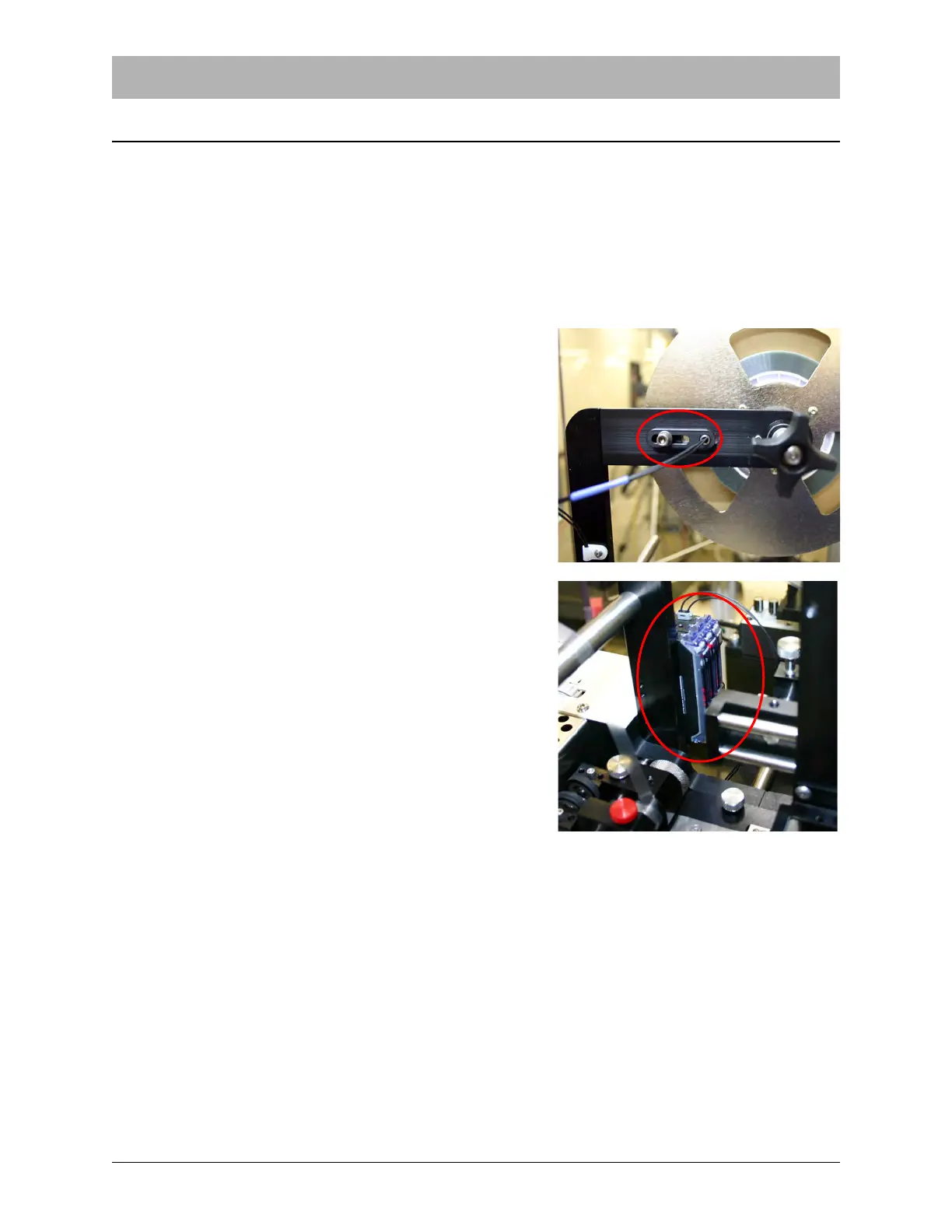
Loosen the screws on the Cover Tape Low Sensor to
adjust it’s position. It should rest so the sensor light is
positioned at the minimum level of cover tape required
to complete a job.
If sensor sensitivity needs to be fine tuned, adjust the
amplifiers at the base of the Cover Tape Arm. For more
information on the sensor/amplifier, refer to Appendix
A: Sensors
No further setup is required. The Low Cover Sensor is
ready to operate.


 To Next Page