5-8 TM-500 User’s Guide
Preparing to Run a Pre-programmed Job D292144.8.fm
Set End of Job Options
If a job is already set up and saved in the machine’s memory, the first step in running the
job is to call it up with the Job Select screen.
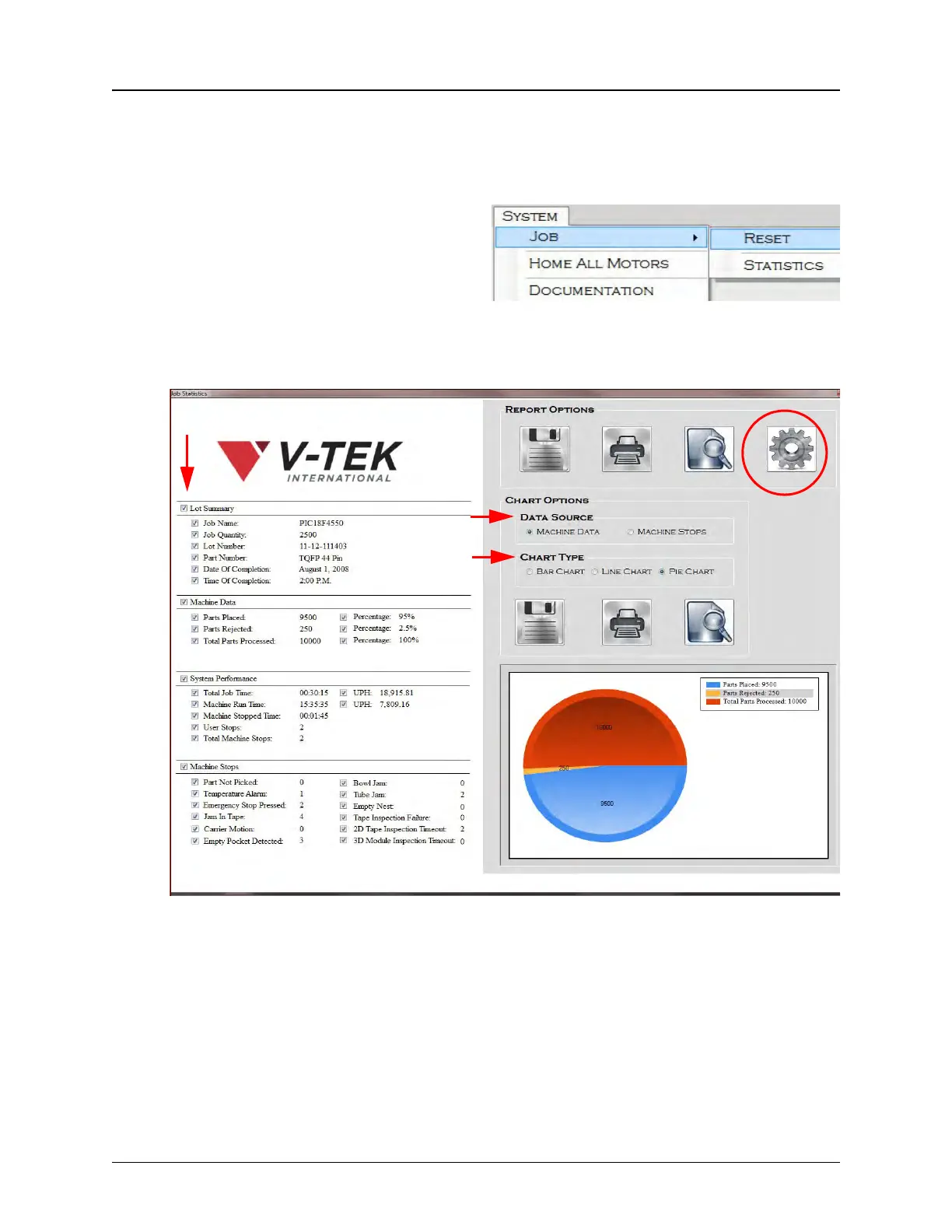
1. Open System > Job > Statistics
to open the Job Statistics Screen
Configure the Job Statistics Report by selecting a Data Source, checking which
data will be collected in the Job Statistics report and select report i
Click on the Settings icon to set End Of Job Options for auto-saving the Job
Statistics Report and auto-printing Bar Code Labels.
Step 6:
Set
End of Job
Options



 To Next Page