5-16 TM-500 User’s Guide
Creating a New Job D292144.8.fm
Creating a New Job
Once the input, test and output modules have been setup and the pick head positions
have been taught, a new job can be created.
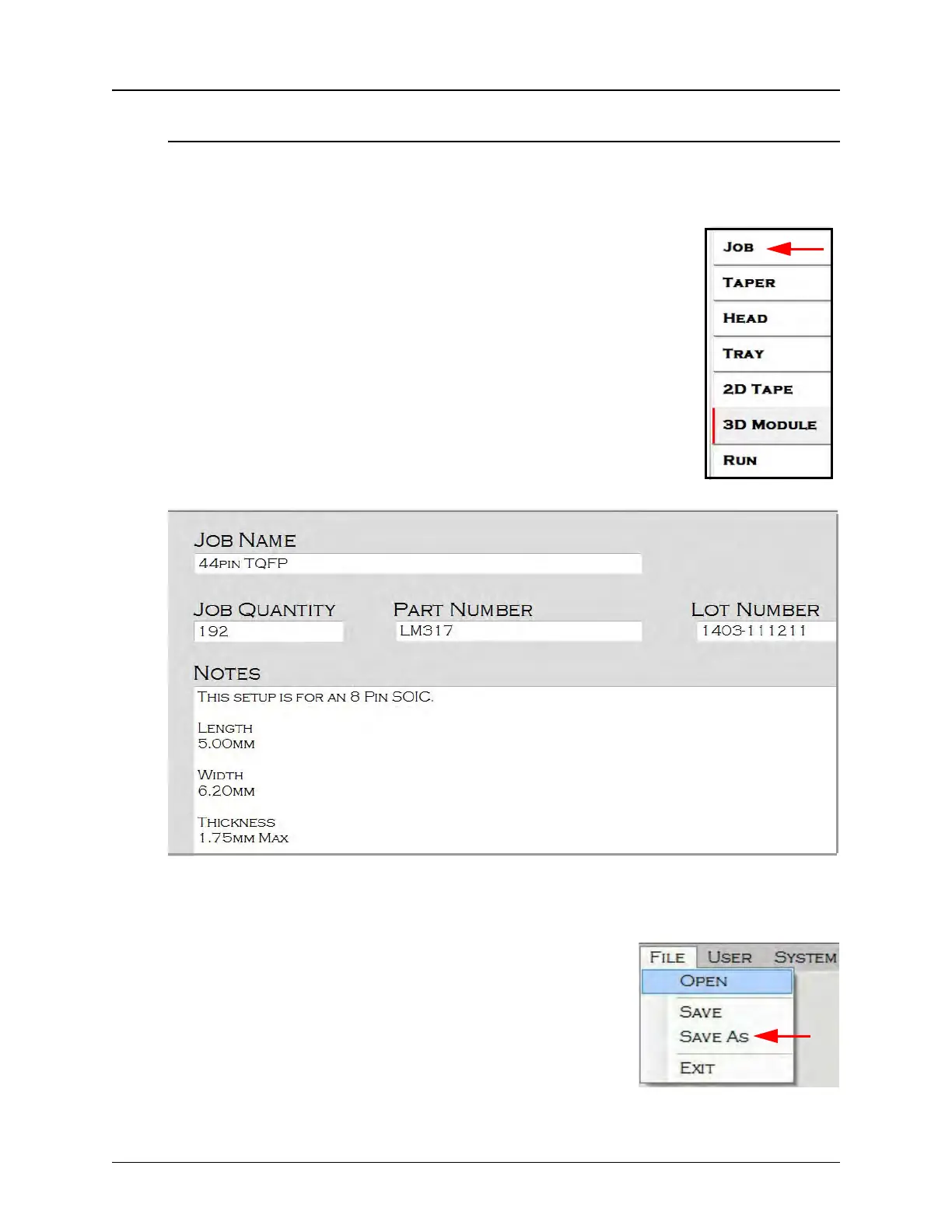
1. Select JOB from the HMI tab menu to open the Job Settings
tab.
Note: The Job Tab will automatically open with the last job
run displayed. If this is the first time the Job Tab is opened,
the Job Quantity, Job Name, and Notes fields will be
blank.
3. Enter the Job Quantity, Job Name, and any job Notes.
4. Open the File menu in the top left corner of the screen
and select Save As.
5. Enter a name for the file and click OK.
The Job has now been setup and all settings have been
saved for future use. It can be opened and run at any time.



 To Next Page