3-16 TM-500 User’s Guide
The Setup Screens D292144.6.fm
The Setup Screens
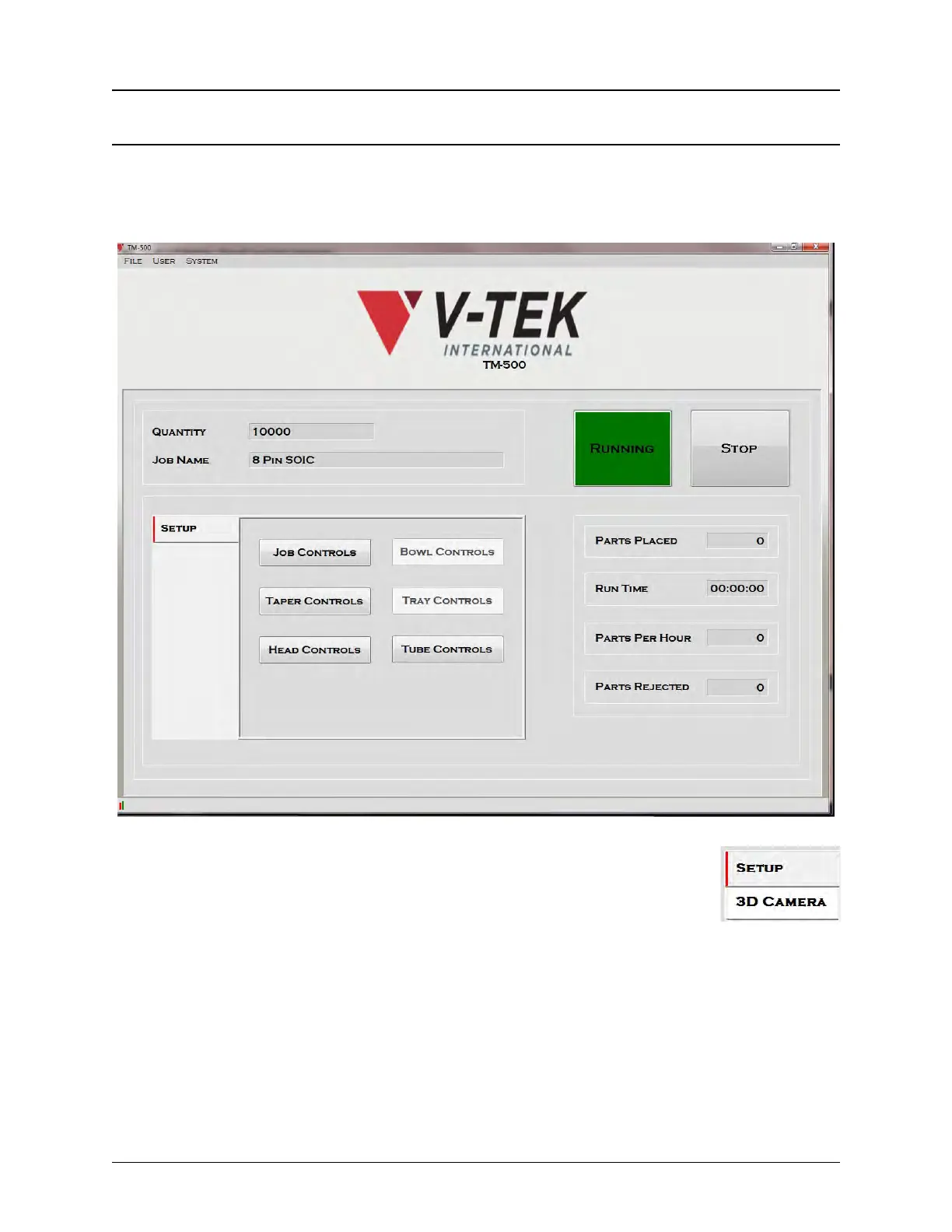
When Run is selected from the Tab Menu, the Run Screen opens. It includes drop down menus,
a tab bar that links the operator to the Run Screens for any Inspection modules that have been
installed, and a display area for the currently active setup tab. The Run Screen is displayed in the
setup window below.
Run Tab Bar
When Run is selected, the Tab Bar changes to include a Setup Tab and tabs
for any 2D or 3D inspection modules that are installed, if any. In the example
on the right, only the 3D Camera is installed.
The Setup Tab control buttons lead to the setup tabs for all installed modules. The currently
selected control button is surrounded by a blue border. Control buttons modules that are not
installed appear grayed out.
Note: Setup Tabs cannot be accessed when the TM-500 is running. If in the process of
running a job, press Stop, then select the desired Setup Tab.



 To Next Page